Key Takeaways
- Detailed analysis focusing on real-world utility, user feedback and performance checks for Best Printers in India (2026): Top 10 Printers for Home, Office and Students.
- Our independent review team rates products based on objective testing standards.
- Scroll down to see the final specifications, pros, cons, and shopping recommendations.
Affiliate Disclosure: This guide contains affiliate links. If you purchase through these Amazon links, TechReviewArena may earn an affiliate commission at no additional cost to you. Our editorial evaluations and product rankings remain strictly independent and unbiased.
Whether you are setting up a productive work-from-home workstation, outfitting a small business billing desk, or helping school and college students print assignments, finding the best printers in India has become a crucial hardware decision in 2026. While modern laptops and tablets make document drafting effortless, having an immediate, dependable hard copy remains indispensable for boarding passes, school project submissions, tax invoices, and official government paperwork. However, stepping into the printer market often reveals a bewildering array of choices between traditional inkjet cartridges, refillable integrated ink tank systems, and laser printers.
The most critical lesson modern printer buyers in India must understand is that the initial sticker price is only a fraction of the total cost of ownership. A cheap cartridge printer costing under ₹4,000 may appear tempting, but replacement ink cartridges costing ₹1,200 for merely 100 pages can quickly turn everyday printing into an expensive recurring burden (up to ₹10 per page). Conversely, an integrated ink tank printer priced around ₹11,000 to ₹14,000 slashes ongoing running expenses down to an astonishing 9 to 15 paise per black page and 25 to 35 paise per colour page. In this definitive buying guide, our editorial team evaluates the top 10 printer listings on the Indian market, breaking down verified print speeds, duty cycles, connectivity protocols, duplex capabilities, and real-world ink economics to help you make the smartest investment for your home or office.
Quick Answer: Best Printers in India
| Category | Top Recommendation | Key Highlight |
|---|---|---|
| Best Overall Ink Tank | Canon PIXMA MegaTank G3010 | 1.2-inch Segment LCD, 6K Black / 7K Colour Yield & Borderless Photos |
| Best for Small Offices & Duplex | HP Smart Tank 670 | Automatic Two-Sided Printing, Dual-Band Self-Healing Wi-Fi & 250-Sheet Tray |
| Best Heavy-Duty Document Bundle | HP Smart Tank 580 | Includes 1 Extra Black Bottle (8,000 Pages) & 1+1 Year Extended Warranty |
| Best Extended Ink Supply (12K Pages) | HP Smart Tank 581 | Includes 2 Extra Black Bottles (12,000 Pages) & 1+1 Year Warranty |
| Best Value Wireless HP Ink Tank | HP Smart Tank 589 | Smart App Connectivity, Smart ID Copy & Low Upfront Ink Tank Cost |
| Best for Photo Printing & High Yield | Canon PIXMA MegaTank G3000 | Hybrid Ink System, Vibrant Borderless A4 Photos & 2 Extra Black Bottles |
| Best Non-WiFi Ink Tank Under ₹10,000 | HP Smart Tank 529 | Ultra-Low Cost Ink Tank Printing with High-Speed USB for Desktop PCs |
| Best Budget Wireless for Students | Canon PIXMA E477 | Affordable Wi-Fi All-in-One with Ink Efficient Cartridges Under ₹5,000 |
| Best Ultra-Budget Entry-Level Printer | Canon PIXMA MG2577s | Print, Scan & Copy for Occasional Homework Under ₹3,500 |
Best Printers in India — Quick Comparison Table
| Rank | Image | Printer | Type | Colour / Mono | Functions | Connectivity | Best For | Price (Approx.) | Buy |
|---|---|---|---|---|---|---|---|---|---|
| 1 | 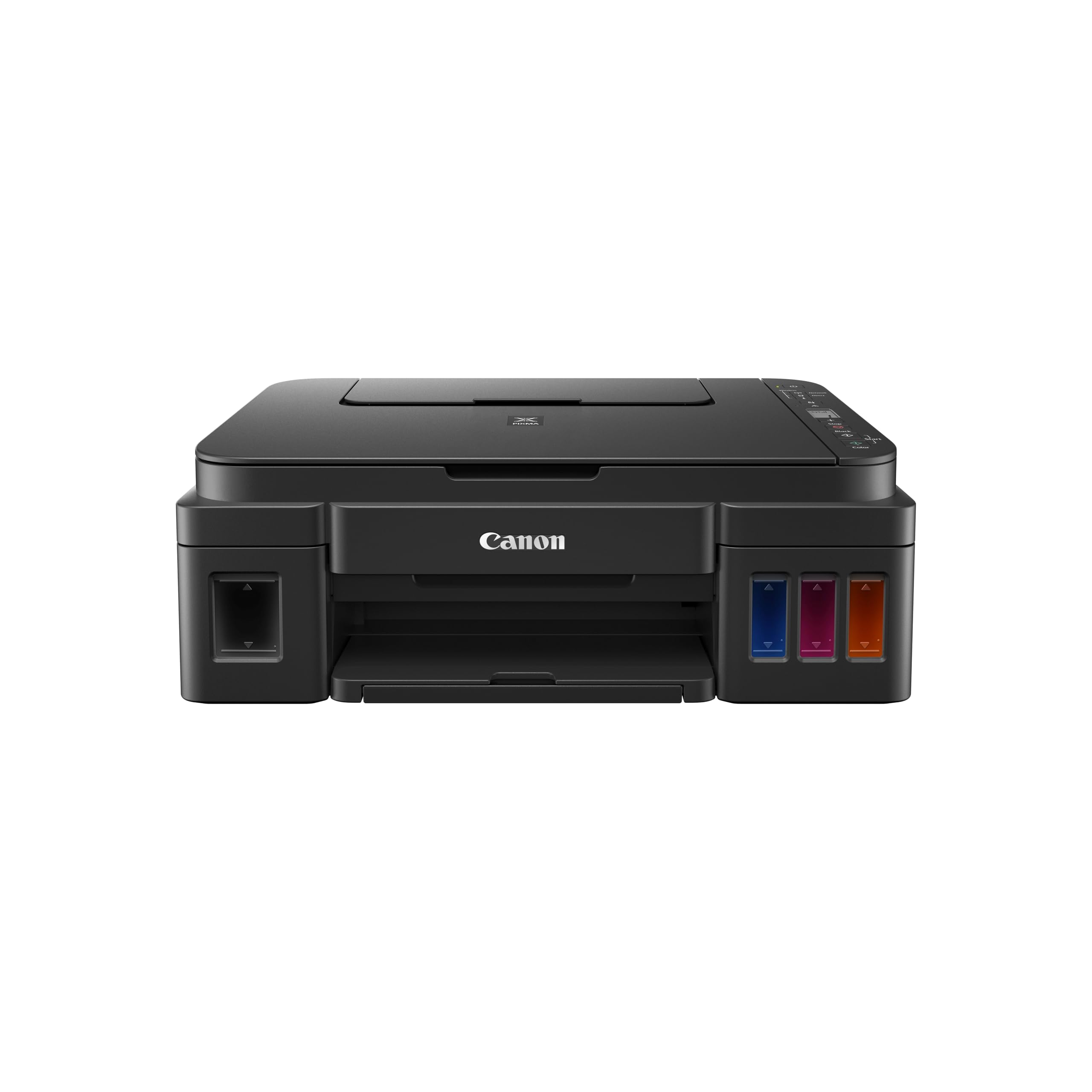 |
Canon PIXMA MegaTank G3010 | Refillable Ink Tank | Colour & Mono | Print, Scan, Copy | Wi-Fi, USB 2.0 | Home, Students & Remote Work | ₹11,499 | 🛒 Check Price |
| 2 | 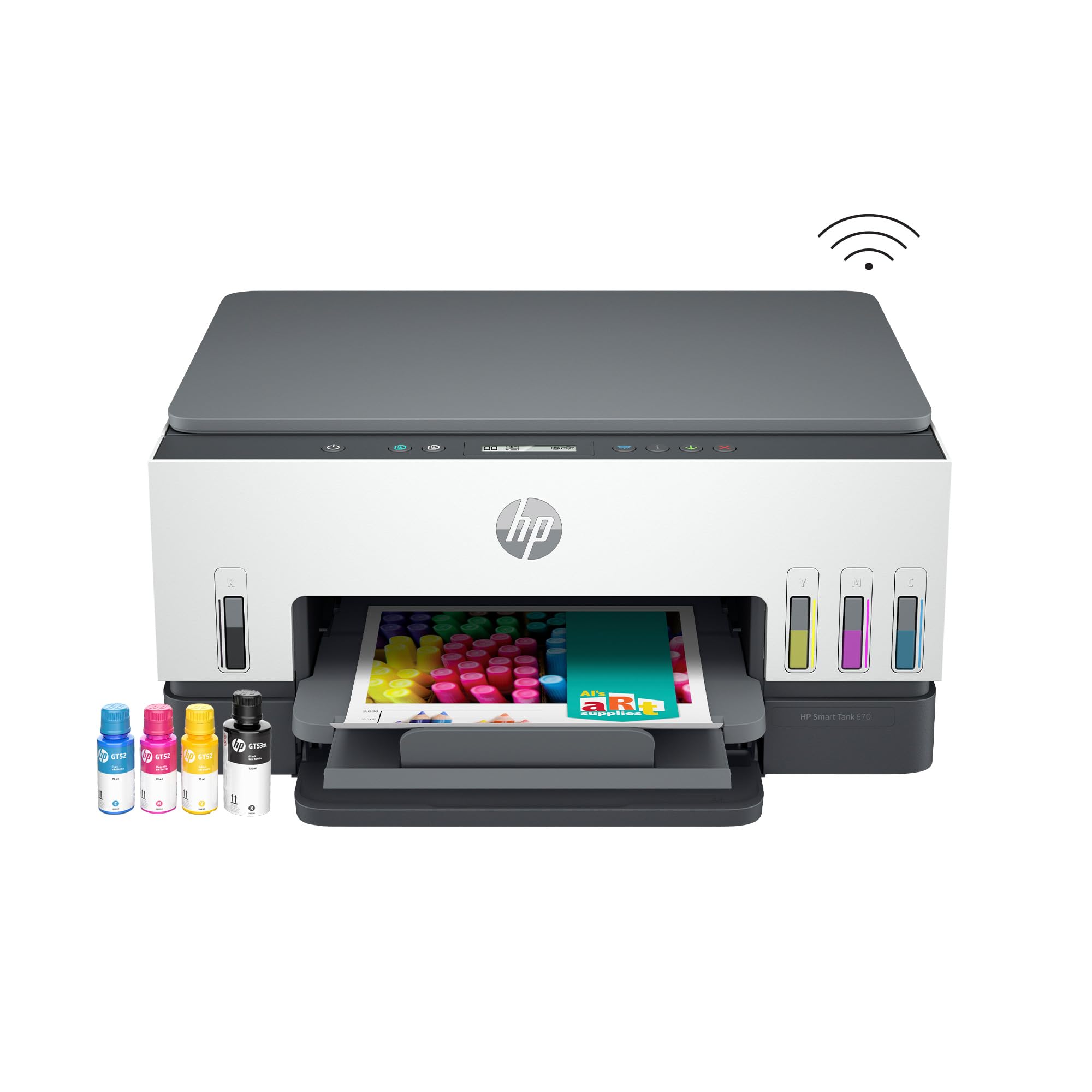 |
HP Smart Tank 670 | Integrated Ink Tank | Colour & Mono | Print, Scan, Copy (Auto Duplex) | Dual-Band Wi-Fi, BLE, USB | Small Offices & Heavy Home Printing | ₹16,999 | 🛒 Check Price |
| 3 | 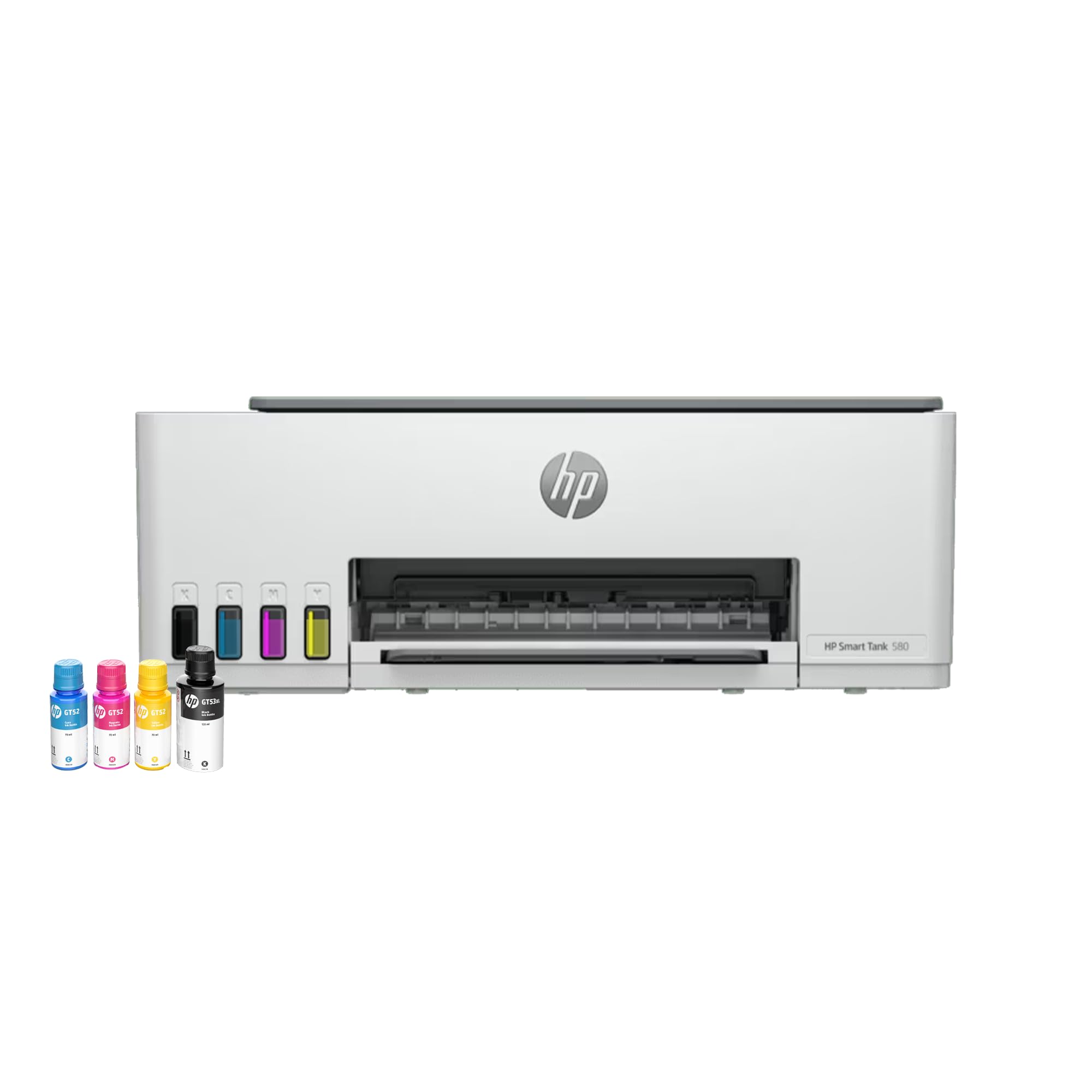 |
HP Smart Tank 580 | Integrated Ink Tank | Colour & Mono | Print, Scan, Copy | Wi-Fi, BLE, USB 2.0 | Heavy Text Documents (8K Pages Bundle) | ₹14,999 | 🛒 Check Price |
| 4 | 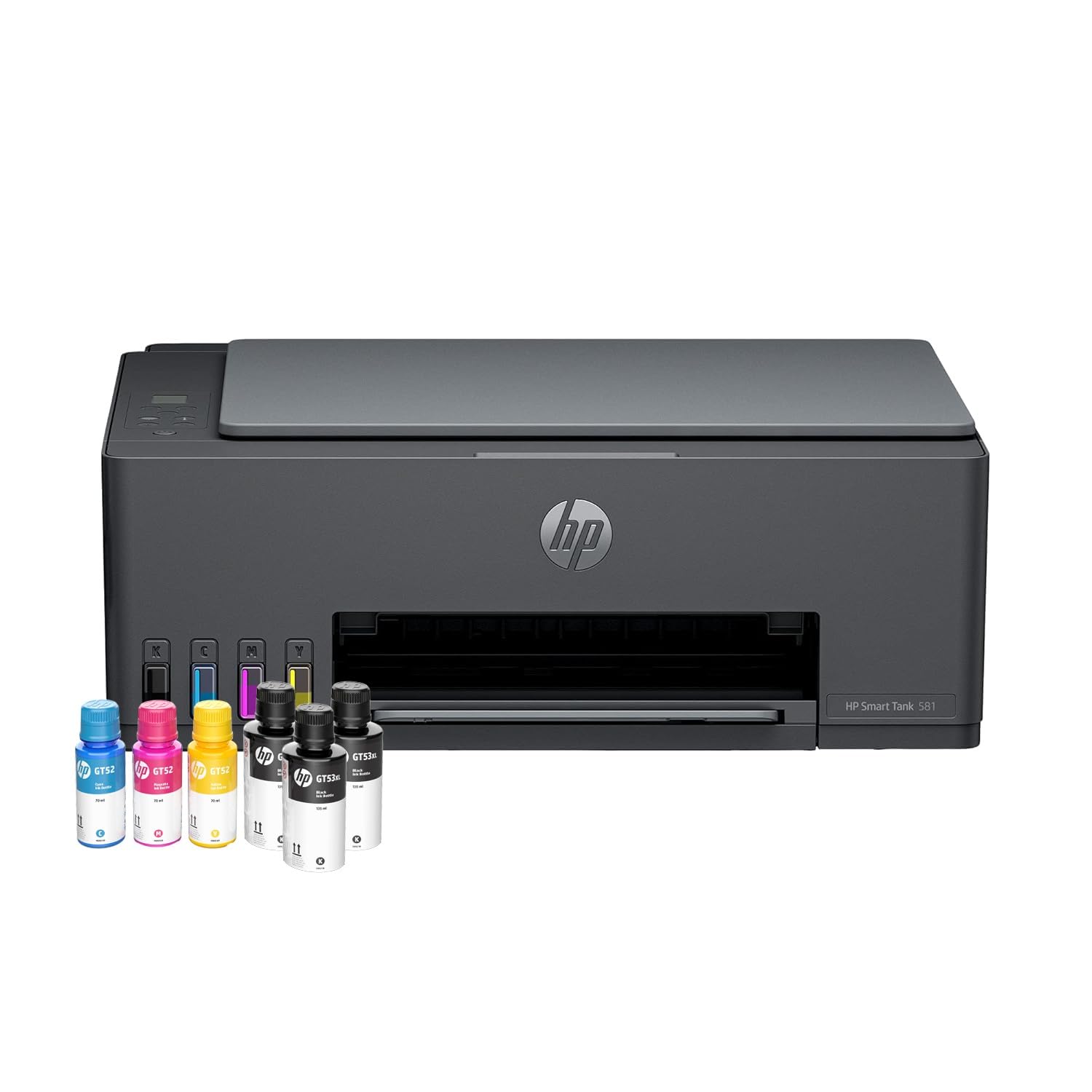 |
HP Smart Tank 581 | Integrated Ink Tank | Colour & Mono | Print, Scan, Copy | Wi-Fi, BLE, USB 2.0 | Massive Print Volumes (12K Pages Bundle) | ₹13,299 | 🛒 Check Price |
| 5 | 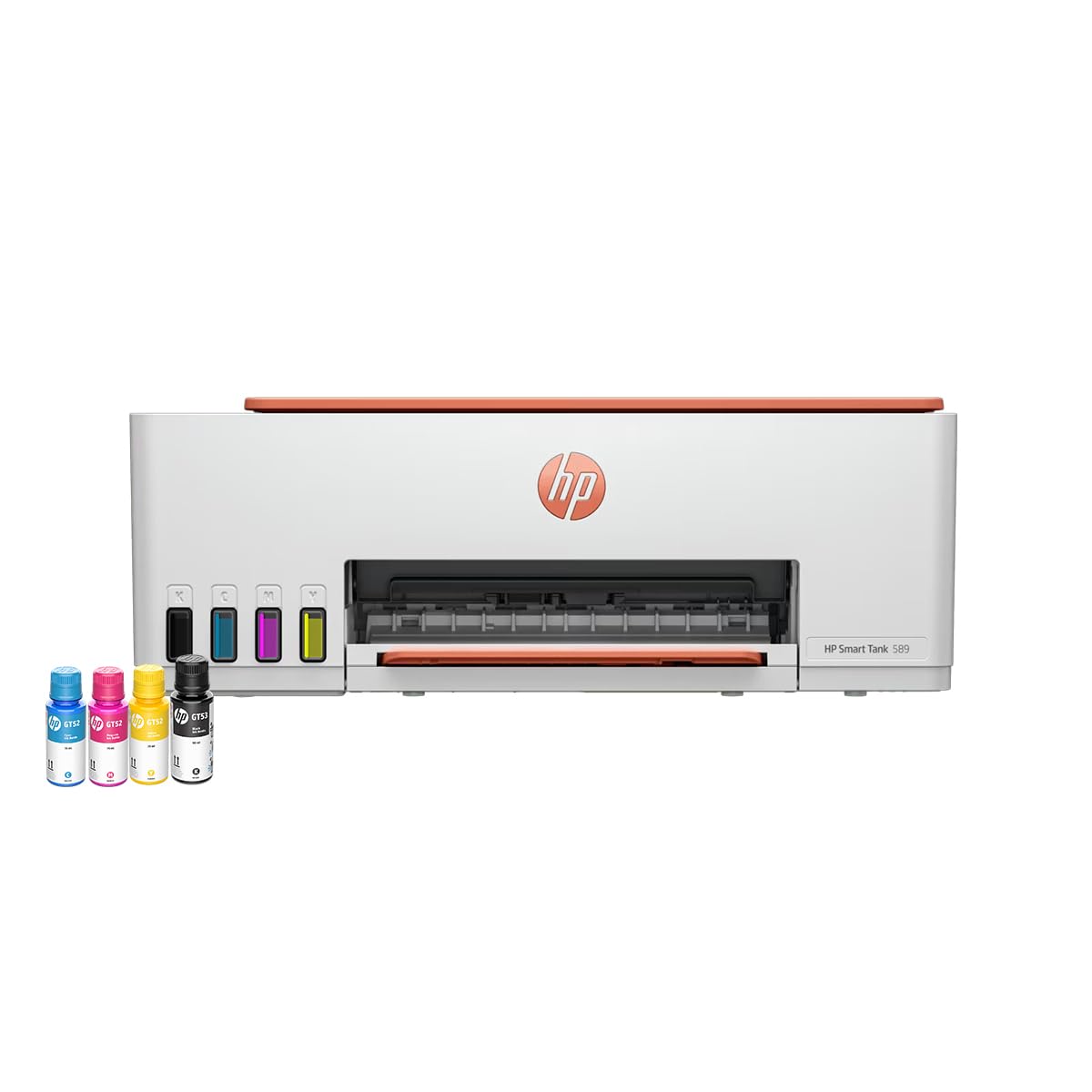 |
HP Smart Tank 589 | Integrated Ink Tank | Colour & Mono | Print, Scan, Copy | Wi-Fi, BLE, USB 2.0 | Value Wireless Home Printing | ₹11,999 | 🛒 Check Price |
| 6 |  |
Canon PIXMA MegaTank G3000 | Refillable Ink Tank | Colour & Mono | Print, Scan, Copy | Wi-Fi, USB 2.0 | Photo Printing & Vivid Graphics | ₹11,999 | 🛒 Check Price |
| 7 | 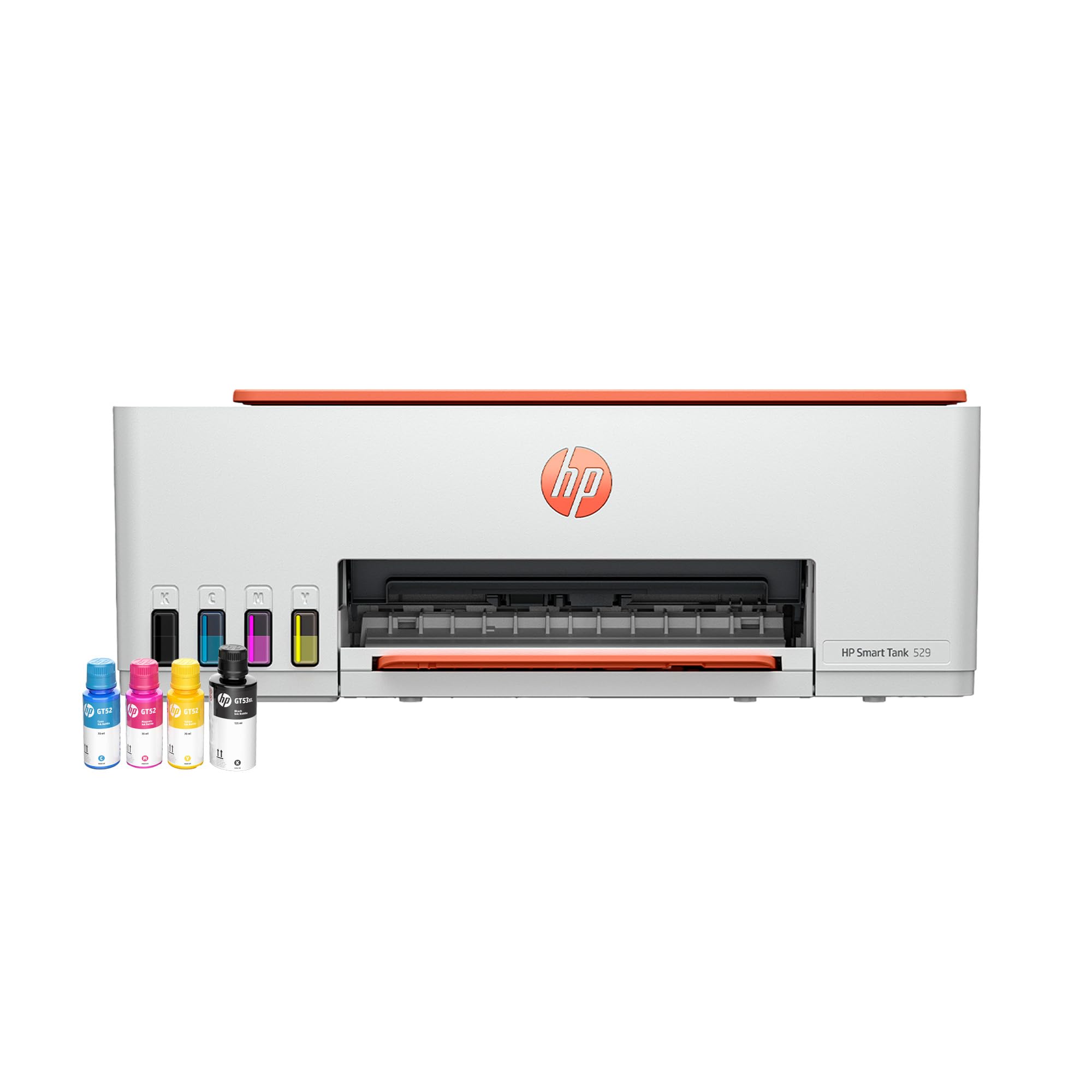 |
HP Smart Tank 529 | Integrated Ink Tank | Colour & Mono | Print, Scan, Copy | Hi-Speed USB 2.0 | Desktop PC Users & Small Shops | ₹9,999 | 🛒 Check Price |
| 8 |  |
Canon PIXMA E477 | Ink Efficient Cartridge | Colour & Mono | Print, Scan, Copy | Wi-Fi, USB 2.0 | Students & Light Home Printing (<₹5K) | ₹4,899 | 🛒 Check Price |
| 9 |  |
Canon PIXMA MG2577s | Cartridge Inkjet | Colour & Mono | Print, Scan, Copy | Hi-Speed USB 2.0 | Occasional Emergency Printing (<₹3.5K) | ₹3,399 | 🛒 Check Price |
*Note: Amazon prices and ratings change dynamically. The prices shown reflect supplied reference snapshots. Click “Check Price” to view real-time Amazon pricing and promotions. Source row 1 and row 3 represent duplicate listings for the HP Smart Tank 589 and have been consolidated into Section 5 below.
1. Canon PIXMA MegaTank G3010 All-in-One WiFi Inktank Colour Printer
Overview
The Canon PIXMA MegaTank G3010 earns our top recommendation as the undisputed best overall wireless ink tank printer for Indian households, college students, and remote work professionals. Engineered around Canon’s renowned high-yield GI-790 ink system, the G3010 houses translucent, integrated ink reservoirs built directly into the front body, allowing users to verify fluid levels at a glance without lifting covers. Its hybrid ink formulation blends crisp, water-resistant pigment black ink for razor-sharp text documents with rich dye-based colour inks that render vibrant charts and vivid, borderless photos up to A4 dimensions. Unlike older ink tank models that relied entirely on flashing LEDs, the G3010 integrates a handy 1.2-inch segment LCD screen that clearly displays copy counts and Wi-Fi status codes. With full smartphone printing via the Canon PRINT app and an ultra-low running cost of approximately 9 paise per black page, it offers the perfect balance of upfront value, reliability, and everyday printing convenience.
Key Specifications
| Printer Technology | Refillable Integrated Ink Tank System |
|---|---|
| Device Functions | All-in-One: Print, Scan, Copy (Flatbed CIS Scanner) |
| Print Resolution | Up to 4800 x 1200 dpi (Micro-Fine Droplet Technology) |
| ISO Print Speed | 8.8 ipm (Images Per Minute) Black & White / 5.0 ipm Colour |
| Claimed Page Yield | Up to 6,000 pages (GI-790 Black) / 7,000 pages (GI-790 C/M/Y Colour) |
| Connectivity | Wi-Fi 802.11 b/g/n (2.4 GHz), Wi-Fi Direct (Access Point Mode), High-Speed USB 2.0 |
| Mobile Printing Support | Canon PRINT Inkjet/SELPHY App, PIXMA Cloud Link, Canon Print Service (Android) |
| User Interface | 1.2-inch Segment Monochrome LCD Display with Numeric Copy Key |
| Paper Handling | Rear Tray: 100 Sheets Plain A4 Paper / 20 Sheets 4×6 Photo Paper |
| Duplex & Borderless | Manual Duplex; Full Borderless Photo Printing up to A4 / Letter |
| OS Compatibility | Windows 10, 8.1, 7 SP1 (Note: macOS native driver is not supported) |
| Warranty | 1 Year Onsite / Carry-in Warranty or 30,000 prints (whichever occurs first) |
Advantages & Limitations
| Pros | Cons |
|---|---|
| ✔ Extremely Low Running Cost: Genuine GI-790 refill bottles keep cost per page down to ~9p black and ~32p colour. | ✘ No macOS Support: Official drivers are built for Windows; Mac users require third-party or network workarounds. |
| ✔ Convenient 1.2-inch LCD: Simple physical display makes standalone multi-copy tasks effortless without opening a PC. | ✘ Manual Two-Sided Printing: Duplex printing requires manually flipping sheets. |
| ✔ Superb Photo & Graphic Output: 4800 x 1200 dpi resolution with borderless A4 photo support delivers exceptional visual richness. | ✘ No Auto Document Feeder: Multi-page scanning requires manually placing each sheet on the flatbed glass. |
| ✔ Direct Wireless Printing: Wi-Fi Direct enables mobile phone printing even without an active home internet router. | ✘ Moderate Print Speed: 8.8 ipm black speed is suited for home and student volumes, not bulk corporate batches. |
Who Should Buy It?
The Canon PIXMA G3010 is ideal for families with school-going children, college students compiling term papers, and remote professionals who want a reliable, trouble-free wireless workhorse that prints hundreds of pages without running out of ink or requiring expensive cartridge replacements.
Who Should Consider Another Option?
MacBook users should look at HP’s Smart Tank series, which natively supports Apple AirPrint and macOS. Similarly, office users who require automatic two-sided duplex printing or an automatic document feeder for multi-page scanning should consider the HP Smart Tank 670.
Our Verdict
The Canon PIXMA G3010 remains the gold standard in the Indian consumer ink tank segment. Combining excellent text clarity, rich borderless colour printing, intuitive LCD controls, and remarkable ink efficiency, it is our top overall pick for value, durability, and low total cost of ownership.
🛒 Check Latest Price on Amazon →
2. HP Smart Tank 670 All-in-One Auto Duplex WiFi Integrated Ink Tank Printer
Overview
For small offices, busy consulting practices, legal professionals, and demanding home offices, the HP Smart Tank 670 stands in a class of its own. While most consumer ink tank printers force users to manually flip every page for double-sided documents, the Smart Tank 670 features an integrated hardware Automatic Two-Sided (Duplex) printing engine. This automatic duplexing immediately cuts paper consumption by up to 50% while saving immense manual effort during lengthy contract or project reports. Furthermore, HP has upgraded paper handling with a high-capacity 250-sheet enclosed front paper cassette, protecting pristine sheets from airborne dust and moisture—a widespread cause of paper jams in Indian climates. Powered by dual-band self-healing Wi-Fi (2.4GHz and 5GHz) and delivering brisk print speeds of up to 12 ppm in black and 7 ppm in colour, it represents the most sophisticated and productivity-oriented ink tank solution on our list.
Key Specifications
| Printer Technology | Integrated Refillable Thermal Ink Tank |
|---|---|
| Device Functions | Print, Scan, Copy (Flatbed CIS Scanner up to 1200 dpi) |
| Automatic Duplex | Yes, Built-in Automatic Two-Sided Printing |
| ISO Print Speed | Up to 12 ppm Black / Up to 7 ppm Colour |
| Print Resolution | Up to 4800 x 1200 optimized dpi Colour / 1200 x 1200 rendered dpi Black |
| Claimed Page Yield | Up to 6,000 Black pages (HP GT53XL) / 8,000 Colour pages (HP GT52 set) |
| Paper Handling | 250-Sheet Enclosed Front Input Cassette Tray / 100-Sheet Output Tray |
| Connectivity | Dual-Band Wi-Fi (2.4GHz & 5GHz) with Self-Healing, Bluetooth LE, Hi-Speed USB 2.0 |
| Mobile & Cloud Printing | HP Smart App, Apple AirPrint, Mopria Certified, Wi-Fi Direct |
| Sensors & UI | Automatic Low-Ink and Paper Sensors, Contextual Smart-Guided Buttons |
| Monthly Duty Cycle | Up to 3,000 pages (Recommended monthly volume: 400 to 800 pages) |
| Warranty | 1 Year Manufacturer Warranty |
Advantages & Limitations
| Pros | Cons |
|---|---|
| ✔ Automatic Two-Sided Printing: Effortlessly prints both sides of paper without manual intervention, saving time and paper. | ✘ Higher Initial Investment: Positioned at a higher price bracket than basic entry-level ink tanks. |
| ✔ 250-Sheet Enclosed Front Cassette: Heavy paper capacity keeps dust out and eliminates frequent paper reloading. | ✘ No Automatic Document Feeder (ADF): Multi-page scanning requires single-sheet manual flatbed placement. |
| ✔ Dual-Band Self-Healing Wi-Fi: Automatically detects and resolves connection drops on congested home or office networks. | ✘ Slightly Larger Footprint: Requires dedicated desk space due to internal duplex mechanics and front cassette. |
| ✔ Swift Print Speeds: 12 ppm black and 7 ppm colour ensure rapid turnaround for multi-page business proposals. | ✘ Premium Ink Refill Bottles: Genuine HP GT53XL bottles are required for peak page yield. |
Who Should Buy It?
The HP Smart Tank 670 is the premier choice for chartered accountants, lawyers, small business owners, real estate professionals, and busy remote executives who print multi-page documentation daily and refuse to compromise on automatic two-sided duplex efficiency.
Who Should Consider Another Option?
Budget-conscious home users who print only 10 to 30 pages a month will find standard single-side ink tanks like the Canon G3010 or HP Smart Tank 589 significantly more economical upfront.
Our Verdict
The HP Smart Tank 670 eliminates the single biggest headache of entry-level printers: manual paper flipping. With its robust 250-sheet enclosed tray, seamless Apple AirPrint support, dual-band Wi-Fi, and rock-solid duplex mechanics, it is the best office-grade ink tank in its class.
🛒 Check Latest Price on Amazon →
3. HP Smart Tank 580 All-in-One WiFi Colour Printer (with 1 Extra Black Ink Bottle)
Overview
The HP Smart Tank 580 bundle is tailored specifically for document-heavy households and academic workstations where black-and-white text printing heavily outweighs colour graphics. This specific retail bundle arrives with 1 Extra Original HP GT53XL Black Ink Bottle included in the box, delivering an enormous out-of-the-box yield of up to 8,000 crisp black pages and 6,000 colour pages. Furthermore, HP sweetens the package with a 1+1 Year Extended Warranty upon online registration within 30 days of purchase, doubling your manufacturer coverage and providing exceptional peace of mind. The Smart Tank 580 features self-healing Wi-Fi that automatically reconnects after router restarts, a responsive 1.2-inch iCON LCD display with a dedicated smart ID card copy button, and seamless mobile printing via the industry-leading HP Smart app on Android and iOS.
Key Specifications
| Printer Technology | Integrated Refillable Thermal Ink Tank |
|---|---|
| Device Functions | All-in-One: Print, Scan, Copy (Flatbed CIS up to 1200 dpi) |
| Bundled Ink Configuration | 2x HP GT53XL Black Bottles + 3x HP GT52 Colour Bottles (Cyan, Magenta, Yellow) |
| Claimed Page Yield | Up to 8,000 Black pages / Up to 6,000 Colour pages out of the box |
| Print Speed | Up to 12 ppm Black / Up to 5 ppm Colour (Draft); ~10 ppm Black (ISO) |
| Print Resolution | Up to 4800 x 1200 optimized dpi Colour / 1200 x 1200 rendered dpi Black |
| Connectivity | Self-Healing Wi-Fi (2.4GHz), Wi-Fi Direct, Bluetooth Low Energy, Hi-Speed USB 2.0 |
| Display & Controls | 1.2-inch iCON LCD with Smart ID Copy Function and Ink Level Indicators |
| Paper Handling | 100-Sheet Rear Feed Input Tray / 30-Sheet Output Tray |
| Warranty Package | 1 Year Standard + 1 Year Extended Warranty on Registration (Total 2 Years) |
Advantages & Limitations
| Pros | Cons |
|---|---|
| ✔ Massive 8,000-Page Black Yield: Bundled extra GT53XL bottle powers years of regular document printing without buying extra ink. | ✘ Manual Two-Sided Printing: Requires manual page reinsertion for double-sided documents. |
| ✔ 2-Year Warranty Coverage: 1+1 extended registration warranty offers double the peace of mind against hardware defects. | ✘ Modest Colour Print Speed: 5 ppm colour print speed requires patience when generating full-page photo prints. |
| ✔ Dedicated Smart ID Copy: Intelligently copies both sides of Aadhaar or PAN cards onto a single side with one touch. | ✘ Rear Paper Feed Only: 100-sheet open rear tray exposes loaded paper to ambient room dust over time. |
| ✔ Outstanding HP Smart App: Scan documents directly to PDF, print from WhatsApp, and monitor ink levels effortlessly. | ✘ Single-Band 2.4GHz Wi-Fi: Does not support 5GHz wireless bands (unlike the Smart Tank 670). |
Who Should Buy It?
Families with school children printing project reports, competitive exam aspirants compiling extensive study notes, and home offices that prioritize long-term warranty assurance alongside massive upfront black ink capacity.
Who Should Consider Another Option?
If you require even more black ink capacity right out of the box, the HP Smart Tank 581 bundles two extra black bottles (yielding 12,000 pages). If you need automatic double-sided printing, choose the HP Smart Tank 670.
Our Verdict
The HP Smart Tank 580 hits the sweet spot between upfront bundled value, modern software convenience, and extended manufacturer warranty coverage. The bundled extra ink bottle and two-year warranty make it an outstanding long-term investment for family computing.
🛒 Check Latest Price on Amazon →
4. HP Smart Tank 581 All-in-One WiFi Colour Printer (with 2 Extra Black Ink Bottles)
Overview
If your biggest purchasing criterion is never worrying about buying printer ink for the next three to four years, the HP Smart Tank 581 is engineered specifically for you. Sharing the identical reliable hardware architecture of the Smart Tank 500 series, this powerhouse bundle includes two extra high-capacity original HP GT53XL Black Ink Bottles in addition to the standard full starter set (providing 3 black bottles total). This astronomical bundled volume delivers up to 12,000 black pages and 6,000 colour pages straight out of the box. Combined with HP’s 1+1 Year Extended Warranty upon registration, spill-free colour-coded ink bottles, and reliable wireless connectivity via the HP Smart app and Apple AirPrint, the Smart Tank 581 delivers an unbeatable total cost of ownership for heavy document environments.
Key Specifications
| Printer Technology | Integrated Refillable Thermal Ink Tank |
|---|---|
| Device Functions | All-in-One: Print, Scan, Copy (Flatbed CIS up to 1200 dpi) |
| Bundled Ink Configuration | 3x HP GT53XL Black Bottles + 3x HP GT52 Colour Bottles (Full Set + 2 Extra Black) |
| Claimed Page Yield | Up to 12,000 Black pages / Up to 6,000 Colour pages out of the box |
| Print Speed | Up to 12 ppm Black / Up to 5 ppm Colour (Draft); ~10 ppm Black (ISO) |
| Print Resolution | Up to 4800 x 1200 optimized dpi Colour / 1200 x 1200 rendered dpi Black |
| Connectivity | Self-Healing Wi-Fi (2.4GHz), Wi-Fi Direct, Bluetooth Low Energy, Hi-Speed USB 2.0 |
| Display & Controls | 1.2-inch iCON LCD Display with Dedicated ID Copy & Wi-Fi Status Indicators |
| Paper Handling | 100-Sheet Rear Feed Input Tray / 30-Sheet Output Tray |
| Warranty Package | 1 Year Standard + 1 Year Extended Warranty on Registration (Total 2 Years) |
Advantages & Limitations
| Pros | Cons |
|---|---|
| ✔ Unmatched 12,000-Page Black Bundle: Three full black bottles mean years of high-volume text printing without buying consumables. | ✘ Manual Duplex Only: Automatic double-sided printing is not supported. |
| ✔ Exceptional Page Cost: Brings black print cost down to approximately 9 paise per page right out of the box. | ✘ Single-Sheet Flatbed Scanning: Lacks an automatic document feeder for multi-page scanning. |
| ✔ 2-Year Extended Warranty: Double the standard warranty protection gives complete peace of mind. | ✘ Moderate Colour Output Speed: Best suited for mixed text and graphics rather than high-speed photo labs. |
| ✔ Seamless Mobile Workflow: HP Smart app allows remote printing, cloud scanning to Google Drive, and ink level checking. | ✘ 2.4GHz Wi-Fi Only: Requires a 2.4GHz wireless network band for initial setup. |
Who Should Buy It?
The HP Smart Tank 581 is the definitive pick for law students, university researchers compiling theses, tuition centers printing study material, and active home offices who want the maximum possible ink reserves without making recurring purchases.
Who Should Consider Another Option?
Users who print modest volumes (less than 50 pages per month) will not benefit from 12,000 pages of stored ink and can save money with the HP Smart Tank 589 or Canon G3010.
Our Verdict
With three full bottles of pigment black ink delivering 12,000 pages alongside a 2-year warranty package, the HP Smart Tank 581 is the ultimate high-volume document bundle in the sub-₹14,000 segment.
🛒 Check Latest Price on Amazon →
5. HP Smart Tank 589 All-in-One WiFi Colour Printer (Standard Retail Edition)
Overview
The HP Smart Tank 589 is the baseline, standard retail edition of HP’s celebrated 500-series wireless ink tank lineup (accounting for both Row 1 and Row 3 in our source listings). Designed for budget-conscious families and home offices who want the advanced features and sleek modern aesthetic of the HP 500 chassis without paying extra for multiple bundled spare ink bottles, the Smart Tank 589 ships with a standard starter set delivering up to 4,000 black pages and 6,000 colour pages. It features the same robust internal print engine as its siblings, offering up to 12 ppm draft speeds, self-healing Wi-Fi that automatically re-establishes dropped router links, a 1.2-inch iCON LCD display with dedicated ID copy, and effortless mobile printing across Windows, Android, iOS, and macOS.
Key Specifications
| Printer Technology | Integrated Refillable Thermal Ink Tank |
|---|---|
| Device Functions | All-in-One: Print, Scan, Copy (Flatbed CIS up to 1200 dpi) |
| Bundled Ink Configuration | Standard starter set: 1x HP GT53 Black + 3x HP GT52 Colour (C/M/Y) |
| Claimed Page Yield | Up to 4,000 Black pages / Up to 6,000 Colour pages |
| Print Speed | Up to 12 ppm Black / Up to 5 ppm Colour (Draft); ~10 ppm Black (ISO) |
| Print Resolution | Up to 4800 x 1200 optimized dpi Colour / 1200 x 1200 rendered dpi Black |
| Connectivity | Wi-Fi 802.11 b/g/n, Wi-Fi Direct, Bluetooth Low Energy, Hi-Speed USB 2.0 |
| Display & Controls | 1.2-inch iCON LCD with Smart ID Copy and Connection Status |
| Paper Handling | 100-Sheet Rear Feed Input Tray / 30-Sheet Output Tray |
| Warranty | 1 Year Standard Manufacturer Warranty |
Advantages & Limitations
| Pros | Cons |
|---|---|
| ✔ Lower Upfront Purchase Price: Saves money upfront compared to heavy bundles while providing identical hardware performance. | ✘ Fewer Black Pages Included: Standard bottle provides 4,000 pages compared to 8,000 in the 580 or 12,000 in the 581. |
| ✔ Self-Healing Wi-Fi & BLE: Quick, hassle-free Bluetooth-assisted setup via the HP Smart app. | ✘ Manual Duplexing: Requires manually turning pages for double-sided prints. |
| ✔ Full Apple AirPrint & Mac Support: Seamless plug-and-play operation with iPhones, iPads, and MacBooks. | ✘ 1-Year Standard Warranty: Does not include the automatic 1+1 extended registration promotion of the 580/581. |
| ✔ Spill-Free Refill System: Keyed color-coded bottles prevent accidental cross-contamination during ink top-ups. | ✘ Open Rear Tray: Leaves paper exposed to airborne dust when not in active use. |
Who Should Buy It?
Home users, school students, and hybrid workers who want a modern, dependable HP wireless ink tank at the most affordable upfront price point possible without purchasing surplus ink bottles they may not consume for years.
Who Should Consider Another Option?
If you anticipate heavy printing (over 100 pages a month), upgrading to the HP Smart Tank 580 or 581 offers substantially more bundled ink and extended warranty coverage for a small incremental cost.
Our Verdict
The HP Smart Tank 589 delivers the full feature set of HP’s latest ink tank platform—smart app integration, crisp text clarity, and low ongoing page costs—at an attractive entry price for everyday home computing.
🛒 Check Latest Price on Amazon →
6. Canon PIXMA MegaTank G3000 All-in-One WiFi Ink Tank Colour Printer
Overview
The Canon PIXMA MegaTank G3000 is one of the most battle-tested, popular ink tank printers ever launched in India, amassing over 13,000 verified Amazon customer reviews. As the sibling to the newer G3010, the G3000 utilizes Canon’s celebrated FINE (Full-photolithography Inkjet Nozzle Engineering) printhead technology, achieving exceptional 4800 x 1200 dpi resolution with microscopic ink droplets that make it particularly revered among photography enthusiasts and graphic design students. What makes this specific Amazon listing particularly compelling is that it comes bundled with two additional GI-790 black ink bottles in the box (giving three black bottles total), pushing total black page yields past 12,000 pages. Unlike the G3010, the G3000 uses a tactile physical button interface without an LCD screen, relying on multi-button presses for copy counts, but it offers the identical rock-solid hybrid ink formulation and borderless A4 photo capabilities that have made Canon MegaTank a household name.
Key Specifications
| Printer Technology | Refillable Integrated Ink Tank System |
|---|---|
| Device Functions | All-in-One: Print, Scan, Copy (Flatbed CIS 600 x 1200 dpi) |
| Bundled Ink Configuration | 3x GI-790 Black Bottles + 3x GI-790 Colour Bottles (Cyan, Magenta, Yellow) |
| Print Resolution | Up to 4800 x 1200 dpi with FINE Printhead Technology |
| ISO Print Speed | 8.8 ipm Black & White / 5.0 ipm Colour |
| Claimed Page Yield | Up to 6,000 pages per black bottle (over 12,000 pages bundled) / 7,000 colour pages |
| Connectivity | Wi-Fi 802.11 b/g/n, Access Point Mode (Wi-Fi Direct), High-Speed USB 2.0 |
| User Interface | Physical Tactile Push Buttons and Status LED Indicators (No LCD screen) |
| Paper Handling | Rear Input Tray: 100 Sheets Plain Paper / 20 Sheets 4×6 Photo Paper |
| Duplex & Borderless | Manual Duplex; True Borderless Photo Printing up to A4 / Letter |
| Warranty | 1 Year Carry-in / Onsite Warranty or 30,000 prints |
Advantages & Limitations
| Pros | Cons |
|---|---|
| ✔ Outstanding Photo Quality: Canon FINE printheads and hybrid dye-colour inks produce vibrant, borderless photo prints up to A4. | ✘ No LCD Display: Copy counts and network troubleshooting rely on button combinations and LED blinks rather than a screen. |
| ✔ Bundled Extra Black Ink: Includes 2 extra black ink bottles, matching the high-yield document capacity of pricier competitors. | ✘ No Native Mac Drivers: Primarily built for Windows systems; macOS compatibility is severely limited. |
| ✔ Proven Long-Term Reliability: Thousands of long-term user reviews confirm the exceptional durability of Canon’s GI-790 mechanics. | ✘ Manual Two-Sided Printing: Lacks hardware automatic duplex printing. |
| ✔ Direct Smartphone Printing: Access Point mode connects phones directly without requiring a third-party Wi-Fi router. | ✘ Slower Color Print Speeds: 5.0 ipm colour speed requires roughly 60 seconds for a high-res 4×6 glossy photo. |
Who Should Buy It?
Photo hobbyists, design students, and home users who want proven printhead reliability, borderless photo capabilities, and multiple bundled black ink bottles for long-term document printing.
Who Should Consider Another Option?
If you prefer having a clear numeric LCD screen to manage copy counts without hassle, choose the newer Canon PIXMA G3010. If you use Apple Mac laptops, choose an HP Smart Tank model.
Our Verdict
The Canon PIXMA G3000 is an iconic, ultra-reliable ink tank printer. While it lacks the LCD convenience of the newer G3010, its bundled extra ink bottles and stellar photo printing make it a superb high-volume performer.
🛒 Check Latest Price on Amazon →
7. HP Smart Tank 529 All-in-One Colour Printer (USB / Non-WiFi)
Overview
While wireless connectivity is convenient, not every printing setup requires or wants Wi-Fi. In retail shops, pharmacy billing counters, warehouse shipping stations, and desktop computer workstations, printers are permanently tethered to a single PC via a USB cable. For these specific environments, the HP Smart Tank 529 is a brilliant, cost-conscious discovery. By intentionally omitting wireless networking hardware, HP offers a full-fledged, high-yield All-in-One (Print, Scan, Copy) integrated ink tank printer for under ₹10,000. It utilizes the identical high-performance print engine and spill-free GT53/GT52 ink system found in HP’s premium 500-series models, delivering speeds up to 12 ppm in black, rich 4800 x 1200 optimized dpi resolution, and ultra-low running costs of around 10 paise per page. Simply plug in the included USB cable, install the drivers, and enjoy rock-solid, latency-free printing that never disconnects or drops off a home router.
Key Specifications
| Printer Technology | Integrated Refillable Thermal Ink Tank |
|---|---|
| Device Functions | All-in-One: Print, Scan, Copy (Flatbed CIS up to 1200 dpi) |
| Connectivity | Hi-Speed USB 2.0 (Non-WiFi / Wired Only) |
| Claimed Page Yield | Up to 4,000 Black pages / Up to 6,000 Colour pages (Starter Set) |
| Print Speed | Up to 12 ppm Black / Up to 5 ppm Colour (Draft); ~10 ppm Black (ISO) |
| Print Resolution | Up to 4800 x 1200 optimized dpi Colour / 1200 x 1200 rendered dpi Black |
| User Interface | Simple Button Interface with Status LEDs & Smart Copy Keys |
| Paper Handling | 100-Sheet Rear Feed Input Tray / 30-Sheet Output Tray |
| Duplex Printing | Manual Duplex |
| Warranty | 1 Year Standard Manufacturer Warranty |
Advantages & Limitations
| Pros | Cons |
|---|---|
| ✔ True Ink Tank Under ₹10,000: Delivers massive ink savings and ultra-low page costs without breaking the 10K barrier. | ✘ No Wireless Connectivity: Cannot print wirelessly from smartphones, tablets, or laptops across a Wi-Fi network. |
| ✔ Zero Network Drops: Direct USB connection ensures instant, foolproof printing with zero router configuration or IP conflicts. | ✘ Tethered to One PC: Must be physically placed beside your desktop computer or connected to a dedicated print server. |
| ✔ Full All-in-One Functionality: High-resolution flatbed scanner handles photocopies and ID scans effortlessly. | ✘ Manual Two-Sided Printing: Duplex printing requires manually flipping pages. |
| ✔ Identical High-End Ink System: Uses genuine HP GT53/GT52 ink bottles for crisp text and smudge-resistant graphics. | ✘ No Mobile App Control: Cannot utilize mobile scanning or cloud printing shortcuts without a computer. |
Who Should Buy It?
The HP Smart Tank 529 is the perfect match for retail stores, grocery billing desks, cyber cafes, clinic reception desks, and dedicated desktop PC workstations that need low-cost, continuous printing without paying extra for wireless features they will never use.
Who Should Consider Another Option?
If you frequently print documents or study materials directly from your smartphone, iPad, or wireless laptop, spend the slight premium for the Wi-Fi-enabled HP Smart Tank 589 or Canon G3010.
Our Verdict
By stripping away wireless overhead, the HP Smart Tank 529 delivers genuine ink tank running economy under ₹10,000. It is a rock-solid, reliable wired workhorse for dedicated PC desks and commercial checkout points.
🛒 Check Latest Price on Amazon →
8. Canon PIXMA E477 All-in-One WiFi Inkjet Colour Printer (Ink Efficient)
Overview
Not every household needs to spend ₹12,000 on an ink tank printer. For school children, college hostellers, and occasional home users who print only 10 to 25 pages per month, spending a large upfront sum on an ink tank printer makes little financial sense—especially since liquid ink tanks can suffer printhead clogging if left idle for weeks. The Canon PIXMA E477 solves this dilemma brilliantly. As part of Canon’s “Ink Efficient” lineup, it delivers full All-in-One functionality (Print, Scan, Copy) with built-in Wi-Fi and mobile printing for under ₹5,000. Unlike older inkjet printers that used expensive, tiny cartridges, the E477 uses Canon’s affordable PG-47 black cartridge (yielding up to 400 pages for around ₹550–₹600) and CL-57 colour cartridge (yielding up to 180 pages). Weighing a featherlight 3.5 kg with an Auto Power On feature that detects incoming wireless print jobs, it is the most practical budget wireless printer for students.
Key Specifications
| Printer Technology | Fine Cartridge Inkjet System (Ink Efficient) |
|---|---|
| Device Functions | All-in-One: Print, Scan, Copy (Flatbed CIS 600 x 1200 dpi) |
| Cartridge Compatibility | Canon PG-47 (Black, up to 400 pages) & CL-57 / CL-57s (Colour, up to 180–300 pages) |
| Price Bracket | Under ₹5,000 (Low Initial Hardware Investment) |
| ISO Print Speed | 8.0 ipm Black / 4.0 ipm Colour |
| Print Resolution | Up to 4800 x 600 dpi |
| Connectivity | Wi-Fi 802.11 b/g/n, Access Point Mode (Wi-Fi Direct), Hi-Speed USB 2.0 |
| Special Smart Features | Auto Power On/Off (wakes up automatically upon receiving print signal) |
| Dimensions & Weight | 426 x 306 x 145 mm / 3.5 kg Ultra-Compact Chassis |
| Paper Handling | 60-Sheet Rear Input Tray (Plain A4 / Letter) |
| Warranty | 1 Year Carry-in Warranty |
Advantages & Limitations
| Pros | Cons |
|---|---|
| ✔ Ultra-Low Hardware Price: Under ₹5,000 makes it accessible for students, school projects, and hostel dorms. | ✘ Higher Long-Term Page Cost: At ~₹1.5 to ₹2 per page, running costs are higher than ink tanks for large print runs. |
| ✔ Affordable High-Yield PG-47 Cartridge: PG-47 cartridge yields 400 pages for ~₹600, far more cost-effective than standard inkjet cartridges. | ✘ Smaller 60-Sheet Paper Tray: Requires more frequent paper replenishment during project weeks. |
| ✔ Built-in Wi-Fi & Mobile Printing: Print assignments effortlessly from smartphones and laptops via Canon PRINT app. | ✘ No Borderless Printing: Margins are maintained around paper edges; cannot print borderless photos. |
| ✔ Auto Power On Sensor: Printer automatically boots up when a print command is sent from your phone. | ✘ Manual Two-Sided Printing: No automatic duplexing engine. |
Who Should Buy It?
The Canon PIXMA E477 is ideal for school students, college hostellers, and families who only need to print homework, boarding passes, and occasional government forms (10 to 40 pages a month) and want wireless convenience without spending ₹11,000+ upfront.
Who Should Consider Another Option?
If your monthly printing regularly exceeds 80 to 100 pages, the recurring cost of replacement cartridges will quickly surpass the savings on hardware. In that case, invest in an ink tank like the Canon G3010 or HP Smart Tank 589.
Our Verdict
The Canon PIXMA E477 is the champion of budget student printing. Delivering full All-in-One functionality, wireless smartphone printing, and reasonably priced 400-page PG-47 cartridges for under ₹5,000, it solves the low-volume home printing puzzle perfectly.
🛒 Check Latest Price on Amazon →
9. Canon PIXMA MG2577s All-in-One Inkjet Colour Printer (USB Wired)
Overview
For buyers on an extreme budget who simply need a reliable scanner, copier, and occasional document printer at home for under ₹3,500, the Canon PIXMA MG2577s is the most affordable branded All-in-One printer in India. With over 15,000 verified Amazon customer reviews, it has served as the default emergency printer for countless Indian homes facing last-minute school chart submissions, Aadhaar photocopies, and flight ticket printouts. Despite its rock-bottom price tag, it incorporates a genuine 600 x 1200 dpi flatbed CIS scanner, prints at 8.0 ipm black and 4.0 ipm colour, and features an ultra-compact, lightweight frame (just 3.5 kg) that tucks neatly into the corner of any study table. It connects via standard USB 2.0 to any desktop PC or laptop and utilizes Canon PG-745s and CL-746s cartridges for basic home documentation.
Key Specifications
| Printer Technology | Cartridge Inkjet System |
|---|---|
| Device Functions | All-in-One: Print, Scan, Copy (Flatbed CIS 600 x 1200 dpi) |
| Cartridge Compatibility | Canon PG-745s / PG-745 (Black) & CL-746s / CL-746 (Colour) |
| Price Bracket | Under ₹3,500 (Lowest Entry Price on the Market) |
| ISO Print Speed | 8.0 ipm Black / 4.0 ipm Colour |
| Print Resolution | Up to 4800 x 600 dpi |
| Connectivity | Hi-Speed USB 2.0 (Non-WiFi / Wired Cable Only) |
| Paper Handling | 60-Sheet Rear Feed Input Tray |
| Dimensions & Weight | 426 x 306 x 145 mm / 3.5 kg Ultra-Lightweight |
| Duplex Printing | Manual Duplex Only |
| Warranty | 1 Year Carry-in Warranty |
Advantages & Limitations
| Pros | Cons |
|---|---|
| ✔ Lowest Entry Price in India: At under ₹3,500, it provides full print, scan, and copy hardware for the cost of a dinner outing. | ✘ High Running Cost: Replacement PG-745s cartridges cost ~₹650 for ~100 pages, making page costs high for continuous use. |
| ✔ Built-in Flatbed Scanner: High-resolution flatbed allows digitizing old documents, school certificates, and IDs at home. | ✘ No Wireless Connectivity: USB wired connection only; cannot print directly from smartphones without a host PC. |
| ✔ Ultra-Compact & Portable: Weighs only 3.5 kg, fitting on narrow study desks and bookshelf corners. | ✘ Risk of Cartridge Drying: If left completely unused for months in hot Indian summers, ink cartridges can dry out. |
| ✔ Auto Power On: Automatically wakes from standby when you hit print on your computer. | ✘ USB Cable Often Excluded: Some retail packaging does not include a high-speed USB A-to-B cable in the box. |
Who Should Buy It?
The Canon PIXMA MG2577s is meant strictly for low-volume, emergency home printing (less than 15 pages a month), students needing a flatbed scanner for occasional homework submissions, and budget-conscious individuals who want basic home xerox capability without paying for an ink tank.
Who Should Consider Another Option?
Anyone who prints more than 20 to 30 pages a month should steer clear of cartridge inkjets. The recurring cost of replacing PG-745s cartridges will quickly exceed the price of an ink tank printer like the Canon G3010 or HP 529 within six to nine months.
Our Verdict
The Canon PIXMA MG2577s provides unbeatable initial value for emergency printing and occasional document scanning under ₹3,500. As long as you maintain low monthly print volumes, it is an economical lifesaver for student study desks.
🛒 Check Latest Price on Amazon →
Our Transparent Editorial Ranking Framework
At TechReviewArena, our buying recommendations are grounded in verified engineering specifications, real-world manufacturer data, and practical consumer ergonomics rather than manufacturer marketing claims or sponsored Amazon search placements. We evaluated every printer on our list against seven core criteria:
- Total Cost of Ownership (TCO): We analyzed the combined cost of initial hardware purchase plus 3 years of estimated consumable ink/toner expenses. Ink tank printers consistently rank higher for users printing over 50 pages a month due to sub-15 paise per page costs.
- Print Engine & Resolution: We verified micro-droplet resolution (up to 4800 x 1200 dpi) and evaluated whether pigment black inks are utilized for smudge-free, water-resistant text documents alongside dye-based colours for vibrant graphics.
- Paper Handling & Duplex Mechanics: We prioritized hardware Automatic Two-Sided (Duplex) printing engines (such as in the HP Smart Tank 670) and enclosed paper cassettes that prevent dust contamination.
- Connectivity & Software Usability: We assessed dual-band self-healing Wi-Fi, Apple AirPrint, Mopria compatibility, and companion mobile apps (HP Smart and Canon PRINT) for seamless mobile scanning and cloud printing.
- Printhead Durability & Anti-Clogging: We evaluated user-replaceable printhead modules, anti-drying capping mechanisms, and ease of automated maintenance cycles.
- Verified Price & Value: We cross-checked pricing trends across Indian retail platforms to ensure recommended models deliver genuine utility per rupee spent.
- Warranty & Service Network: We factored in onsite service availability, brand service footprints across Tier-1 and Tier-2 Indian cities, and extended warranty incentives (such as HP’s 1+1 year registration warranty).
How to Choose the Best Printer in India: Comprehensive Buying Guide
Selecting the right printer requires matching your family or office printing habits to the correct printing technology. Here is everything you need to know before investing your hard-earned money.
1. Inkjet vs Ink Tank vs Laser: Which Is Right for You?
| Printer Technology | Initial Upfront Cost | Running Cost Per Page | Best Use Case | Key Trade-Off |
|---|---|---|---|---|
| Traditional Inkjet Cartridge | Very Low (₹3,000 – ₹5,500) | High (₹1.50 – ₹8.00 per page) | Occasional student homework, emergency ID prints (<30 pages/month) | Cartridges dry out if idle; expensive replacement costs |
| Integrated Ink Tank | Moderate (₹9,500 – ₹17,000) | Extremely Low (9p – 30p per page) | Home, school, college, remote work, small office (>50 pages/month) | Higher upfront purchase cost; requires regular use to prevent nozzle clogs |
| Monochrome Laser | Moderate to High (₹12,000 – ₹25,000) | Low to Moderate (₹1.00 – ₹2.50 per page) | Corporate text documents, clinics, accounting firms (High-volume text) | Toner does not dry out, but colour laser printers are prohibitively expensive |
2. The Reality of Printing Cost Per Page (Running Costs)
Many Indian consumers make the mistake of buying an entry-level inkjet printer for ₹3,500, only to discover that a pair of replacement cartridges costs ₹1,500 while printing fewer than 150 pages. In contrast, genuine refill ink bottles for ink tank printers (such as Canon GI-790 or HP GT53XL) cost around ₹500 to ₹650 each and yield between 6,000 and 8,000 black pages! If you print just 100 pages a month, an ink tank printer will literally pay for its higher upfront cost within 8 to 12 months through ink savings alone.
3. Automatic Duplex Printing: Is It Worth the Extra Cost?
Standard printers support manual duplexing, meaning the software prints all odd pages first, pauses, and instructs you to physically remove the printed stack, flip it upside down, and re-insert it into the rear tray to print the even pages. If you insert the stack the wrong way, the entire batch is ruined. Automatic duplex printing (found on models like the HP Smart Tank 670) contains an internal reversing roller that automatically flips each sheet inside the printer. If you frequently print 20+ page study modules, legal contracts, or office reports, automatic duplexing saves immense time and cuts paper expenses in half.
4. Wi-Fi and Wireless Mobile Printing
In modern Indian homes, smartphones, iPads, and student laptops are the primary computing devices. A Wi-Fi-enabled printer allows anyone on the home network to print instantly from their bedroom or living room without plugging in cables. Look for models supporting Wi-Fi Direct (or Access Point Mode), which lets your smartphone connect directly to the printer’s wireless broadcast even if your broadband internet router is down.
5. Flatbed Scanner vs Automatic Document Feeder (ADF)
All nine printers in our guide feature a high-resolution flatbed CIS scanner, which is ideal for scanning single pages, passports, books, and bound journals. However, if your small business or tax practice routinely scans 30-page legal briefs or contracts, lifting the flatbed lid for every individual page is tedious. While entry-to-mid consumer ink tanks omit ADF to keep costs accessible, users with heavy multi-page scanning needs should look for higher-tier office models equipped with ADF mechanisms.
6. Preventing Printhead Clogging in Indian Climates
Because ink tank printers use liquid ink, leaving the printer completely idle for 4 to 6 weeks in hot, dry Indian weather can cause microscopic ink droplets to evaporate and clog printhead nozzles. To keep your ink tank printer in pristine health:
- Always power the printer off using its physical Power Button rather than turning off the wall switch directly. This allows the printhead carriage to park safely over its airtight rubber cap, preventing ink exposure.
- Print at least one full-colour test page or document every 10 to 14 days to keep ink circulating through the fluid lines.
- Use the printer utility software to run an automated “Nozzle Check” or “Head Cleaning” cycle if you notice horizontal banding across printed text.
Which Printer Should You Buy? Tailored Recommendations
| Buyer Profile | Recommended Model | Why It Is the Best Choice |
|---|---|---|
| Families & School Students (General Home) | Canon PIXMA MegaTank G3010 | Best overall balance of low cost per page (9p), convenient 1.2-inch LCD screen, and rich borderless photo output. |
| Small Offices, CAs & Law Practices | HP Smart Tank 670 | Automatic two-sided duplexing cuts paper consumption by 50%; large 250-sheet enclosed tray keeps dust out. |
| College Students & Thesis Writers (Heavy Text) | HP Smart Tank 581 | Bundled with 2 extra black ink bottles delivering 12,000 black pages out of the box plus 2-year warranty coverage. |
| Value-Seeking Wireless Home Users | HP Smart Tank 589 | Sleek design, self-healing Wi-Fi, and smart ID copy at a more accessible upfront price point. |
| Photo Hobbyists & Graphic Designers | Canon PIXMA MegaTank G3000 | Renowned Canon FINE hybrid printhead delivers stunning borderless colour photos with 2 extra black bottles bundled. |
| Retail Billing Counters & Cyber Cafes | HP Smart Tank 529 | True refillable ink tank economics under ₹10,000 via rock-solid, drop-free USB wired connection. |
| Hostel Students on a Strict Budget (<₹5,000) | Canon PIXMA E477 | Full wireless All-in-One functionality under ₹5K with affordable 400-page PG-47 ink efficient cartridges. |
| Emergency Occasional Printing (<₹3,500) | Canon PIXMA MG2577s | The most affordable multifunction printer in India for last-minute school assignments and ID photocopies. |
Pairing your printer with a dependable student laptop like our top-rated recommendations in the Best Laptops Under ₹60,000 for Students in India guide or setting up a multi-display workstation via our Best Monitor in India Buying Guide ensures a highly productive, seamless home office ecosystem.
Frequently Asked Questions (FAQs)
1. Which is the best printer in India for home use?
The Canon PIXMA MegaTank G3010 is our top recommendation for home use in India. It offers wireless Wi-Fi printing, an intuitive 1.2-inch segment LCD screen, crisp pigment black text, borderless A4 photo printing, and an ultra-low running cost of roughly 9 paise per black page and 32 paise per colour page.
2. Is an ink tank printer better than an inkjet cartridge printer?
Yes, for almost all users who print more than 30 pages a month, an ink tank printer is vastly superior. While traditional cartridge inkjets cost less upfront (₹3,500 to ₹5,000), their replacement cartridges cost up to ₹1,500 for just 100 to 150 pages (running cost: ₹5 to ₹10 per page). Ink tank printers use high-capacity refill bottles costing ~₹550 that print 6,000 to 8,000 pages, reducing running costs to under 15 paise per page.
3. Which printer is best for students in India?
For college students compiling extensive projects and notes, the HP Smart Tank 581 is the best high-volume choice because it bundles 3 black ink bottles yielding 12,000 pages. For school students on a strict budget who print only 15 to 30 pages a month, the Canon PIXMA E477 (under ₹5,000) provides wireless printing with affordable 400-page PG-47 cartridges.
4. What is automatic duplex printing and do I need it?
Automatic duplex printing means the printer automatically flips each sheet internally to print on both sides without you having to manually remove, flip, and re-insert the paper. If you frequently print multi-page documents, legal contracts, or university study material, automatic duplexing (featured on the HP Smart Tank 670) saves significant time and halves paper expenses.
5. Do ink tank printers dry up if not used regularly?
Liquid ink can dry out if an ink tank printer is left completely unused for several months in hot, dry Indian weather. However, you can easily prevent nozzle clogs by always turning the printer off with its physical power button (which parks the printhead over an airtight rubber seal) and printing at least one colour page every 10 to 14 days.
6. Which printer has the lowest printing cost in India?
Refillable ink tank printers from Canon and HP deliver the lowest printing costs in India, averaging between 9 and 12 paise per black-and-white page and 25 to 35 paise per colour page when using genuine manufacturer replacement ink bottles.
7. Can I print directly from my Android phone or iPhone?
Yes! All wireless printers in our guide (including the Canon G3010, G3000, E477, and HP Smart Tank 670, 580, 581, and 589) support direct mobile printing via companion apps (HP Smart and Canon PRINT), Apple AirPrint, and Wi-Fi Direct. You can easily print PDF documents received over WhatsApp or scan pages directly to your phone.
8. Is a laser printer better than an ink tank printer for home use?
Monochrome laser printers are excellent for high-speed black-and-white text printing in commercial offices because laser toner powder never dries out. However, laser printers consume much more electrical power, cannot print in colour (colour laser printers cost over ₹35,000), and cost roughly ₹1.00 to ₹2.50 per page, whereas colour ink tanks cost under 15 paise per page and handle rich colour photos effortlessly.
9. What should I check before buying a printer in India?
Before buying, evaluate four key factors: (1) Your expected monthly print volume (ink tank for >50 pages/month; ink efficient cartridge for <30 pages/month); (2) Connectivity needs (Wi-Fi and mobile printing vs dedicated USB); (3) Operating system compatibility (verify macOS support if using Apple MacBooks); and (4) Warranty coverage (look for brands offering onsite support and extended registration warranties).
