| Feature | Details |
|---|---|
| High Value | Superb entry-level price point, perfect for basic home and shop setups |
| Fluid Speed | 100Hz refresh rate ensures smooth scrolling and interface usage |
| Eye Shield | Integrated Acer BlueLightShield and Flickerless technology |
👍 Pros & 👎 Cons
| Pros | Cons |
|---|---|
| Ergonomic and highly cost-effective | No DisplayPort input (HDMI and VGA only) |
| 100Hz refresh rate is excellent for the price tier | Stand only supports basic tilting |
| Compact design occupies very little desktop area | Slight color shifting when viewed from the side |
📊 Specifications
| Category | Entry-Level / Student Monitor |
|---|---|
| Screen Size / Size | 21.5-inch (54.6 cm) |
| Resolution / Performance | 1920 x 1080 Full HD (1080p) |
| Processor | VA Panel |
| Display Type | Flat widescreen |
| Connectivity | 1x HDMI 1.4, 1x VGA (D-Sub) |
| Audio Output | None |
| Special Features | Ultra-thin frame, 100Hz refresh, Flickerless, BlueLightShield |
📝 Final Verdict
Our Verdict: The Acer EK220Q is a simple and reliable budget choice. If you want a compact screen for basic study, office work, or shop management, it is the Best Budget Monitor in India under ₹7,000.
❓ FAQs – Answering What Everyone Asks
IPS vs. VA: Which panel is better for daily work?
For general office work, coding, and multitasking, an IPS panel is superior because it offers wider viewing angles and cleaner text clarity without color distortion. However, if you work in a dark room and watch a lot of movies, a VA panel‘s deep contrast ratio is excellent.
Is a 27-inch 1080p monitor good?
While a 27-inch 1080p monitor is fine for gaming and media, text can appear slightly soft or pixelated if you sit very close to the screen (within 2 feet). For a 27-inch monitor, 1440p (QHD) is the ideal sweet-spot resolution.
Do I need DisplayPort, or is HDMI enough?
For basic office setups at 60Hz-75Hz, HDMI is more than enough. However, if you are using a high refresh rate gaming monitor (144Hz+) or a high-resolution display, using a DisplayPort (DP) cable is highly recommended to support higher bandwidths, G-Sync, and HDR.
Does a high refresh rate monitor help with eye strain?
Yes! Higher refresh rates (100Hz+) reduce the perceived motion flicker and make scrolling, mouse movement, and page animations incredibly fluid, which significantly reduces tracking fatigue on your eyes.
🏁 Conclusion – Make a Smart Choice
Choosing the best monitor boils down to your primary use case:
- For office work, coding, and general study, the BenQ GW2791 is the absolute best for eye comfort.
- For budget gaming, go with the high-speed Acer Nitro VG270 S3 or the curved LG UltraGear 27GS60QC.
- If you are a professional designer or video editor, the color-accurate BenQ PD2705Q is essential.
- If you want the pinnacle of visual fidelity, save up for the absolute marvel that is the ASUS ROG Swift OLED PG27UCDM.
| Pros | Cons |
|---|---|
| Breathtaking visual quality with unmatched colors and deep blacks | Extremely expensive premium purchase |
| 0.03ms response time completely removes ghosting | OLED panels require general care to avoid static burn-in |
| USB-C supports high-power 90W Power Delivery charging | Text clarity is slightly soft due to the OLED subpixel layout |
📊 Specifications
| Category | Premium Gaming Monitor |
|---|---|
| Screen Size / Size | 26.5-inch (67.3 cm) |
| Resolution / Performance | 2560 x 1440 QHD (1440p) |
| Processor | QD-OLED Panel |
| Display Type | Flat widescreen |
| Connectivity | 1x USB-C (90W PD), 1x DisplayPort 1.4, 2x HDMI 2.1, 3x USB 3.2 |
| Audio Output | SPDIF (optical audio) & headphone jack |
| Special Features | 240Hz, 0.03ms, KVM Switch, ROG projecting base, custom heatsink |
📝 Final Verdict
Our Verdict: The ASUS ROG Swift OLED PG27UCDM is a premium engineering masterpiece. If budget is no constraint and you want the absolute ultimate gaming monitor in India with true blacks and fluid response speeds, this is the definitive option.
10) Acer EK220Q 21.5″ Full HD Monitor
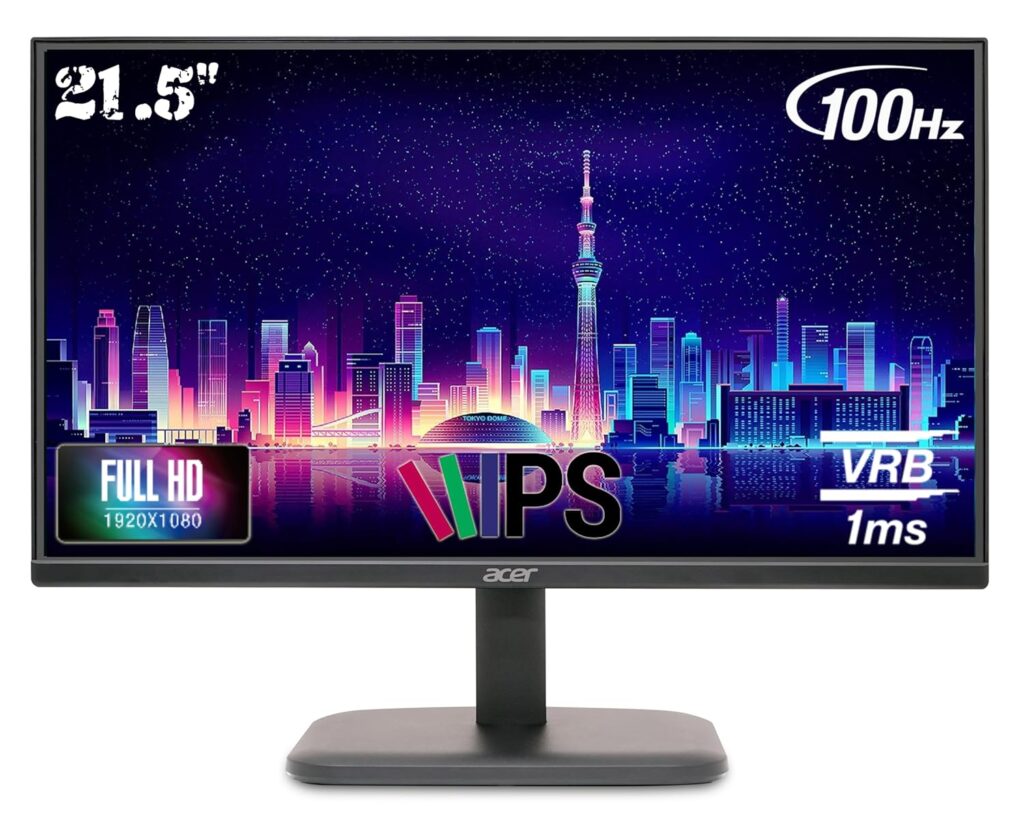
The Acer EK220Q is a compact and functional budget monitor designed for general daily tasks. Extremely cost-effective, it is highly suitable for home study desks, billing counters, and basic office work. Despite its low price, it features a sharp Full HD resolution and a smooth 100Hz refresh rate, ensuring that scrolling through documents feels clear and fluid.
⭐ Key Features
| Feature | Details |
|---|---|
| High Value | Superb entry-level price point, perfect for basic home and shop setups |
| Fluid Speed | 100Hz refresh rate ensures smooth scrolling and interface usage |
| Eye Shield | Integrated Acer BlueLightShield and Flickerless technology |
👍 Pros & 👎 Cons
| Pros | Cons |
|---|---|
| Ergonomic and highly cost-effective | No DisplayPort input (HDMI and VGA only) |
| 100Hz refresh rate is excellent for the price tier | Stand only supports basic tilting |
| Compact design occupies very little desktop area | Slight color shifting when viewed from the side |
📊 Specifications
| Category | Entry-Level / Student Monitor |
|---|---|
| Screen Size / Size | 21.5-inch (54.6 cm) |
| Resolution / Performance | 1920 x 1080 Full HD (1080p) |
| Processor | VA Panel |
| Display Type | Flat widescreen |
| Connectivity | 1x HDMI 1.4, 1x VGA (D-Sub) |
| Audio Output | None |
| Special Features | Ultra-thin frame, 100Hz refresh, Flickerless, BlueLightShield |
📝 Final Verdict
Our Verdict: The Acer EK220Q is a simple and reliable budget choice. If you want a compact screen for basic study, office work, or shop management, it is the Best Budget Monitor in India under ₹7,000.
❓ FAQs – Answering What Everyone Asks
IPS vs. VA: Which panel is better for daily work?
For general office work, coding, and multitasking, an IPS panel is superior because it offers wider viewing angles and cleaner text clarity without color distortion. However, if you work in a dark room and watch a lot of movies, a VA panel‘s deep contrast ratio is excellent.
Is a 27-inch 1080p monitor good?
While a 27-inch 1080p monitor is fine for gaming and media, text can appear slightly soft or pixelated if you sit very close to the screen (within 2 feet). For a 27-inch monitor, 1440p (QHD) is the ideal sweet-spot resolution.
Do I need DisplayPort, or is HDMI enough?
For basic office setups at 60Hz-75Hz, HDMI is more than enough. However, if you are using a high refresh rate gaming monitor (144Hz+) or a high-resolution display, using a DisplayPort (DP) cable is highly recommended to support higher bandwidths, G-Sync, and HDR.
Does a high refresh rate monitor help with eye strain?
Yes! Higher refresh rates (100Hz+) reduce the perceived motion flicker and make scrolling, mouse movement, and page animations incredibly fluid, which significantly reduces tracking fatigue on your eyes.
🏁 Conclusion – Make a Smart Choice
Choosing the best monitor boils down to your primary use case:
- For office work, coding, and general study, the BenQ GW2791 is the absolute best for eye comfort.
- For budget gaming, go with the high-speed Acer Nitro VG270 S3 or the curved LG UltraGear 27GS60QC.
- If you are a professional designer or video editor, the color-accurate BenQ PD2705Q is essential.
- If you want the pinnacle of visual fidelity, save up for the absolute marvel that is the ASUS ROG Swift OLED PG27UCDM.
| Feature | Details |
|---|---|
| OLED Technology | QD-OLED panel with infinite contrast, true 10-bit color, and absolute blacks |
| Elite Speed | 240Hz refresh rate and a near-instant 0.03ms (GtG) response time |
| Thermal Safeguard | Custom passive heatsink and OLED Care features prevent screen burn-in |
👍 Pros & 👎 Cons
| Pros | Cons |
|---|---|
| Breathtaking visual quality with unmatched colors and deep blacks | Extremely expensive premium purchase |
| 0.03ms response time completely removes ghosting | OLED panels require general care to avoid static burn-in |
| USB-C supports high-power 90W Power Delivery charging | Text clarity is slightly soft due to the OLED subpixel layout |
📊 Specifications
| Category | Premium Gaming Monitor |
|---|---|
| Screen Size / Size | 26.5-inch (67.3 cm) |
| Resolution / Performance | 2560 x 1440 QHD (1440p) |
| Processor | QD-OLED Panel |
| Display Type | Flat widescreen |
| Connectivity | 1x USB-C (90W PD), 1x DisplayPort 1.4, 2x HDMI 2.1, 3x USB 3.2 |
| Audio Output | SPDIF (optical audio) & headphone jack |
| Special Features | 240Hz, 0.03ms, KVM Switch, ROG projecting base, custom heatsink |
📝 Final Verdict
Our Verdict: The ASUS ROG Swift OLED PG27UCDM is a premium engineering masterpiece. If budget is no constraint and you want the absolute ultimate gaming monitor in India with true blacks and fluid response speeds, this is the definitive option.
10) Acer EK220Q 21.5″ Full HD Monitor
The Acer EK220Q is a compact and functional budget monitor designed for general daily tasks. Extremely cost-effective, it is highly suitable for home study desks, billing counters, and basic office work. Despite its low price, it features a sharp Full HD resolution and a smooth 100Hz refresh rate, ensuring that scrolling through documents feels clear and fluid.
⭐ Key Features
| Feature | Details |
|---|---|
| High Value | Superb entry-level price point, perfect for basic home and shop setups |
| Fluid Speed | 100Hz refresh rate ensures smooth scrolling and interface usage |
| Eye Shield | Integrated Acer BlueLightShield and Flickerless technology |
👍 Pros & 👎 Cons
| Pros | Cons |
|---|---|
| Ergonomic and highly cost-effective | No DisplayPort input (HDMI and VGA only) |
| 100Hz refresh rate is excellent for the price tier | Stand only supports basic tilting |
| Compact design occupies very little desktop area | Slight color shifting when viewed from the side |
📊 Specifications
| Category | Entry-Level / Student Monitor |
|---|---|
| Screen Size / Size | 21.5-inch (54.6 cm) |
| Resolution / Performance | 1920 x 1080 Full HD (1080p) |
| Processor | VA Panel |
| Display Type | Flat widescreen |
| Connectivity | 1x HDMI 1.4, 1x VGA (D-Sub) |
| Audio Output | None |
| Special Features | Ultra-thin frame, 100Hz refresh, Flickerless, BlueLightShield |
📝 Final Verdict
Our Verdict: The Acer EK220Q is a simple and reliable budget choice. If you want a compact screen for basic study, office work, or shop management, it is the Best Budget Monitor in India under ₹7,000.
❓ FAQs – Answering What Everyone Asks
IPS vs. VA: Which panel is better for daily work?
For general office work, coding, and multitasking, an IPS panel is superior because it offers wider viewing angles and cleaner text clarity without color distortion. However, if you work in a dark room and watch a lot of movies, a VA panel‘s deep contrast ratio is excellent.
Is a 27-inch 1080p monitor good?
While a 27-inch 1080p monitor is fine for gaming and media, text can appear slightly soft or pixelated if you sit very close to the screen (within 2 feet). For a 27-inch monitor, 1440p (QHD) is the ideal sweet-spot resolution.
Do I need DisplayPort, or is HDMI enough?
For basic office setups at 60Hz-75Hz, HDMI is more than enough. However, if you are using a high refresh rate gaming monitor (144Hz+) or a high-resolution display, using a DisplayPort (DP) cable is highly recommended to support higher bandwidths, G-Sync, and HDR.
Does a high refresh rate monitor help with eye strain?
Yes! Higher refresh rates (100Hz+) reduce the perceived motion flicker and make scrolling, mouse movement, and page animations incredibly fluid, which significantly reduces tracking fatigue on your eyes.
🏁 Conclusion – Make a Smart Choice
Choosing the best monitor boils down to your primary use case:
- For office work, coding, and general study, the BenQ GW2791 is the absolute best for eye comfort.
- For budget gaming, go with the high-speed Acer Nitro VG270 S3 or the curved LG UltraGear 27GS60QC.
- If you are a professional designer or video editor, the color-accurate BenQ PD2705Q is essential.
- If you want the pinnacle of visual fidelity, save up for the absolute marvel that is the ASUS ROG Swift OLED PG27UCDM.
| Pros | Cons |
|---|---|
| Spectacularly rich and saturated IPS color performance | External power supply adapter brick is relatively large |
| Useful integrated USB hub makes cable routing easy | No built-in speakers included |
| Height and tilt adjustable metal stand | FHD (1080p) is only standard sharpness at 27 inches |
📊 Specifications
| Category | Mid-Range Gaming & Work Monitor |
|---|---|
| Screen Size / Size | 27-inch (68.6 cm) |
| Resolution / Performance | 1920 x 1080 Full HD (1080p) |
| Processor | IPS Panel |
| Display Type | Flat widescreen |
| Connectivity | 2x HDMI 2.0, 1x DisplayPort 1.2, 2x USB 3.2 Gen 1 (downstream) |
| Audio Output | Headphone jack |
| Special Features | 170Hz OC, HDR Ready, Height Adjustable Stand, OSD Sidekick software |
📝 Final Verdict
Our Verdict: The Gigabyte G27F 2 is a brilliant general-purpose screen. It successfully combines wide-color gamut IPS display quality with fast gaming response times, making it a stellar crossover monitor for media creators and gamers.
9) ASUS ROG Swift OLED PG27UCDM 27″ QD-OLED
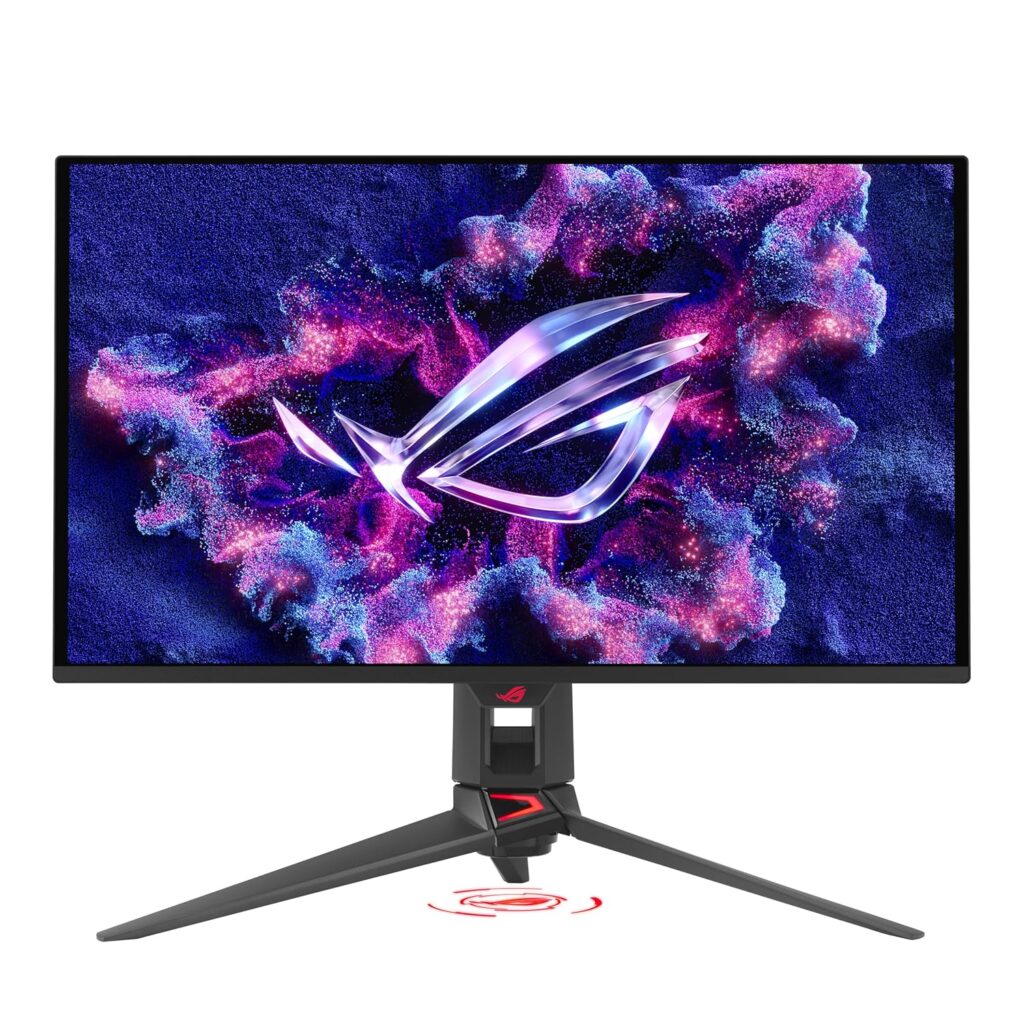
The ASUS ROG Swift OLED PG27UCDM is a top-tier premium gaming monitor. Featuring a state-of-the-art QD-OLED panel, it achieves an infinite contrast ratio, displaying absolute, pure blacks alongside vibrant highlights. With a blistering 240Hz refresh rate and a near-instantaneous 0.03ms response time, it completely eliminates motion blur.
⭐ Key Features
| Feature | Details |
|---|---|
| OLED Technology | QD-OLED panel with infinite contrast, true 10-bit color, and absolute blacks |
| Elite Speed | 240Hz refresh rate and a near-instant 0.03ms (GtG) response time |
| Thermal Safeguard | Custom passive heatsink and OLED Care features prevent screen burn-in |
👍 Pros & 👎 Cons
| Pros | Cons |
|---|---|
| Breathtaking visual quality with unmatched colors and deep blacks | Extremely expensive premium purchase |
| 0.03ms response time completely removes ghosting | OLED panels require general care to avoid static burn-in |
| USB-C supports high-power 90W Power Delivery charging | Text clarity is slightly soft due to the OLED subpixel layout |
📊 Specifications
| Category | Premium Gaming Monitor |
|---|---|
| Screen Size / Size | 26.5-inch (67.3 cm) |
| Resolution / Performance | 2560 x 1440 QHD (1440p) |
| Processor | QD-OLED Panel |
| Display Type | Flat widescreen |
| Connectivity | 1x USB-C (90W PD), 1x DisplayPort 1.4, 2x HDMI 2.1, 3x USB 3.2 |
| Audio Output | SPDIF (optical audio) & headphone jack |
| Special Features | 240Hz, 0.03ms, KVM Switch, ROG projecting base, custom heatsink |
📝 Final Verdict
Our Verdict: The ASUS ROG Swift OLED PG27UCDM is a premium engineering masterpiece. If budget is no constraint and you want the absolute ultimate gaming monitor in India with true blacks and fluid response speeds, this is the definitive option.
10) Acer EK220Q 21.5″ Full HD Monitor
The Acer EK220Q is a compact and functional budget monitor designed for general daily tasks. Extremely cost-effective, it is highly suitable for home study desks, billing counters, and basic office work. Despite its low price, it features a sharp Full HD resolution and a smooth 100Hz refresh rate, ensuring that scrolling through documents feels clear and fluid.
⭐ Key Features
| Feature | Details |
|---|---|
| High Value | Superb entry-level price point, perfect for basic home and shop setups |
| Fluid Speed | 100Hz refresh rate ensures smooth scrolling and interface usage |
| Eye Shield | Integrated Acer BlueLightShield and Flickerless technology |
👍 Pros & 👎 Cons
| Pros | Cons |
|---|---|
| Ergonomic and highly cost-effective | No DisplayPort input (HDMI and VGA only) |
| 100Hz refresh rate is excellent for the price tier | Stand only supports basic tilting |
| Compact design occupies very little desktop area | Slight color shifting when viewed from the side |
📊 Specifications
| Category | Entry-Level / Student Monitor |
|---|---|
| Screen Size / Size | 21.5-inch (54.6 cm) |
| Resolution / Performance | 1920 x 1080 Full HD (1080p) |
| Processor | VA Panel |
| Display Type | Flat widescreen |
| Connectivity | 1x HDMI 1.4, 1x VGA (D-Sub) |
| Audio Output | None |
| Special Features | Ultra-thin frame, 100Hz refresh, Flickerless, BlueLightShield |
📝 Final Verdict
Our Verdict: The Acer EK220Q is a simple and reliable budget choice. If you want a compact screen for basic study, office work, or shop management, it is the Best Budget Monitor in India under ₹7,000.
❓ FAQs – Answering What Everyone Asks
IPS vs. VA: Which panel is better for daily work?
For general office work, coding, and multitasking, an IPS panel is superior because it offers wider viewing angles and cleaner text clarity without color distortion. However, if you work in a dark room and watch a lot of movies, a VA panel‘s deep contrast ratio is excellent.
Is a 27-inch 1080p monitor good?
While a 27-inch 1080p monitor is fine for gaming and media, text can appear slightly soft or pixelated if you sit very close to the screen (within 2 feet). For a 27-inch monitor, 1440p (QHD) is the ideal sweet-spot resolution.
Do I need DisplayPort, or is HDMI enough?
For basic office setups at 60Hz-75Hz, HDMI is more than enough. However, if you are using a high refresh rate gaming monitor (144Hz+) or a high-resolution display, using a DisplayPort (DP) cable is highly recommended to support higher bandwidths, G-Sync, and HDR.
Does a high refresh rate monitor help with eye strain?
Yes! Higher refresh rates (100Hz+) reduce the perceived motion flicker and make scrolling, mouse movement, and page animations incredibly fluid, which significantly reduces tracking fatigue on your eyes.
🏁 Conclusion – Make a Smart Choice
Choosing the best monitor boils down to your primary use case:
- For office work, coding, and general study, the BenQ GW2791 is the absolute best for eye comfort.
- For budget gaming, go with the high-speed Acer Nitro VG270 S3 or the curved LG UltraGear 27GS60QC.
- If you are a professional designer or video editor, the color-accurate BenQ PD2705Q is essential.
- If you want the pinnacle of visual fidelity, save up for the absolute marvel that is the ASUS ROG Swift OLED PG27UCDM.
| Feature | Details |
|---|---|
| High Speed | 165Hz native (overclocks up to 170Hz) with 1ms response time (MPRT) |
| Vivid Palette | 95% DCI-P3 / 130% sRGB color gamut for deep, punchy colors |
| Built-in Hub | Integrated USB ports allow you to connect keyboard, mouse, and USB drives |
👍 Pros & 👎 Cons
| Pros | Cons |
|---|---|
| Spectacularly rich and saturated IPS color performance | External power supply adapter brick is relatively large |
| Useful integrated USB hub makes cable routing easy | No built-in speakers included |
| Height and tilt adjustable metal stand | FHD (1080p) is only standard sharpness at 27 inches |
📊 Specifications
| Category | Mid-Range Gaming & Work Monitor |
|---|---|
| Screen Size / Size | 27-inch (68.6 cm) |
| Resolution / Performance | 1920 x 1080 Full HD (1080p) |
| Processor | IPS Panel |
| Display Type | Flat widescreen |
| Connectivity | 2x HDMI 2.0, 1x DisplayPort 1.2, 2x USB 3.2 Gen 1 (downstream) |
| Audio Output | Headphone jack |
| Special Features | 170Hz OC, HDR Ready, Height Adjustable Stand, OSD Sidekick software |
📝 Final Verdict
Our Verdict: The Gigabyte G27F 2 is a brilliant general-purpose screen. It successfully combines wide-color gamut IPS display quality with fast gaming response times, making it a stellar crossover monitor for media creators and gamers.
9) ASUS ROG Swift OLED PG27UCDM 27″ QD-OLED
The ASUS ROG Swift OLED PG27UCDM is a top-tier premium gaming monitor. Featuring a state-of-the-art QD-OLED panel, it achieves an infinite contrast ratio, displaying absolute, pure blacks alongside vibrant highlights. With a blistering 240Hz refresh rate and a near-instantaneous 0.03ms response time, it completely eliminates motion blur.
⭐ Key Features
| Feature | Details |
|---|---|
| OLED Technology | QD-OLED panel with infinite contrast, true 10-bit color, and absolute blacks |
| Elite Speed | 240Hz refresh rate and a near-instant 0.03ms (GtG) response time |
| Thermal Safeguard | Custom passive heatsink and OLED Care features prevent screen burn-in |
👍 Pros & 👎 Cons
| Pros | Cons |
|---|---|
| Breathtaking visual quality with unmatched colors and deep blacks | Extremely expensive premium purchase |
| 0.03ms response time completely removes ghosting | OLED panels require general care to avoid static burn-in |
| USB-C supports high-power 90W Power Delivery charging | Text clarity is slightly soft due to the OLED subpixel layout |
📊 Specifications
| Category | Premium Gaming Monitor |
|---|---|
| Screen Size / Size | 26.5-inch (67.3 cm) |
| Resolution / Performance | 2560 x 1440 QHD (1440p) |
| Processor | QD-OLED Panel |
| Display Type | Flat widescreen |
| Connectivity | 1x USB-C (90W PD), 1x DisplayPort 1.4, 2x HDMI 2.1, 3x USB 3.2 |
| Audio Output | SPDIF (optical audio) & headphone jack |
| Special Features | 240Hz, 0.03ms, KVM Switch, ROG projecting base, custom heatsink |
📝 Final Verdict
Our Verdict: The ASUS ROG Swift OLED PG27UCDM is a premium engineering masterpiece. If budget is no constraint and you want the absolute ultimate gaming monitor in India with true blacks and fluid response speeds, this is the definitive option.
10) Acer EK220Q 21.5″ Full HD Monitor
The Acer EK220Q is a compact and functional budget monitor designed for general daily tasks. Extremely cost-effective, it is highly suitable for home study desks, billing counters, and basic office work. Despite its low price, it features a sharp Full HD resolution and a smooth 100Hz refresh rate, ensuring that scrolling through documents feels clear and fluid.
⭐ Key Features
| Feature | Details |
|---|---|
| High Value | Superb entry-level price point, perfect for basic home and shop setups |
| Fluid Speed | 100Hz refresh rate ensures smooth scrolling and interface usage |
| Eye Shield | Integrated Acer BlueLightShield and Flickerless technology |
👍 Pros & 👎 Cons
| Pros | Cons |
|---|---|
| Ergonomic and highly cost-effective | No DisplayPort input (HDMI and VGA only) |
| 100Hz refresh rate is excellent for the price tier | Stand only supports basic tilting |
| Compact design occupies very little desktop area | Slight color shifting when viewed from the side |
📊 Specifications
| Category | Entry-Level / Student Monitor |
|---|---|
| Screen Size / Size | 21.5-inch (54.6 cm) |
| Resolution / Performance | 1920 x 1080 Full HD (1080p) |
| Processor | VA Panel |
| Display Type | Flat widescreen |
| Connectivity | 1x HDMI 1.4, 1x VGA (D-Sub) |
| Audio Output | None |
| Special Features | Ultra-thin frame, 100Hz refresh, Flickerless, BlueLightShield |
📝 Final Verdict
Our Verdict: The Acer EK220Q is a simple and reliable budget choice. If you want a compact screen for basic study, office work, or shop management, it is the Best Budget Monitor in India under ₹7,000.
❓ FAQs – Answering What Everyone Asks
IPS vs. VA: Which panel is better for daily work?
For general office work, coding, and multitasking, an IPS panel is superior because it offers wider viewing angles and cleaner text clarity without color distortion. However, if you work in a dark room and watch a lot of movies, a VA panel‘s deep contrast ratio is excellent.
Is a 27-inch 1080p monitor good?
While a 27-inch 1080p monitor is fine for gaming and media, text can appear slightly soft or pixelated if you sit very close to the screen (within 2 feet). For a 27-inch monitor, 1440p (QHD) is the ideal sweet-spot resolution.
Do I need DisplayPort, or is HDMI enough?
For basic office setups at 60Hz-75Hz, HDMI is more than enough. However, if you are using a high refresh rate gaming monitor (144Hz+) or a high-resolution display, using a DisplayPort (DP) cable is highly recommended to support higher bandwidths, G-Sync, and HDR.
Does a high refresh rate monitor help with eye strain?
Yes! Higher refresh rates (100Hz+) reduce the perceived motion flicker and make scrolling, mouse movement, and page animations incredibly fluid, which significantly reduces tracking fatigue on your eyes.
🏁 Conclusion – Make a Smart Choice
Choosing the best monitor boils down to your primary use case:
- For office work, coding, and general study, the BenQ GW2791 is the absolute best for eye comfort.
- For budget gaming, go with the high-speed Acer Nitro VG270 S3 or the curved LG UltraGear 27GS60QC.
- If you are a professional designer or video editor, the color-accurate BenQ PD2705Q is essential.
- If you want the pinnacle of visual fidelity, save up for the absolute marvel that is the ASUS ROG Swift OLED PG27UCDM.
| Pros | Cons |
|---|---|
| Flawless out-of-the-box color accuracy (factory calibrated) | Refresh rate is limited to standard 60Hz |
| USB-C docking is exceptionally clean for MacBook and laptop users | Premium price tag due to color certification standards |
| Ergonomic stand supports full height, swivel, tilt, and pivot adjustments | Contrast is standard for IPS (1000:1), not suitable for pitch-dark rooms |
📊 Specifications
| Category | Professional Designer Monitor |
|---|---|
| Screen Size / Size | 27-inch (68.6 cm) |
| Resolution / Performance | 2560 x 1440 QHD (2K) |
| Processor | IPS Panel (Factory Calibrated) |
| Display Type | Flat widescreen |
| Connectivity | 1x USB-C (65W charging), 1x DisplayPort 1.4, 1x HDMI 2.0, USB Hub |
| Audio Output | 2x 2W built-in speakers & headphone jack |
| Special Features | Calman & Pantone Certified, CAD/CAM Mode, KVM Switch, Ergonomic Stand |
📝 Final Verdict
Our Verdict: The BenQ PD2705Q is an outstanding tool for professional designers, photographers, and editors. While not intended for gaming, its factory calibration, ergonomic flexibility, and MacBook-charging USB-C port make it a superb professional investment.
8) Gigabyte G27F 2 27″ Gaming Monitor
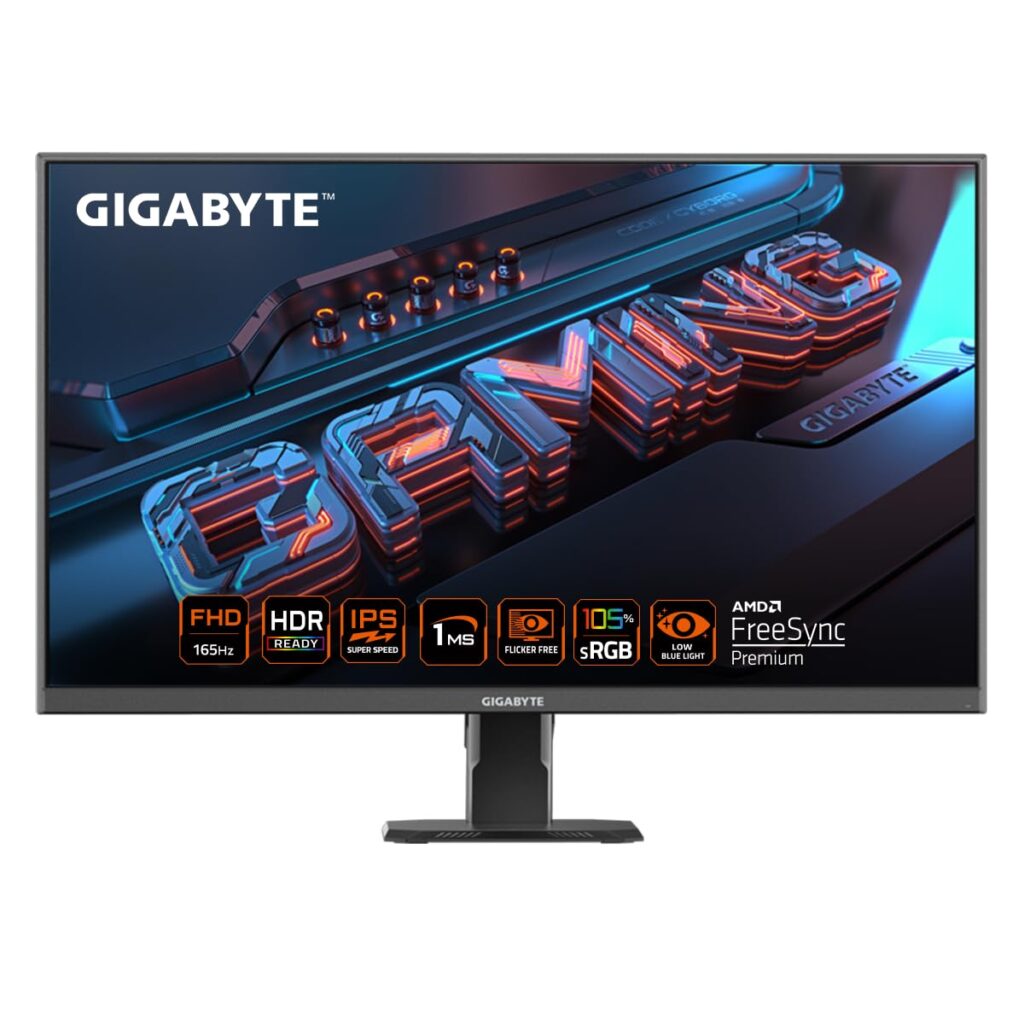
The Gigabyte G27F 2 is a highly capable all-rounder display that bridges the gap between high-speed gaming and creative productivity. Featuring a high-quality 27-inch IPS panel, it offers a 170Hz overclocked refresh rate. Thanks to its rich 95% DCI-P3 wide color gamut, it provides highly saturated, beautiful visuals for media and games.
⭐ Key Features
| Feature | Details |
|---|---|
| High Speed | 165Hz native (overclocks up to 170Hz) with 1ms response time (MPRT) |
| Vivid Palette | 95% DCI-P3 / 130% sRGB color gamut for deep, punchy colors |
| Built-in Hub | Integrated USB ports allow you to connect keyboard, mouse, and USB drives |
👍 Pros & 👎 Cons
| Pros | Cons |
|---|---|
| Spectacularly rich and saturated IPS color performance | External power supply adapter brick is relatively large |
| Useful integrated USB hub makes cable routing easy | No built-in speakers included |
| Height and tilt adjustable metal stand | FHD (1080p) is only standard sharpness at 27 inches |
📊 Specifications
| Category | Mid-Range Gaming & Work Monitor |
|---|---|
| Screen Size / Size | 27-inch (68.6 cm) |
| Resolution / Performance | 1920 x 1080 Full HD (1080p) |
| Processor | IPS Panel |
| Display Type | Flat widescreen |
| Connectivity | 2x HDMI 2.0, 1x DisplayPort 1.2, 2x USB 3.2 Gen 1 (downstream) |
| Audio Output | Headphone jack |
| Special Features | 170Hz OC, HDR Ready, Height Adjustable Stand, OSD Sidekick software |
📝 Final Verdict
Our Verdict: The Gigabyte G27F 2 is a brilliant general-purpose screen. It successfully combines wide-color gamut IPS display quality with fast gaming response times, making it a stellar crossover monitor for media creators and gamers.
9) ASUS ROG Swift OLED PG27UCDM 27″ QD-OLED
The ASUS ROG Swift OLED PG27UCDM is a top-tier premium gaming monitor. Featuring a state-of-the-art QD-OLED panel, it achieves an infinite contrast ratio, displaying absolute, pure blacks alongside vibrant highlights. With a blistering 240Hz refresh rate and a near-instantaneous 0.03ms response time, it completely eliminates motion blur.
⭐ Key Features
| Feature | Details |
|---|---|
| OLED Technology | QD-OLED panel with infinite contrast, true 10-bit color, and absolute blacks |
| Elite Speed | 240Hz refresh rate and a near-instant 0.03ms (GtG) response time |
| Thermal Safeguard | Custom passive heatsink and OLED Care features prevent screen burn-in |
👍 Pros & 👎 Cons
| Pros | Cons |
|---|---|
| Breathtaking visual quality with unmatched colors and deep blacks | Extremely expensive premium purchase |
| 0.03ms response time completely removes ghosting | OLED panels require general care to avoid static burn-in |
| USB-C supports high-power 90W Power Delivery charging | Text clarity is slightly soft due to the OLED subpixel layout |
📊 Specifications
| Category | Premium Gaming Monitor |
|---|---|
| Screen Size / Size | 26.5-inch (67.3 cm) |
| Resolution / Performance | 2560 x 1440 QHD (1440p) |
| Processor | QD-OLED Panel |
| Display Type | Flat widescreen |
| Connectivity | 1x USB-C (90W PD), 1x DisplayPort 1.4, 2x HDMI 2.1, 3x USB 3.2 |
| Audio Output | SPDIF (optical audio) & headphone jack |
| Special Features | 240Hz, 0.03ms, KVM Switch, ROG projecting base, custom heatsink |
📝 Final Verdict
Our Verdict: The ASUS ROG Swift OLED PG27UCDM is a premium engineering masterpiece. If budget is no constraint and you want the absolute ultimate gaming monitor in India with true blacks and fluid response speeds, this is the definitive option.
10) Acer EK220Q 21.5″ Full HD Monitor
The Acer EK220Q is a compact and functional budget monitor designed for general daily tasks. Extremely cost-effective, it is highly suitable for home study desks, billing counters, and basic office work. Despite its low price, it features a sharp Full HD resolution and a smooth 100Hz refresh rate, ensuring that scrolling through documents feels clear and fluid.
⭐ Key Features
| Feature | Details |
|---|---|
| High Value | Superb entry-level price point, perfect for basic home and shop setups |
| Fluid Speed | 100Hz refresh rate ensures smooth scrolling and interface usage |
| Eye Shield | Integrated Acer BlueLightShield and Flickerless technology |
👍 Pros & 👎 Cons
| Pros | Cons |
|---|---|
| Ergonomic and highly cost-effective | No DisplayPort input (HDMI and VGA only) |
| 100Hz refresh rate is excellent for the price tier | Stand only supports basic tilting |
| Compact design occupies very little desktop area | Slight color shifting when viewed from the side |
📊 Specifications
| Category | Entry-Level / Student Monitor |
|---|---|
| Screen Size / Size | 21.5-inch (54.6 cm) |
| Resolution / Performance | 1920 x 1080 Full HD (1080p) |
| Processor | VA Panel |
| Display Type | Flat widescreen |
| Connectivity | 1x HDMI 1.4, 1x VGA (D-Sub) |
| Audio Output | None |
| Special Features | Ultra-thin frame, 100Hz refresh, Flickerless, BlueLightShield |
📝 Final Verdict
Our Verdict: The Acer EK220Q is a simple and reliable budget choice. If you want a compact screen for basic study, office work, or shop management, it is the Best Budget Monitor in India under ₹7,000.
❓ FAQs – Answering What Everyone Asks
IPS vs. VA: Which panel is better for daily work?
For general office work, coding, and multitasking, an IPS panel is superior because it offers wider viewing angles and cleaner text clarity without color distortion. However, if you work in a dark room and watch a lot of movies, a VA panel‘s deep contrast ratio is excellent.
Is a 27-inch 1080p monitor good?
While a 27-inch 1080p monitor is fine for gaming and media, text can appear slightly soft or pixelated if you sit very close to the screen (within 2 feet). For a 27-inch monitor, 1440p (QHD) is the ideal sweet-spot resolution.
Do I need DisplayPort, or is HDMI enough?
For basic office setups at 60Hz-75Hz, HDMI is more than enough. However, if you are using a high refresh rate gaming monitor (144Hz+) or a high-resolution display, using a DisplayPort (DP) cable is highly recommended to support higher bandwidths, G-Sync, and HDR.
Does a high refresh rate monitor help with eye strain?
Yes! Higher refresh rates (100Hz+) reduce the perceived motion flicker and make scrolling, mouse movement, and page animations incredibly fluid, which significantly reduces tracking fatigue on your eyes.
🏁 Conclusion – Make a Smart Choice
Choosing the best monitor boils down to your primary use case:
- For office work, coding, and general study, the BenQ GW2791 is the absolute best for eye comfort.
- For budget gaming, go with the high-speed Acer Nitro VG270 S3 or the curved LG UltraGear 27GS60QC.
- If you are a professional designer or video editor, the color-accurate BenQ PD2705Q is essential.
- If you want the pinnacle of visual fidelity, save up for the absolute marvel that is the ASUS ROG Swift OLED PG27UCDM.
| Feature | Details |
|---|---|
| Color Accuracy | 100% sRGB and Rec.709 coverage; Delta E ≤ 3 (Pantone & Calman Validated) |
| USB-C Docking | Single USB-C connection with 65W power delivery to charge your laptop |
| KVM Switch | Allows you to control two computer systems with one mouse and keyboard |
👍 Pros & 👎 Cons
| Pros | Cons |
|---|---|
| Flawless out-of-the-box color accuracy (factory calibrated) | Refresh rate is limited to standard 60Hz |
| USB-C docking is exceptionally clean for MacBook and laptop users | Premium price tag due to color certification standards |
| Ergonomic stand supports full height, swivel, tilt, and pivot adjustments | Contrast is standard for IPS (1000:1), not suitable for pitch-dark rooms |
📊 Specifications
| Category | Professional Designer Monitor |
|---|---|
| Screen Size / Size | 27-inch (68.6 cm) |
| Resolution / Performance | 2560 x 1440 QHD (2K) |
| Processor | IPS Panel (Factory Calibrated) |
| Display Type | Flat widescreen |
| Connectivity | 1x USB-C (65W charging), 1x DisplayPort 1.4, 1x HDMI 2.0, USB Hub |
| Audio Output | 2x 2W built-in speakers & headphone jack |
| Special Features | Calman & Pantone Certified, CAD/CAM Mode, KVM Switch, Ergonomic Stand |
📝 Final Verdict
Our Verdict: The BenQ PD2705Q is an outstanding tool for professional designers, photographers, and editors. While not intended for gaming, its factory calibration, ergonomic flexibility, and MacBook-charging USB-C port make it a superb professional investment.
8) Gigabyte G27F 2 27″ Gaming Monitor
The Gigabyte G27F 2 is a highly capable all-rounder display that bridges the gap between high-speed gaming and creative productivity. Featuring a high-quality 27-inch IPS panel, it offers a 170Hz overclocked refresh rate. Thanks to its rich 95% DCI-P3 wide color gamut, it provides highly saturated, beautiful visuals for media and games.
⭐ Key Features
| Feature | Details |
|---|---|
| High Speed | 165Hz native (overclocks up to 170Hz) with 1ms response time (MPRT) |
| Vivid Palette | 95% DCI-P3 / 130% sRGB color gamut for deep, punchy colors |
| Built-in Hub | Integrated USB ports allow you to connect keyboard, mouse, and USB drives |
👍 Pros & 👎 Cons
| Pros | Cons |
|---|---|
| Spectacularly rich and saturated IPS color performance | External power supply adapter brick is relatively large |
| Useful integrated USB hub makes cable routing easy | No built-in speakers included |
| Height and tilt adjustable metal stand | FHD (1080p) is only standard sharpness at 27 inches |
📊 Specifications
| Category | Mid-Range Gaming & Work Monitor |
|---|---|
| Screen Size / Size | 27-inch (68.6 cm) |
| Resolution / Performance | 1920 x 1080 Full HD (1080p) |
| Processor | IPS Panel |
| Display Type | Flat widescreen |
| Connectivity | 2x HDMI 2.0, 1x DisplayPort 1.2, 2x USB 3.2 Gen 1 (downstream) |
| Audio Output | Headphone jack |
| Special Features | 170Hz OC, HDR Ready, Height Adjustable Stand, OSD Sidekick software |
📝 Final Verdict
Our Verdict: The Gigabyte G27F 2 is a brilliant general-purpose screen. It successfully combines wide-color gamut IPS display quality with fast gaming response times, making it a stellar crossover monitor for media creators and gamers.
9) ASUS ROG Swift OLED PG27UCDM 27″ QD-OLED
The ASUS ROG Swift OLED PG27UCDM is a top-tier premium gaming monitor. Featuring a state-of-the-art QD-OLED panel, it achieves an infinite contrast ratio, displaying absolute, pure blacks alongside vibrant highlights. With a blistering 240Hz refresh rate and a near-instantaneous 0.03ms response time, it completely eliminates motion blur.
⭐ Key Features
| Feature | Details |
|---|---|
| OLED Technology | QD-OLED panel with infinite contrast, true 10-bit color, and absolute blacks |
| Elite Speed | 240Hz refresh rate and a near-instant 0.03ms (GtG) response time |
| Thermal Safeguard | Custom passive heatsink and OLED Care features prevent screen burn-in |
👍 Pros & 👎 Cons
| Pros | Cons |
|---|---|
| Breathtaking visual quality with unmatched colors and deep blacks | Extremely expensive premium purchase |
| 0.03ms response time completely removes ghosting | OLED panels require general care to avoid static burn-in |
| USB-C supports high-power 90W Power Delivery charging | Text clarity is slightly soft due to the OLED subpixel layout |
📊 Specifications
| Category | Premium Gaming Monitor |
|---|---|
| Screen Size / Size | 26.5-inch (67.3 cm) |
| Resolution / Performance | 2560 x 1440 QHD (1440p) |
| Processor | QD-OLED Panel |
| Display Type | Flat widescreen |
| Connectivity | 1x USB-C (90W PD), 1x DisplayPort 1.4, 2x HDMI 2.1, 3x USB 3.2 |
| Audio Output | SPDIF (optical audio) & headphone jack |
| Special Features | 240Hz, 0.03ms, KVM Switch, ROG projecting base, custom heatsink |
📝 Final Verdict
Our Verdict: The ASUS ROG Swift OLED PG27UCDM is a premium engineering masterpiece. If budget is no constraint and you want the absolute ultimate gaming monitor in India with true blacks and fluid response speeds, this is the definitive option.
10) Acer EK220Q 21.5″ Full HD Monitor
The Acer EK220Q is a compact and functional budget monitor designed for general daily tasks. Extremely cost-effective, it is highly suitable for home study desks, billing counters, and basic office work. Despite its low price, it features a sharp Full HD resolution and a smooth 100Hz refresh rate, ensuring that scrolling through documents feels clear and fluid.
⭐ Key Features
| Feature | Details |
|---|---|
| High Value | Superb entry-level price point, perfect for basic home and shop setups |
| Fluid Speed | 100Hz refresh rate ensures smooth scrolling and interface usage |
| Eye Shield | Integrated Acer BlueLightShield and Flickerless technology |
👍 Pros & 👎 Cons
| Pros | Cons |
|---|---|
| Ergonomic and highly cost-effective | No DisplayPort input (HDMI and VGA only) |
| 100Hz refresh rate is excellent for the price tier | Stand only supports basic tilting |
| Compact design occupies very little desktop area | Slight color shifting when viewed from the side |
📊 Specifications
| Category | Entry-Level / Student Monitor |
|---|---|
| Screen Size / Size | 21.5-inch (54.6 cm) |
| Resolution / Performance | 1920 x 1080 Full HD (1080p) |
| Processor | VA Panel |
| Display Type | Flat widescreen |
| Connectivity | 1x HDMI 1.4, 1x VGA (D-Sub) |
| Audio Output | None |
| Special Features | Ultra-thin frame, 100Hz refresh, Flickerless, BlueLightShield |
📝 Final Verdict
Our Verdict: The Acer EK220Q is a simple and reliable budget choice. If you want a compact screen for basic study, office work, or shop management, it is the Best Budget Monitor in India under ₹7,000.
❓ FAQs – Answering What Everyone Asks
IPS vs. VA: Which panel is better for daily work?
For general office work, coding, and multitasking, an IPS panel is superior because it offers wider viewing angles and cleaner text clarity without color distortion. However, if you work in a dark room and watch a lot of movies, a VA panel‘s deep contrast ratio is excellent.
Is a 27-inch 1080p monitor good?
While a 27-inch 1080p monitor is fine for gaming and media, text can appear slightly soft or pixelated if you sit very close to the screen (within 2 feet). For a 27-inch monitor, 1440p (QHD) is the ideal sweet-spot resolution.
Do I need DisplayPort, or is HDMI enough?
For basic office setups at 60Hz-75Hz, HDMI is more than enough. However, if you are using a high refresh rate gaming monitor (144Hz+) or a high-resolution display, using a DisplayPort (DP) cable is highly recommended to support higher bandwidths, G-Sync, and HDR.
Does a high refresh rate monitor help with eye strain?
Yes! Higher refresh rates (100Hz+) reduce the perceived motion flicker and make scrolling, mouse movement, and page animations incredibly fluid, which significantly reduces tracking fatigue on your eyes.
🏁 Conclusion – Make a Smart Choice
Choosing the best monitor boils down to your primary use case:
- For office work, coding, and general study, the BenQ GW2791 is the absolute best for eye comfort.
- For budget gaming, go with the high-speed Acer Nitro VG270 S3 or the curved LG UltraGear 27GS60QC.
- If you are a professional designer or video editor, the color-accurate BenQ PD2705Q is essential.
- If you want the pinnacle of visual fidelity, save up for the absolute marvel that is the ASUS ROG Swift OLED PG27UCDM.
| Pros | Cons |
|---|---|
| Incredibly fast 180Hz refresh rate at a budget price | Built-in speakers (2W x 2) are quiet and lack bass |
| Vibrant IPS panel provides superb color reproduction | Cabinet build is mostly plastic (though stable) |
| DisplayPort and HDMI cables are included in the box | Stand only supports basic tilting adjustability |
📊 Specifications
| Category | Budget Gaming Monitor |
|---|---|
| Screen Size / Size | 27-inch (68.6 cm) |
| Resolution / Performance | 1920 x 1080 Full HD (1080p) |
| Processor | IPS Panel |
| Display Type | Flat widescreen |
| Connectivity | 2x HDMI 2.0, 1x DisplayPort 1.2, Headphone out |
| Audio Output | 2x 2W built-in speakers & headphone jack |
| Special Features | 180Hz, HDR10, AMD FreeSync Premium, 0.5ms Response Time |
📝 Final Verdict
Our Verdict: The Acer Nitro VG270 S3 is a budget gaming titan. If you play fast-paced multiplayer games and want the benefit of a high refresh rate IPS panel without spending a fortune, this is the best value display you can buy.
7) BenQ PD2705Q 27″ QHD Professional Monitor
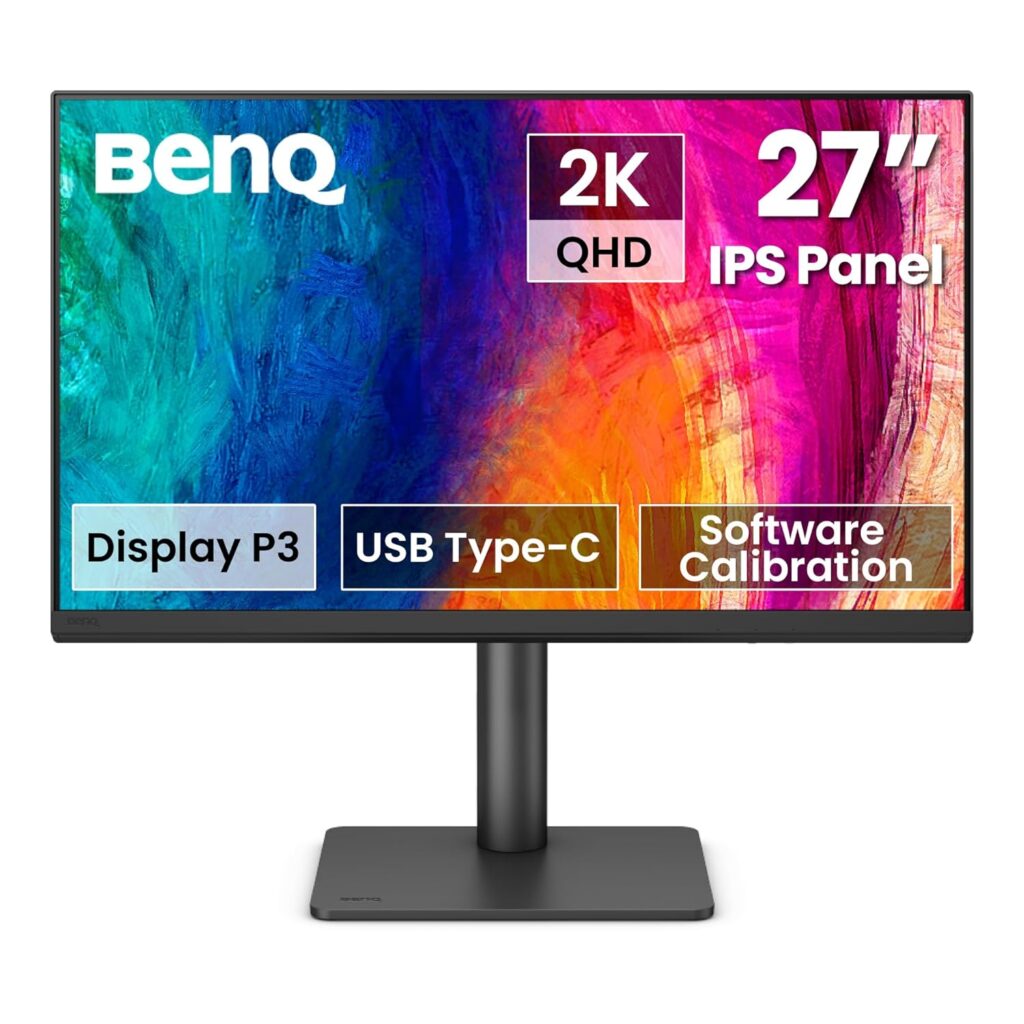
The BenQ PD2705Q is a professional-grade monitor designed specifically for creative experts, video editors, and graphic designers. It comes factory color-calibrated to deliver absolute color accuracy out of the box. Its high-utility USB-C connection allows you to display QHD video, transfer high-speed data, and charge your laptop (65W) using a single cable.
⭐ Key Features
| Feature | Details |
|---|---|
| Color Accuracy | 100% sRGB and Rec.709 coverage; Delta E ≤ 3 (Pantone & Calman Validated) |
| USB-C Docking | Single USB-C connection with 65W power delivery to charge your laptop |
| KVM Switch | Allows you to control two computer systems with one mouse and keyboard |
👍 Pros & 👎 Cons
| Pros | Cons |
|---|---|
| Flawless out-of-the-box color accuracy (factory calibrated) | Refresh rate is limited to standard 60Hz |
| USB-C docking is exceptionally clean for MacBook and laptop users | Premium price tag due to color certification standards |
| Ergonomic stand supports full height, swivel, tilt, and pivot adjustments | Contrast is standard for IPS (1000:1), not suitable for pitch-dark rooms |
📊 Specifications
| Category | Professional Designer Monitor |
|---|---|
| Screen Size / Size | 27-inch (68.6 cm) |
| Resolution / Performance | 2560 x 1440 QHD (2K) |
| Processor | IPS Panel (Factory Calibrated) |
| Display Type | Flat widescreen |
| Connectivity | 1x USB-C (65W charging), 1x DisplayPort 1.4, 1x HDMI 2.0, USB Hub |
| Audio Output | 2x 2W built-in speakers & headphone jack |
| Special Features | Calman & Pantone Certified, CAD/CAM Mode, KVM Switch, Ergonomic Stand |
📝 Final Verdict
Our Verdict: The BenQ PD2705Q is an outstanding tool for professional designers, photographers, and editors. While not intended for gaming, its factory calibration, ergonomic flexibility, and MacBook-charging USB-C port make it a superb professional investment.
8) Gigabyte G27F 2 27″ Gaming Monitor
The Gigabyte G27F 2 is a highly capable all-rounder display that bridges the gap between high-speed gaming and creative productivity. Featuring a high-quality 27-inch IPS panel, it offers a 170Hz overclocked refresh rate. Thanks to its rich 95% DCI-P3 wide color gamut, it provides highly saturated, beautiful visuals for media and games.
⭐ Key Features
| Feature | Details |
|---|---|
| High Speed | 165Hz native (overclocks up to 170Hz) with 1ms response time (MPRT) |
| Vivid Palette | 95% DCI-P3 / 130% sRGB color gamut for deep, punchy colors |
| Built-in Hub | Integrated USB ports allow you to connect keyboard, mouse, and USB drives |
👍 Pros & 👎 Cons
| Pros | Cons |
|---|---|
| Spectacularly rich and saturated IPS color performance | External power supply adapter brick is relatively large |
| Useful integrated USB hub makes cable routing easy | No built-in speakers included |
| Height and tilt adjustable metal stand | FHD (1080p) is only standard sharpness at 27 inches |
📊 Specifications
| Category | Mid-Range Gaming & Work Monitor |
|---|---|
| Screen Size / Size | 27-inch (68.6 cm) |
| Resolution / Performance | 1920 x 1080 Full HD (1080p) |
| Processor | IPS Panel |
| Display Type | Flat widescreen |
| Connectivity | 2x HDMI 2.0, 1x DisplayPort 1.2, 2x USB 3.2 Gen 1 (downstream) |
| Audio Output | Headphone jack |
| Special Features | 170Hz OC, HDR Ready, Height Adjustable Stand, OSD Sidekick software |
📝 Final Verdict
Our Verdict: The Gigabyte G27F 2 is a brilliant general-purpose screen. It successfully combines wide-color gamut IPS display quality with fast gaming response times, making it a stellar crossover monitor for media creators and gamers.
9) ASUS ROG Swift OLED PG27UCDM 27″ QD-OLED
The ASUS ROG Swift OLED PG27UCDM is a top-tier premium gaming monitor. Featuring a state-of-the-art QD-OLED panel, it achieves an infinite contrast ratio, displaying absolute, pure blacks alongside vibrant highlights. With a blistering 240Hz refresh rate and a near-instantaneous 0.03ms response time, it completely eliminates motion blur.
⭐ Key Features
| Feature | Details |
|---|---|
| OLED Technology | QD-OLED panel with infinite contrast, true 10-bit color, and absolute blacks |
| Elite Speed | 240Hz refresh rate and a near-instant 0.03ms (GtG) response time |
| Thermal Safeguard | Custom passive heatsink and OLED Care features prevent screen burn-in |
👍 Pros & 👎 Cons
| Pros | Cons |
|---|---|
| Breathtaking visual quality with unmatched colors and deep blacks | Extremely expensive premium purchase |
| 0.03ms response time completely removes ghosting | OLED panels require general care to avoid static burn-in |
| USB-C supports high-power 90W Power Delivery charging | Text clarity is slightly soft due to the OLED subpixel layout |
📊 Specifications
| Category | Premium Gaming Monitor |
|---|---|
| Screen Size / Size | 26.5-inch (67.3 cm) |
| Resolution / Performance | 2560 x 1440 QHD (1440p) |
| Processor | QD-OLED Panel |
| Display Type | Flat widescreen |
| Connectivity | 1x USB-C (90W PD), 1x DisplayPort 1.4, 2x HDMI 2.1, 3x USB 3.2 |
| Audio Output | SPDIF (optical audio) & headphone jack |
| Special Features | 240Hz, 0.03ms, KVM Switch, ROG projecting base, custom heatsink |
📝 Final Verdict
Our Verdict: The ASUS ROG Swift OLED PG27UCDM is a premium engineering masterpiece. If budget is no constraint and you want the absolute ultimate gaming monitor in India with true blacks and fluid response speeds, this is the definitive option.
10) Acer EK220Q 21.5″ Full HD Monitor
The Acer EK220Q is a compact and functional budget monitor designed for general daily tasks. Extremely cost-effective, it is highly suitable for home study desks, billing counters, and basic office work. Despite its low price, it features a sharp Full HD resolution and a smooth 100Hz refresh rate, ensuring that scrolling through documents feels clear and fluid.
⭐ Key Features
| Feature | Details |
|---|---|
| High Value | Superb entry-level price point, perfect for basic home and shop setups |
| Fluid Speed | 100Hz refresh rate ensures smooth scrolling and interface usage |
| Eye Shield | Integrated Acer BlueLightShield and Flickerless technology |
👍 Pros & 👎 Cons
| Pros | Cons |
|---|---|
| Ergonomic and highly cost-effective | No DisplayPort input (HDMI and VGA only) |
| 100Hz refresh rate is excellent for the price tier | Stand only supports basic tilting |
| Compact design occupies very little desktop area | Slight color shifting when viewed from the side |
📊 Specifications
| Category | Entry-Level / Student Monitor |
|---|---|
| Screen Size / Size | 21.5-inch (54.6 cm) |
| Resolution / Performance | 1920 x 1080 Full HD (1080p) |
| Processor | VA Panel |
| Display Type | Flat widescreen |
| Connectivity | 1x HDMI 1.4, 1x VGA (D-Sub) |
| Audio Output | None |
| Special Features | Ultra-thin frame, 100Hz refresh, Flickerless, BlueLightShield |
📝 Final Verdict
Our Verdict: The Acer EK220Q is a simple and reliable budget choice. If you want a compact screen for basic study, office work, or shop management, it is the Best Budget Monitor in India under ₹7,000.
❓ FAQs – Answering What Everyone Asks
IPS vs. VA: Which panel is better for daily work?
For general office work, coding, and multitasking, an IPS panel is superior because it offers wider viewing angles and cleaner text clarity without color distortion. However, if you work in a dark room and watch a lot of movies, a VA panel‘s deep contrast ratio is excellent.
Is a 27-inch 1080p monitor good?
While a 27-inch 1080p monitor is fine for gaming and media, text can appear slightly soft or pixelated if you sit very close to the screen (within 2 feet). For a 27-inch monitor, 1440p (QHD) is the ideal sweet-spot resolution.
Do I need DisplayPort, or is HDMI enough?
For basic office setups at 60Hz-75Hz, HDMI is more than enough. However, if you are using a high refresh rate gaming monitor (144Hz+) or a high-resolution display, using a DisplayPort (DP) cable is highly recommended to support higher bandwidths, G-Sync, and HDR.
Does a high refresh rate monitor help with eye strain?
Yes! Higher refresh rates (100Hz+) reduce the perceived motion flicker and make scrolling, mouse movement, and page animations incredibly fluid, which significantly reduces tracking fatigue on your eyes.
🏁 Conclusion – Make a Smart Choice
Choosing the best monitor boils down to your primary use case:
- For office work, coding, and general study, the BenQ GW2791 is the absolute best for eye comfort.
- For budget gaming, go with the high-speed Acer Nitro VG270 S3 or the curved LG UltraGear 27GS60QC.
- If you are a professional designer or video editor, the color-accurate BenQ PD2705Q is essential.
- If you want the pinnacle of visual fidelity, save up for the absolute marvel that is the ASUS ROG Swift OLED PG27UCDM.
| Feature | Details |
|---|---|
| High Speed | 180Hz refresh rate with up to 0.5ms (GtG min) response time |
| IPS Panel | True IPS colors with 99% sRGB color gamut and HDR10 support |
| Sync Support | AMD FreeSync Premium for stutter-free, fluid gameplay frames |
👍 Pros & 👎 Cons
| Pros | Cons |
|---|---|
| Incredibly fast 180Hz refresh rate at a budget price | Built-in speakers (2W x 2) are quiet and lack bass |
| Vibrant IPS panel provides superb color reproduction | Cabinet build is mostly plastic (though stable) |
| DisplayPort and HDMI cables are included in the box | Stand only supports basic tilting adjustability |
📊 Specifications
| Category | Budget Gaming Monitor |
|---|---|
| Screen Size / Size | 27-inch (68.6 cm) |
| Resolution / Performance | 1920 x 1080 Full HD (1080p) |
| Processor | IPS Panel |
| Display Type | Flat widescreen |
| Connectivity | 2x HDMI 2.0, 1x DisplayPort 1.2, Headphone out |
| Audio Output | 2x 2W built-in speakers & headphone jack |
| Special Features | 180Hz, HDR10, AMD FreeSync Premium, 0.5ms Response Time |
📝 Final Verdict
Our Verdict: The Acer Nitro VG270 S3 is a budget gaming titan. If you play fast-paced multiplayer games and want the benefit of a high refresh rate IPS panel without spending a fortune, this is the best value display you can buy.
7) BenQ PD2705Q 27″ QHD Professional Monitor
The BenQ PD2705Q is a professional-grade monitor designed specifically for creative experts, video editors, and graphic designers. It comes factory color-calibrated to deliver absolute color accuracy out of the box. Its high-utility USB-C connection allows you to display QHD video, transfer high-speed data, and charge your laptop (65W) using a single cable.
⭐ Key Features
| Feature | Details |
|---|---|
| Color Accuracy | 100% sRGB and Rec.709 coverage; Delta E ≤ 3 (Pantone & Calman Validated) |
| USB-C Docking | Single USB-C connection with 65W power delivery to charge your laptop |
| KVM Switch | Allows you to control two computer systems with one mouse and keyboard |
👍 Pros & 👎 Cons
| Pros | Cons |
|---|---|
| Flawless out-of-the-box color accuracy (factory calibrated) | Refresh rate is limited to standard 60Hz |
| USB-C docking is exceptionally clean for MacBook and laptop users | Premium price tag due to color certification standards |
| Ergonomic stand supports full height, swivel, tilt, and pivot adjustments | Contrast is standard for IPS (1000:1), not suitable for pitch-dark rooms |
📊 Specifications
| Category | Professional Designer Monitor |
|---|---|
| Screen Size / Size | 27-inch (68.6 cm) |
| Resolution / Performance | 2560 x 1440 QHD (2K) |
| Processor | IPS Panel (Factory Calibrated) |
| Display Type | Flat widescreen |
| Connectivity | 1x USB-C (65W charging), 1x DisplayPort 1.4, 1x HDMI 2.0, USB Hub |
| Audio Output | 2x 2W built-in speakers & headphone jack |
| Special Features | Calman & Pantone Certified, CAD/CAM Mode, KVM Switch, Ergonomic Stand |
📝 Final Verdict
Our Verdict: The BenQ PD2705Q is an outstanding tool for professional designers, photographers, and editors. While not intended for gaming, its factory calibration, ergonomic flexibility, and MacBook-charging USB-C port make it a superb professional investment.
8) Gigabyte G27F 2 27″ Gaming Monitor
The Gigabyte G27F 2 is a highly capable all-rounder display that bridges the gap between high-speed gaming and creative productivity. Featuring a high-quality 27-inch IPS panel, it offers a 170Hz overclocked refresh rate. Thanks to its rich 95% DCI-P3 wide color gamut, it provides highly saturated, beautiful visuals for media and games.
⭐ Key Features
| Feature | Details |
|---|---|
| High Speed | 165Hz native (overclocks up to 170Hz) with 1ms response time (MPRT) |
| Vivid Palette | 95% DCI-P3 / 130% sRGB color gamut for deep, punchy colors |
| Built-in Hub | Integrated USB ports allow you to connect keyboard, mouse, and USB drives |
👍 Pros & 👎 Cons
| Pros | Cons |
|---|---|
| Spectacularly rich and saturated IPS color performance | External power supply adapter brick is relatively large |
| Useful integrated USB hub makes cable routing easy | No built-in speakers included |
| Height and tilt adjustable metal stand | FHD (1080p) is only standard sharpness at 27 inches |
📊 Specifications
| Category | Mid-Range Gaming & Work Monitor |
|---|---|
| Screen Size / Size | 27-inch (68.6 cm) |
| Resolution / Performance | 1920 x 1080 Full HD (1080p) |
| Processor | IPS Panel |
| Display Type | Flat widescreen |
| Connectivity | 2x HDMI 2.0, 1x DisplayPort 1.2, 2x USB 3.2 Gen 1 (downstream) |
| Audio Output | Headphone jack |
| Special Features | 170Hz OC, HDR Ready, Height Adjustable Stand, OSD Sidekick software |
📝 Final Verdict
Our Verdict: The Gigabyte G27F 2 is a brilliant general-purpose screen. It successfully combines wide-color gamut IPS display quality with fast gaming response times, making it a stellar crossover monitor for media creators and gamers.
9) ASUS ROG Swift OLED PG27UCDM 27″ QD-OLED
The ASUS ROG Swift OLED PG27UCDM is a top-tier premium gaming monitor. Featuring a state-of-the-art QD-OLED panel, it achieves an infinite contrast ratio, displaying absolute, pure blacks alongside vibrant highlights. With a blistering 240Hz refresh rate and a near-instantaneous 0.03ms response time, it completely eliminates motion blur.
⭐ Key Features
| Feature | Details |
|---|---|
| OLED Technology | QD-OLED panel with infinite contrast, true 10-bit color, and absolute blacks |
| Elite Speed | 240Hz refresh rate and a near-instant 0.03ms (GtG) response time |
| Thermal Safeguard | Custom passive heatsink and OLED Care features prevent screen burn-in |
👍 Pros & 👎 Cons
| Pros | Cons |
|---|---|
| Breathtaking visual quality with unmatched colors and deep blacks | Extremely expensive premium purchase |
| 0.03ms response time completely removes ghosting | OLED panels require general care to avoid static burn-in |
| USB-C supports high-power 90W Power Delivery charging | Text clarity is slightly soft due to the OLED subpixel layout |
📊 Specifications
| Category | Premium Gaming Monitor |
|---|---|
| Screen Size / Size | 26.5-inch (67.3 cm) |
| Resolution / Performance | 2560 x 1440 QHD (1440p) |
| Processor | QD-OLED Panel |
| Display Type | Flat widescreen |
| Connectivity | 1x USB-C (90W PD), 1x DisplayPort 1.4, 2x HDMI 2.1, 3x USB 3.2 |
| Audio Output | SPDIF (optical audio) & headphone jack |
| Special Features | 240Hz, 0.03ms, KVM Switch, ROG projecting base, custom heatsink |
📝 Final Verdict
Our Verdict: The ASUS ROG Swift OLED PG27UCDM is a premium engineering masterpiece. If budget is no constraint and you want the absolute ultimate gaming monitor in India with true blacks and fluid response speeds, this is the definitive option.
10) Acer EK220Q 21.5″ Full HD Monitor
The Acer EK220Q is a compact and functional budget monitor designed for general daily tasks. Extremely cost-effective, it is highly suitable for home study desks, billing counters, and basic office work. Despite its low price, it features a sharp Full HD resolution and a smooth 100Hz refresh rate, ensuring that scrolling through documents feels clear and fluid.
⭐ Key Features
| Feature | Details |
|---|---|
| High Value | Superb entry-level price point, perfect for basic home and shop setups |
| Fluid Speed | 100Hz refresh rate ensures smooth scrolling and interface usage |
| Eye Shield | Integrated Acer BlueLightShield and Flickerless technology |
👍 Pros & 👎 Cons
| Pros | Cons |
|---|---|
| Ergonomic and highly cost-effective | No DisplayPort input (HDMI and VGA only) |
| 100Hz refresh rate is excellent for the price tier | Stand only supports basic tilting |
| Compact design occupies very little desktop area | Slight color shifting when viewed from the side |
📊 Specifications
| Category | Entry-Level / Student Monitor |
|---|---|
| Screen Size / Size | 21.5-inch (54.6 cm) |
| Resolution / Performance | 1920 x 1080 Full HD (1080p) |
| Processor | VA Panel |
| Display Type | Flat widescreen |
| Connectivity | 1x HDMI 1.4, 1x VGA (D-Sub) |
| Audio Output | None |
| Special Features | Ultra-thin frame, 100Hz refresh, Flickerless, BlueLightShield |
📝 Final Verdict
Our Verdict: The Acer EK220Q is a simple and reliable budget choice. If you want a compact screen for basic study, office work, or shop management, it is the Best Budget Monitor in India under ₹7,000.
❓ FAQs – Answering What Everyone Asks
IPS vs. VA: Which panel is better for daily work?
For general office work, coding, and multitasking, an IPS panel is superior because it offers wider viewing angles and cleaner text clarity without color distortion. However, if you work in a dark room and watch a lot of movies, a VA panel‘s deep contrast ratio is excellent.
Is a 27-inch 1080p monitor good?
While a 27-inch 1080p monitor is fine for gaming and media, text can appear slightly soft or pixelated if you sit very close to the screen (within 2 feet). For a 27-inch monitor, 1440p (QHD) is the ideal sweet-spot resolution.
Do I need DisplayPort, or is HDMI enough?
For basic office setups at 60Hz-75Hz, HDMI is more than enough. However, if you are using a high refresh rate gaming monitor (144Hz+) or a high-resolution display, using a DisplayPort (DP) cable is highly recommended to support higher bandwidths, G-Sync, and HDR.
Does a high refresh rate monitor help with eye strain?
Yes! Higher refresh rates (100Hz+) reduce the perceived motion flicker and make scrolling, mouse movement, and page animations incredibly fluid, which significantly reduces tracking fatigue on your eyes.
🏁 Conclusion – Make a Smart Choice
Choosing the best monitor boils down to your primary use case:
- For office work, coding, and general study, the BenQ GW2791 is the absolute best for eye comfort.
- For budget gaming, go with the high-speed Acer Nitro VG270 S3 or the curved LG UltraGear 27GS60QC.
- If you are a professional designer or video editor, the color-accurate BenQ PD2705Q is essential.
- If you want the pinnacle of visual fidelity, save up for the absolute marvel that is the ASUS ROG Swift OLED PG27UCDM.
| Pros | Cons |
|---|---|
| Works as a standalone Smart TV with built-in speakers and remote | FHD (1080p) resolution looks soft on a large 32-inch screen |
| Integrates Apple AirPlay and screen mirroring effortlessly | Only 60Hz refresh rate (not suitable for fast action gaming) |
| Allows PC-free productivity using cloud office apps | Stand is basic and lacks height adjustability |
📊 Specifications
| Category | Smart Hybrid Monitor |
|---|---|
| Screen Size / Size | 32-inch (80 cm) |
| Resolution / Performance | 1920 x 1080 Full HD (1080p) |
| Processor | VA Panel |
| Display Type | Flat widescreen |
| Connectivity | 2x HDMI 2.0, 2x USB-A, Wi-Fi, Bluetooth |
| Audio Output | Built-in 2-channel stereo speakers |
| Special Features | Tizen Smart Hub, Voice Remote, Apple AirPlay 2, Work Hub |
📝 Final Verdict
Our Verdict: The Samsung M5 is perfect for students, small bedrooms, or hybrid workspaces. If you want a single display that acts as an entertainment TV and a study monitor without needing a computer running all the time, this offers stellar utility.
6) Acer Nitro VG270 S3 27″ Gaming Monitor
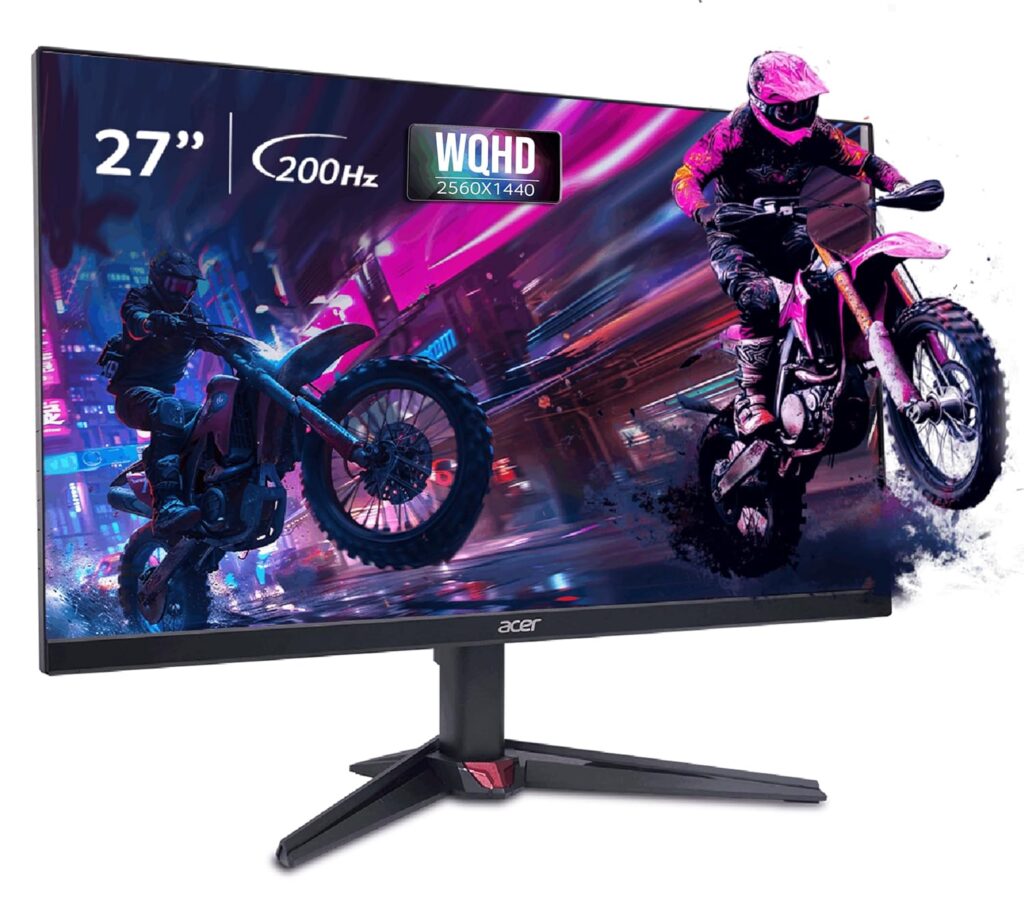
The Acer Nitro VG270 S3 is a budget-focused gaming monitor designed to deliver premium performance. Pushing the limits of value, it packs an ultra-fast 180Hz refresh rate and a response time of up to 0.5ms on a vibrant 27-inch IPS panel. Combined with AMD FreeSync Premium, it ensures fast-paced games run exceptionally smooth.
⭐ Key Features
| Feature | Details |
|---|---|
| High Speed | 180Hz refresh rate with up to 0.5ms (GtG min) response time |
| IPS Panel | True IPS colors with 99% sRGB color gamut and HDR10 support |
| Sync Support | AMD FreeSync Premium for stutter-free, fluid gameplay frames |
👍 Pros & 👎 Cons
| Pros | Cons |
|---|---|
| Incredibly fast 180Hz refresh rate at a budget price | Built-in speakers (2W x 2) are quiet and lack bass |
| Vibrant IPS panel provides superb color reproduction | Cabinet build is mostly plastic (though stable) |
| DisplayPort and HDMI cables are included in the box | Stand only supports basic tilting adjustability |
📊 Specifications
| Category | Budget Gaming Monitor |
|---|---|
| Screen Size / Size | 27-inch (68.6 cm) |
| Resolution / Performance | 1920 x 1080 Full HD (1080p) |
| Processor | IPS Panel |
| Display Type | Flat widescreen |
| Connectivity | 2x HDMI 2.0, 1x DisplayPort 1.2, Headphone out |
| Audio Output | 2x 2W built-in speakers & headphone jack |
| Special Features | 180Hz, HDR10, AMD FreeSync Premium, 0.5ms Response Time |
📝 Final Verdict
Our Verdict: The Acer Nitro VG270 S3 is a budget gaming titan. If you play fast-paced multiplayer games and want the benefit of a high refresh rate IPS panel without spending a fortune, this is the best value display you can buy.
7) BenQ PD2705Q 27″ QHD Professional Monitor
The BenQ PD2705Q is a professional-grade monitor designed specifically for creative experts, video editors, and graphic designers. It comes factory color-calibrated to deliver absolute color accuracy out of the box. Its high-utility USB-C connection allows you to display QHD video, transfer high-speed data, and charge your laptop (65W) using a single cable.
⭐ Key Features
| Feature | Details |
|---|---|
| Color Accuracy | 100% sRGB and Rec.709 coverage; Delta E ≤ 3 (Pantone & Calman Validated) |
| USB-C Docking | Single USB-C connection with 65W power delivery to charge your laptop |
| KVM Switch | Allows you to control two computer systems with one mouse and keyboard |
👍 Pros & 👎 Cons
| Pros | Cons |
|---|---|
| Flawless out-of-the-box color accuracy (factory calibrated) | Refresh rate is limited to standard 60Hz |
| USB-C docking is exceptionally clean for MacBook and laptop users | Premium price tag due to color certification standards |
| Ergonomic stand supports full height, swivel, tilt, and pivot adjustments | Contrast is standard for IPS (1000:1), not suitable for pitch-dark rooms |
📊 Specifications
| Category | Professional Designer Monitor |
|---|---|
| Screen Size / Size | 27-inch (68.6 cm) |
| Resolution / Performance | 2560 x 1440 QHD (2K) |
| Processor | IPS Panel (Factory Calibrated) |
| Display Type | Flat widescreen |
| Connectivity | 1x USB-C (65W charging), 1x DisplayPort 1.4, 1x HDMI 2.0, USB Hub |
| Audio Output | 2x 2W built-in speakers & headphone jack |
| Special Features | Calman & Pantone Certified, CAD/CAM Mode, KVM Switch, Ergonomic Stand |
📝 Final Verdict
Our Verdict: The BenQ PD2705Q is an outstanding tool for professional designers, photographers, and editors. While not intended for gaming, its factory calibration, ergonomic flexibility, and MacBook-charging USB-C port make it a superb professional investment.
8) Gigabyte G27F 2 27″ Gaming Monitor
The Gigabyte G27F 2 is a highly capable all-rounder display that bridges the gap between high-speed gaming and creative productivity. Featuring a high-quality 27-inch IPS panel, it offers a 170Hz overclocked refresh rate. Thanks to its rich 95% DCI-P3 wide color gamut, it provides highly saturated, beautiful visuals for media and games.
⭐ Key Features
| Feature | Details |
|---|---|
| High Speed | 165Hz native (overclocks up to 170Hz) with 1ms response time (MPRT) |
| Vivid Palette | 95% DCI-P3 / 130% sRGB color gamut for deep, punchy colors |
| Built-in Hub | Integrated USB ports allow you to connect keyboard, mouse, and USB drives |
👍 Pros & 👎 Cons
| Pros | Cons |
|---|---|
| Spectacularly rich and saturated IPS color performance | External power supply adapter brick is relatively large |
| Useful integrated USB hub makes cable routing easy | No built-in speakers included |
| Height and tilt adjustable metal stand | FHD (1080p) is only standard sharpness at 27 inches |
📊 Specifications
| Category | Mid-Range Gaming & Work Monitor |
|---|---|
| Screen Size / Size | 27-inch (68.6 cm) |
| Resolution / Performance | 1920 x 1080 Full HD (1080p) |
| Processor | IPS Panel |
| Display Type | Flat widescreen |
| Connectivity | 2x HDMI 2.0, 1x DisplayPort 1.2, 2x USB 3.2 Gen 1 (downstream) |
| Audio Output | Headphone jack |
| Special Features | 170Hz OC, HDR Ready, Height Adjustable Stand, OSD Sidekick software |
📝 Final Verdict
Our Verdict: The Gigabyte G27F 2 is a brilliant general-purpose screen. It successfully combines wide-color gamut IPS display quality with fast gaming response times, making it a stellar crossover monitor for media creators and gamers.
9) ASUS ROG Swift OLED PG27UCDM 27″ QD-OLED
The ASUS ROG Swift OLED PG27UCDM is a top-tier premium gaming monitor. Featuring a state-of-the-art QD-OLED panel, it achieves an infinite contrast ratio, displaying absolute, pure blacks alongside vibrant highlights. With a blistering 240Hz refresh rate and a near-instantaneous 0.03ms response time, it completely eliminates motion blur.
⭐ Key Features
| Feature | Details |
|---|---|
| OLED Technology | QD-OLED panel with infinite contrast, true 10-bit color, and absolute blacks |
| Elite Speed | 240Hz refresh rate and a near-instant 0.03ms (GtG) response time |
| Thermal Safeguard | Custom passive heatsink and OLED Care features prevent screen burn-in |
👍 Pros & 👎 Cons
| Pros | Cons |
|---|---|
| Breathtaking visual quality with unmatched colors and deep blacks | Extremely expensive premium purchase |
| 0.03ms response time completely removes ghosting | OLED panels require general care to avoid static burn-in |
| USB-C supports high-power 90W Power Delivery charging | Text clarity is slightly soft due to the OLED subpixel layout |
📊 Specifications
| Category | Premium Gaming Monitor |
|---|---|
| Screen Size / Size | 26.5-inch (67.3 cm) |
| Resolution / Performance | 2560 x 1440 QHD (1440p) |
| Processor | QD-OLED Panel |
| Display Type | Flat widescreen |
| Connectivity | 1x USB-C (90W PD), 1x DisplayPort 1.4, 2x HDMI 2.1, 3x USB 3.2 |
| Audio Output | SPDIF (optical audio) & headphone jack |
| Special Features | 240Hz, 0.03ms, KVM Switch, ROG projecting base, custom heatsink |
📝 Final Verdict
Our Verdict: The ASUS ROG Swift OLED PG27UCDM is a premium engineering masterpiece. If budget is no constraint and you want the absolute ultimate gaming monitor in India with true blacks and fluid response speeds, this is the definitive option.
10) Acer EK220Q 21.5″ Full HD Monitor
The Acer EK220Q is a compact and functional budget monitor designed for general daily tasks. Extremely cost-effective, it is highly suitable for home study desks, billing counters, and basic office work. Despite its low price, it features a sharp Full HD resolution and a smooth 100Hz refresh rate, ensuring that scrolling through documents feels clear and fluid.
⭐ Key Features
| Feature | Details |
|---|---|
| High Value | Superb entry-level price point, perfect for basic home and shop setups |
| Fluid Speed | 100Hz refresh rate ensures smooth scrolling and interface usage |
| Eye Shield | Integrated Acer BlueLightShield and Flickerless technology |
👍 Pros & 👎 Cons
| Pros | Cons |
|---|---|
| Ergonomic and highly cost-effective | No DisplayPort input (HDMI and VGA only) |
| 100Hz refresh rate is excellent for the price tier | Stand only supports basic tilting |
| Compact design occupies very little desktop area | Slight color shifting when viewed from the side |
📊 Specifications
| Category | Entry-Level / Student Monitor |
|---|---|
| Screen Size / Size | 21.5-inch (54.6 cm) |
| Resolution / Performance | 1920 x 1080 Full HD (1080p) |
| Processor | VA Panel |
| Display Type | Flat widescreen |
| Connectivity | 1x HDMI 1.4, 1x VGA (D-Sub) |
| Audio Output | None |
| Special Features | Ultra-thin frame, 100Hz refresh, Flickerless, BlueLightShield |
📝 Final Verdict
Our Verdict: The Acer EK220Q is a simple and reliable budget choice. If you want a compact screen for basic study, office work, or shop management, it is the Best Budget Monitor in India under ₹7,000.
❓ FAQs – Answering What Everyone Asks
IPS vs. VA: Which panel is better for daily work?
For general office work, coding, and multitasking, an IPS panel is superior because it offers wider viewing angles and cleaner text clarity without color distortion. However, if you work in a dark room and watch a lot of movies, a VA panel‘s deep contrast ratio is excellent.
Is a 27-inch 1080p monitor good?
While a 27-inch 1080p monitor is fine for gaming and media, text can appear slightly soft or pixelated if you sit very close to the screen (within 2 feet). For a 27-inch monitor, 1440p (QHD) is the ideal sweet-spot resolution.
Do I need DisplayPort, or is HDMI enough?
For basic office setups at 60Hz-75Hz, HDMI is more than enough. However, if you are using a high refresh rate gaming monitor (144Hz+) or a high-resolution display, using a DisplayPort (DP) cable is highly recommended to support higher bandwidths, G-Sync, and HDR.
Does a high refresh rate monitor help with eye strain?
Yes! Higher refresh rates (100Hz+) reduce the perceived motion flicker and make scrolling, mouse movement, and page animations incredibly fluid, which significantly reduces tracking fatigue on your eyes.
🏁 Conclusion – Make a Smart Choice
Choosing the best monitor boils down to your primary use case:
- For office work, coding, and general study, the BenQ GW2791 is the absolute best for eye comfort.
- For budget gaming, go with the high-speed Acer Nitro VG270 S3 or the curved LG UltraGear 27GS60QC.
- If you are a professional designer or video editor, the color-accurate BenQ PD2705Q is essential.
- If you want the pinnacle of visual fidelity, save up for the absolute marvel that is the ASUS ROG Swift OLED PG27UCDM.
| Feature | Details |
|---|---|
| Smart System | Built-in Tizen Smart OS with app store, remote, and voice assistants |
| Wireless Connection | Built-in Wi-Fi 5, Bluetooth, Apple AirPlay 2, and mobile mirroring |
| Work Workspace | Allows document editing and web browsing directly without a PC connected |
👍 Pros & 👎 Cons
| Pros | Cons |
|---|---|
| Works as a standalone Smart TV with built-in speakers and remote | FHD (1080p) resolution looks soft on a large 32-inch screen |
| Integrates Apple AirPlay and screen mirroring effortlessly | Only 60Hz refresh rate (not suitable for fast action gaming) |
| Allows PC-free productivity using cloud office apps | Stand is basic and lacks height adjustability |
📊 Specifications
| Category | Smart Hybrid Monitor |
|---|---|
| Screen Size / Size | 32-inch (80 cm) |
| Resolution / Performance | 1920 x 1080 Full HD (1080p) |
| Processor | VA Panel |
| Display Type | Flat widescreen |
| Connectivity | 2x HDMI 2.0, 2x USB-A, Wi-Fi, Bluetooth |
| Audio Output | Built-in 2-channel stereo speakers |
| Special Features | Tizen Smart Hub, Voice Remote, Apple AirPlay 2, Work Hub |
📝 Final Verdict
Our Verdict: The Samsung M5 is perfect for students, small bedrooms, or hybrid workspaces. If you want a single display that acts as an entertainment TV and a study monitor without needing a computer running all the time, this offers stellar utility.
6) Acer Nitro VG270 S3 27″ Gaming Monitor
The Acer Nitro VG270 S3 is a budget-focused gaming monitor designed to deliver premium performance. Pushing the limits of value, it packs an ultra-fast 180Hz refresh rate and a response time of up to 0.5ms on a vibrant 27-inch IPS panel. Combined with AMD FreeSync Premium, it ensures fast-paced games run exceptionally smooth.
⭐ Key Features
| Feature | Details |
|---|---|
| High Speed | 180Hz refresh rate with up to 0.5ms (GtG min) response time |
| IPS Panel | True IPS colors with 99% sRGB color gamut and HDR10 support |
| Sync Support | AMD FreeSync Premium for stutter-free, fluid gameplay frames |
👍 Pros & 👎 Cons
| Pros | Cons |
|---|---|
| Incredibly fast 180Hz refresh rate at a budget price | Built-in speakers (2W x 2) are quiet and lack bass |
| Vibrant IPS panel provides superb color reproduction | Cabinet build is mostly plastic (though stable) |
| DisplayPort and HDMI cables are included in the box | Stand only supports basic tilting adjustability |
📊 Specifications
| Category | Budget Gaming Monitor |
|---|---|
| Screen Size / Size | 27-inch (68.6 cm) |
| Resolution / Performance | 1920 x 1080 Full HD (1080p) |
| Processor | IPS Panel |
| Display Type | Flat widescreen |
| Connectivity | 2x HDMI 2.0, 1x DisplayPort 1.2, Headphone out |
| Audio Output | 2x 2W built-in speakers & headphone jack |
| Special Features | 180Hz, HDR10, AMD FreeSync Premium, 0.5ms Response Time |
📝 Final Verdict
Our Verdict: The Acer Nitro VG270 S3 is a budget gaming titan. If you play fast-paced multiplayer games and want the benefit of a high refresh rate IPS panel without spending a fortune, this is the best value display you can buy.
7) BenQ PD2705Q 27″ QHD Professional Monitor
The BenQ PD2705Q is a professional-grade monitor designed specifically for creative experts, video editors, and graphic designers. It comes factory color-calibrated to deliver absolute color accuracy out of the box. Its high-utility USB-C connection allows you to display QHD video, transfer high-speed data, and charge your laptop (65W) using a single cable.
⭐ Key Features
| Feature | Details |
|---|---|
| Color Accuracy | 100% sRGB and Rec.709 coverage; Delta E ≤ 3 (Pantone & Calman Validated) |
| USB-C Docking | Single USB-C connection with 65W power delivery to charge your laptop |
| KVM Switch | Allows you to control two computer systems with one mouse and keyboard |
👍 Pros & 👎 Cons
| Pros | Cons |
|---|---|
| Flawless out-of-the-box color accuracy (factory calibrated) | Refresh rate is limited to standard 60Hz |
| USB-C docking is exceptionally clean for MacBook and laptop users | Premium price tag due to color certification standards |
| Ergonomic stand supports full height, swivel, tilt, and pivot adjustments | Contrast is standard for IPS (1000:1), not suitable for pitch-dark rooms |
📊 Specifications
| Category | Professional Designer Monitor |
|---|---|
| Screen Size / Size | 27-inch (68.6 cm) |
| Resolution / Performance | 2560 x 1440 QHD (2K) |
| Processor | IPS Panel (Factory Calibrated) |
| Display Type | Flat widescreen |
| Connectivity | 1x USB-C (65W charging), 1x DisplayPort 1.4, 1x HDMI 2.0, USB Hub |
| Audio Output | 2x 2W built-in speakers & headphone jack |
| Special Features | Calman & Pantone Certified, CAD/CAM Mode, KVM Switch, Ergonomic Stand |
📝 Final Verdict
Our Verdict: The BenQ PD2705Q is an outstanding tool for professional designers, photographers, and editors. While not intended for gaming, its factory calibration, ergonomic flexibility, and MacBook-charging USB-C port make it a superb professional investment.
8) Gigabyte G27F 2 27″ Gaming Monitor
The Gigabyte G27F 2 is a highly capable all-rounder display that bridges the gap between high-speed gaming and creative productivity. Featuring a high-quality 27-inch IPS panel, it offers a 170Hz overclocked refresh rate. Thanks to its rich 95% DCI-P3 wide color gamut, it provides highly saturated, beautiful visuals for media and games.
⭐ Key Features
| Feature | Details |
|---|---|
| High Speed | 165Hz native (overclocks up to 170Hz) with 1ms response time (MPRT) |
| Vivid Palette | 95% DCI-P3 / 130% sRGB color gamut for deep, punchy colors |
| Built-in Hub | Integrated USB ports allow you to connect keyboard, mouse, and USB drives |
👍 Pros & 👎 Cons
| Pros | Cons |
|---|---|
| Spectacularly rich and saturated IPS color performance | External power supply adapter brick is relatively large |
| Useful integrated USB hub makes cable routing easy | No built-in speakers included |
| Height and tilt adjustable metal stand | FHD (1080p) is only standard sharpness at 27 inches |
📊 Specifications
| Category | Mid-Range Gaming & Work Monitor |
|---|---|
| Screen Size / Size | 27-inch (68.6 cm) |
| Resolution / Performance | 1920 x 1080 Full HD (1080p) |
| Processor | IPS Panel |
| Display Type | Flat widescreen |
| Connectivity | 2x HDMI 2.0, 1x DisplayPort 1.2, 2x USB 3.2 Gen 1 (downstream) |
| Audio Output | Headphone jack |
| Special Features | 170Hz OC, HDR Ready, Height Adjustable Stand, OSD Sidekick software |
📝 Final Verdict
Our Verdict: The Gigabyte G27F 2 is a brilliant general-purpose screen. It successfully combines wide-color gamut IPS display quality with fast gaming response times, making it a stellar crossover monitor for media creators and gamers.
9) ASUS ROG Swift OLED PG27UCDM 27″ QD-OLED
The ASUS ROG Swift OLED PG27UCDM is a top-tier premium gaming monitor. Featuring a state-of-the-art QD-OLED panel, it achieves an infinite contrast ratio, displaying absolute, pure blacks alongside vibrant highlights. With a blistering 240Hz refresh rate and a near-instantaneous 0.03ms response time, it completely eliminates motion blur.
⭐ Key Features
| Feature | Details |
|---|---|
| OLED Technology | QD-OLED panel with infinite contrast, true 10-bit color, and absolute blacks |
| Elite Speed | 240Hz refresh rate and a near-instant 0.03ms (GtG) response time |
| Thermal Safeguard | Custom passive heatsink and OLED Care features prevent screen burn-in |
👍 Pros & 👎 Cons
| Pros | Cons |
|---|---|
| Breathtaking visual quality with unmatched colors and deep blacks | Extremely expensive premium purchase |
| 0.03ms response time completely removes ghosting | OLED panels require general care to avoid static burn-in |
| USB-C supports high-power 90W Power Delivery charging | Text clarity is slightly soft due to the OLED subpixel layout |
📊 Specifications
| Category | Premium Gaming Monitor |
|---|---|
| Screen Size / Size | 26.5-inch (67.3 cm) |
| Resolution / Performance | 2560 x 1440 QHD (1440p) |
| Processor | QD-OLED Panel |
| Display Type | Flat widescreen |
| Connectivity | 1x USB-C (90W PD), 1x DisplayPort 1.4, 2x HDMI 2.1, 3x USB 3.2 |
| Audio Output | SPDIF (optical audio) & headphone jack |
| Special Features | 240Hz, 0.03ms, KVM Switch, ROG projecting base, custom heatsink |
📝 Final Verdict
Our Verdict: The ASUS ROG Swift OLED PG27UCDM is a premium engineering masterpiece. If budget is no constraint and you want the absolute ultimate gaming monitor in India with true blacks and fluid response speeds, this is the definitive option.
10) Acer EK220Q 21.5″ Full HD Monitor
The Acer EK220Q is a compact and functional budget monitor designed for general daily tasks. Extremely cost-effective, it is highly suitable for home study desks, billing counters, and basic office work. Despite its low price, it features a sharp Full HD resolution and a smooth 100Hz refresh rate, ensuring that scrolling through documents feels clear and fluid.
⭐ Key Features
| Feature | Details |
|---|---|
| High Value | Superb entry-level price point, perfect for basic home and shop setups |
| Fluid Speed | 100Hz refresh rate ensures smooth scrolling and interface usage |
| Eye Shield | Integrated Acer BlueLightShield and Flickerless technology |
👍 Pros & 👎 Cons
| Pros | Cons |
|---|---|
| Ergonomic and highly cost-effective | No DisplayPort input (HDMI and VGA only) |
| 100Hz refresh rate is excellent for the price tier | Stand only supports basic tilting |
| Compact design occupies very little desktop area | Slight color shifting when viewed from the side |
📊 Specifications
| Category | Entry-Level / Student Monitor |
|---|---|
| Screen Size / Size | 21.5-inch (54.6 cm) |
| Resolution / Performance | 1920 x 1080 Full HD (1080p) |
| Processor | VA Panel |
| Display Type | Flat widescreen |
| Connectivity | 1x HDMI 1.4, 1x VGA (D-Sub) |
| Audio Output | None |
| Special Features | Ultra-thin frame, 100Hz refresh, Flickerless, BlueLightShield |
📝 Final Verdict
Our Verdict: The Acer EK220Q is a simple and reliable budget choice. If you want a compact screen for basic study, office work, or shop management, it is the Best Budget Monitor in India under ₹7,000.
❓ FAQs – Answering What Everyone Asks
IPS vs. VA: Which panel is better for daily work?
For general office work, coding, and multitasking, an IPS panel is superior because it offers wider viewing angles and cleaner text clarity without color distortion. However, if you work in a dark room and watch a lot of movies, a VA panel‘s deep contrast ratio is excellent.
Is a 27-inch 1080p monitor good?
While a 27-inch 1080p monitor is fine for gaming and media, text can appear slightly soft or pixelated if you sit very close to the screen (within 2 feet). For a 27-inch monitor, 1440p (QHD) is the ideal sweet-spot resolution.
Do I need DisplayPort, or is HDMI enough?
For basic office setups at 60Hz-75Hz, HDMI is more than enough. However, if you are using a high refresh rate gaming monitor (144Hz+) or a high-resolution display, using a DisplayPort (DP) cable is highly recommended to support higher bandwidths, G-Sync, and HDR.
Does a high refresh rate monitor help with eye strain?
Yes! Higher refresh rates (100Hz+) reduce the perceived motion flicker and make scrolling, mouse movement, and page animations incredibly fluid, which significantly reduces tracking fatigue on your eyes.
🏁 Conclusion – Make a Smart Choice
Choosing the best monitor boils down to your primary use case:
- For office work, coding, and general study, the BenQ GW2791 is the absolute best for eye comfort.
- For budget gaming, go with the high-speed Acer Nitro VG270 S3 or the curved LG UltraGear 27GS60QC.
- If you are a professional designer or video editor, the color-accurate BenQ PD2705Q is essential.
- If you want the pinnacle of visual fidelity, save up for the absolute marvel that is the ASUS ROG Swift OLED PG27UCDM.
| Pros | Cons |
|---|---|
| Brilliant IPS color accuracy and wide off-axis viewing | No DisplayPort input provided |
| Two HDMI ports prevent constant cable swapping | Stand only supports basic tilting |
| Excellent build quality with reliable brand support in India | 1080p resolution has a slightly lower pixel density on 27″ screens |
📊 Specifications
| Category | Home & Office Monitor |
|---|---|
| Screen Size / Size | 27-inch (68.6 cm) |
| Resolution / Performance | 1920 x 1080 Full HD (1080p) |
| Processor | IPS Panel |
| Display Type | Flat widescreen |
| Connectivity | 2x HDMI 1.4, Audio Line-out |
| Audio Output | Audio line-out jack (no built-in speakers) |
| Special Features | AMD FreeSync (75Hz), ComfortView technology, Dual HDMI |
📝 Final Verdict
Our Verdict: The Dell S2721HNM is a highly durable and stylish work monitor. If color accuracy, reliable everyday performance, and excellent customer service support are your priorities, this is an excellent choice.
5) Samsung M5 32″ FHD Smart Monitor
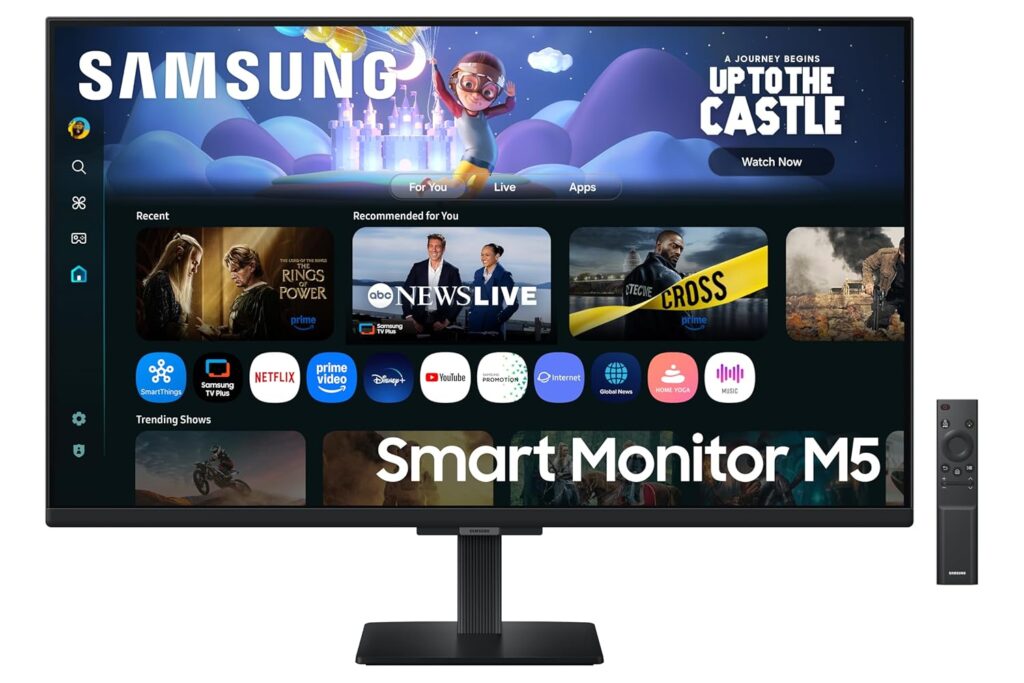
The Samsung M5 is a hybrid smart monitor that doubles as an independent entertainment hub. Operating on Tizen OS with built-in Wi-Fi, it allows you to stream your favorite shows on Netflix, Prime Video, and YouTube without turning on a computer. It also supports cloud applications like Microsoft 365, enabling you to work PC-free.
⭐ Key Features
| Feature | Details |
|---|---|
| Smart System | Built-in Tizen Smart OS with app store, remote, and voice assistants |
| Wireless Connection | Built-in Wi-Fi 5, Bluetooth, Apple AirPlay 2, and mobile mirroring |
| Work Workspace | Allows document editing and web browsing directly without a PC connected |
👍 Pros & 👎 Cons
| Pros | Cons |
|---|---|
| Works as a standalone Smart TV with built-in speakers and remote | FHD (1080p) resolution looks soft on a large 32-inch screen |
| Integrates Apple AirPlay and screen mirroring effortlessly | Only 60Hz refresh rate (not suitable for fast action gaming) |
| Allows PC-free productivity using cloud office apps | Stand is basic and lacks height adjustability |
📊 Specifications
| Category | Smart Hybrid Monitor |
|---|---|
| Screen Size / Size | 32-inch (80 cm) |
| Resolution / Performance | 1920 x 1080 Full HD (1080p) |
| Processor | VA Panel |
| Display Type | Flat widescreen |
| Connectivity | 2x HDMI 2.0, 2x USB-A, Wi-Fi, Bluetooth |
| Audio Output | Built-in 2-channel stereo speakers |
| Special Features | Tizen Smart Hub, Voice Remote, Apple AirPlay 2, Work Hub |
📝 Final Verdict
Our Verdict: The Samsung M5 is perfect for students, small bedrooms, or hybrid workspaces. If you want a single display that acts as an entertainment TV and a study monitor without needing a computer running all the time, this offers stellar utility.
6) Acer Nitro VG270 S3 27″ Gaming Monitor
The Acer Nitro VG270 S3 is a budget-focused gaming monitor designed to deliver premium performance. Pushing the limits of value, it packs an ultra-fast 180Hz refresh rate and a response time of up to 0.5ms on a vibrant 27-inch IPS panel. Combined with AMD FreeSync Premium, it ensures fast-paced games run exceptionally smooth.
⭐ Key Features
| Feature | Details |
|---|---|
| High Speed | 180Hz refresh rate with up to 0.5ms (GtG min) response time |
| IPS Panel | True IPS colors with 99% sRGB color gamut and HDR10 support |
| Sync Support | AMD FreeSync Premium for stutter-free, fluid gameplay frames |
👍 Pros & 👎 Cons
| Pros | Cons |
|---|---|
| Incredibly fast 180Hz refresh rate at a budget price | Built-in speakers (2W x 2) are quiet and lack bass |
| Vibrant IPS panel provides superb color reproduction | Cabinet build is mostly plastic (though stable) |
| DisplayPort and HDMI cables are included in the box | Stand only supports basic tilting adjustability |
📊 Specifications
| Category | Budget Gaming Monitor |
|---|---|
| Screen Size / Size | 27-inch (68.6 cm) |
| Resolution / Performance | 1920 x 1080 Full HD (1080p) |
| Processor | IPS Panel |
| Display Type | Flat widescreen |
| Connectivity | 2x HDMI 2.0, 1x DisplayPort 1.2, Headphone out |
| Audio Output | 2x 2W built-in speakers & headphone jack |
| Special Features | 180Hz, HDR10, AMD FreeSync Premium, 0.5ms Response Time |
📝 Final Verdict
Our Verdict: The Acer Nitro VG270 S3 is a budget gaming titan. If you play fast-paced multiplayer games and want the benefit of a high refresh rate IPS panel without spending a fortune, this is the best value display you can buy.
7) BenQ PD2705Q 27″ QHD Professional Monitor
The BenQ PD2705Q is a professional-grade monitor designed specifically for creative experts, video editors, and graphic designers. It comes factory color-calibrated to deliver absolute color accuracy out of the box. Its high-utility USB-C connection allows you to display QHD video, transfer high-speed data, and charge your laptop (65W) using a single cable.
⭐ Key Features
| Feature | Details |
|---|---|
| Color Accuracy | 100% sRGB and Rec.709 coverage; Delta E ≤ 3 (Pantone & Calman Validated) |
| USB-C Docking | Single USB-C connection with 65W power delivery to charge your laptop |
| KVM Switch | Allows you to control two computer systems with one mouse and keyboard |
👍 Pros & 👎 Cons
| Pros | Cons |
|---|---|
| Flawless out-of-the-box color accuracy (factory calibrated) | Refresh rate is limited to standard 60Hz |
| USB-C docking is exceptionally clean for MacBook and laptop users | Premium price tag due to color certification standards |
| Ergonomic stand supports full height, swivel, tilt, and pivot adjustments | Contrast is standard for IPS (1000:1), not suitable for pitch-dark rooms |
📊 Specifications
| Category | Professional Designer Monitor |
|---|---|
| Screen Size / Size | 27-inch (68.6 cm) |
| Resolution / Performance | 2560 x 1440 QHD (2K) |
| Processor | IPS Panel (Factory Calibrated) |
| Display Type | Flat widescreen |
| Connectivity | 1x USB-C (65W charging), 1x DisplayPort 1.4, 1x HDMI 2.0, USB Hub |
| Audio Output | 2x 2W built-in speakers & headphone jack |
| Special Features | Calman & Pantone Certified, CAD/CAM Mode, KVM Switch, Ergonomic Stand |
📝 Final Verdict
Our Verdict: The BenQ PD2705Q is an outstanding tool for professional designers, photographers, and editors. While not intended for gaming, its factory calibration, ergonomic flexibility, and MacBook-charging USB-C port make it a superb professional investment.
8) Gigabyte G27F 2 27″ Gaming Monitor
The Gigabyte G27F 2 is a highly capable all-rounder display that bridges the gap between high-speed gaming and creative productivity. Featuring a high-quality 27-inch IPS panel, it offers a 170Hz overclocked refresh rate. Thanks to its rich 95% DCI-P3 wide color gamut, it provides highly saturated, beautiful visuals for media and games.
⭐ Key Features
| Feature | Details |
|---|---|
| High Speed | 165Hz native (overclocks up to 170Hz) with 1ms response time (MPRT) |
| Vivid Palette | 95% DCI-P3 / 130% sRGB color gamut for deep, punchy colors |
| Built-in Hub | Integrated USB ports allow you to connect keyboard, mouse, and USB drives |
👍 Pros & 👎 Cons
| Pros | Cons |
|---|---|
| Spectacularly rich and saturated IPS color performance | External power supply adapter brick is relatively large |
| Useful integrated USB hub makes cable routing easy | No built-in speakers included |
| Height and tilt adjustable metal stand | FHD (1080p) is only standard sharpness at 27 inches |
📊 Specifications
| Category | Mid-Range Gaming & Work Monitor |
|---|---|
| Screen Size / Size | 27-inch (68.6 cm) |
| Resolution / Performance | 1920 x 1080 Full HD (1080p) |
| Processor | IPS Panel |
| Display Type | Flat widescreen |
| Connectivity | 2x HDMI 2.0, 1x DisplayPort 1.2, 2x USB 3.2 Gen 1 (downstream) |
| Audio Output | Headphone jack |
| Special Features | 170Hz OC, HDR Ready, Height Adjustable Stand, OSD Sidekick software |
📝 Final Verdict
Our Verdict: The Gigabyte G27F 2 is a brilliant general-purpose screen. It successfully combines wide-color gamut IPS display quality with fast gaming response times, making it a stellar crossover monitor for media creators and gamers.
9) ASUS ROG Swift OLED PG27UCDM 27″ QD-OLED
The ASUS ROG Swift OLED PG27UCDM is a top-tier premium gaming monitor. Featuring a state-of-the-art QD-OLED panel, it achieves an infinite contrast ratio, displaying absolute, pure blacks alongside vibrant highlights. With a blistering 240Hz refresh rate and a near-instantaneous 0.03ms response time, it completely eliminates motion blur.
⭐ Key Features
| Feature | Details |
|---|---|
| OLED Technology | QD-OLED panel with infinite contrast, true 10-bit color, and absolute blacks |
| Elite Speed | 240Hz refresh rate and a near-instant 0.03ms (GtG) response time |
| Thermal Safeguard | Custom passive heatsink and OLED Care features prevent screen burn-in |
👍 Pros & 👎 Cons
| Pros | Cons |
|---|---|
| Breathtaking visual quality with unmatched colors and deep blacks | Extremely expensive premium purchase |
| 0.03ms response time completely removes ghosting | OLED panels require general care to avoid static burn-in |
| USB-C supports high-power 90W Power Delivery charging | Text clarity is slightly soft due to the OLED subpixel layout |
📊 Specifications
| Category | Premium Gaming Monitor |
|---|---|
| Screen Size / Size | 26.5-inch (67.3 cm) |
| Resolution / Performance | 2560 x 1440 QHD (1440p) |
| Processor | QD-OLED Panel |
| Display Type | Flat widescreen |
| Connectivity | 1x USB-C (90W PD), 1x DisplayPort 1.4, 2x HDMI 2.1, 3x USB 3.2 |
| Audio Output | SPDIF (optical audio) & headphone jack |
| Special Features | 240Hz, 0.03ms, KVM Switch, ROG projecting base, custom heatsink |
📝 Final Verdict
Our Verdict: The ASUS ROG Swift OLED PG27UCDM is a premium engineering masterpiece. If budget is no constraint and you want the absolute ultimate gaming monitor in India with true blacks and fluid response speeds, this is the definitive option.
10) Acer EK220Q 21.5″ Full HD Monitor
The Acer EK220Q is a compact and functional budget monitor designed for general daily tasks. Extremely cost-effective, it is highly suitable for home study desks, billing counters, and basic office work. Despite its low price, it features a sharp Full HD resolution and a smooth 100Hz refresh rate, ensuring that scrolling through documents feels clear and fluid.
⭐ Key Features
| Feature | Details |
|---|---|
| High Value | Superb entry-level price point, perfect for basic home and shop setups |
| Fluid Speed | 100Hz refresh rate ensures smooth scrolling and interface usage |
| Eye Shield | Integrated Acer BlueLightShield and Flickerless technology |
👍 Pros & 👎 Cons
| Pros | Cons |
|---|---|
| Ergonomic and highly cost-effective | No DisplayPort input (HDMI and VGA only) |
| 100Hz refresh rate is excellent for the price tier | Stand only supports basic tilting |
| Compact design occupies very little desktop area | Slight color shifting when viewed from the side |
📊 Specifications
| Category | Entry-Level / Student Monitor |
|---|---|
| Screen Size / Size | 21.5-inch (54.6 cm) |
| Resolution / Performance | 1920 x 1080 Full HD (1080p) |
| Processor | VA Panel |
| Display Type | Flat widescreen |
| Connectivity | 1x HDMI 1.4, 1x VGA (D-Sub) |
| Audio Output | None |
| Special Features | Ultra-thin frame, 100Hz refresh, Flickerless, BlueLightShield |
📝 Final Verdict
Our Verdict: The Acer EK220Q is a simple and reliable budget choice. If you want a compact screen for basic study, office work, or shop management, it is the Best Budget Monitor in India under ₹7,000.
❓ FAQs – Answering What Everyone Asks
IPS vs. VA: Which panel is better for daily work?
For general office work, coding, and multitasking, an IPS panel is superior because it offers wider viewing angles and cleaner text clarity without color distortion. However, if you work in a dark room and watch a lot of movies, a VA panel‘s deep contrast ratio is excellent.
Is a 27-inch 1080p monitor good?
While a 27-inch 1080p monitor is fine for gaming and media, text can appear slightly soft or pixelated if you sit very close to the screen (within 2 feet). For a 27-inch monitor, 1440p (QHD) is the ideal sweet-spot resolution.
Do I need DisplayPort, or is HDMI enough?
For basic office setups at 60Hz-75Hz, HDMI is more than enough. However, if you are using a high refresh rate gaming monitor (144Hz+) or a high-resolution display, using a DisplayPort (DP) cable is highly recommended to support higher bandwidths, G-Sync, and HDR.
Does a high refresh rate monitor help with eye strain?
Yes! Higher refresh rates (100Hz+) reduce the perceived motion flicker and make scrolling, mouse movement, and page animations incredibly fluid, which significantly reduces tracking fatigue on your eyes.
🏁 Conclusion – Make a Smart Choice
Choosing the best monitor boils down to your primary use case:
- For office work, coding, and general study, the BenQ GW2791 is the absolute best for eye comfort.
- For budget gaming, go with the high-speed Acer Nitro VG270 S3 or the curved LG UltraGear 27GS60QC.
- If you are a professional designer or video editor, the color-accurate BenQ PD2705Q is essential.
- If you want the pinnacle of visual fidelity, save up for the absolute marvel that is the ASUS ROG Swift OLED PG27UCDM.
| Feature | Details |
|---|---|
| Panel Quality | IPS panel with 99% sRGB color gamut and 178-degree wide viewing angles |
| Dual Inputs | Dual HDMI 1.4 ports to easily switch between PC and gaming consoles |
| Design Build | Modern textured back cover design with thin profile and sleek stand |
👍 Pros & 👎 Cons
| Pros | Cons |
|---|---|
| Brilliant IPS color accuracy and wide off-axis viewing | No DisplayPort input provided |
| Two HDMI ports prevent constant cable swapping | Stand only supports basic tilting |
| Excellent build quality with reliable brand support in India | 1080p resolution has a slightly lower pixel density on 27″ screens |
📊 Specifications
| Category | Home & Office Monitor |
|---|---|
| Screen Size / Size | 27-inch (68.6 cm) |
| Resolution / Performance | 1920 x 1080 Full HD (1080p) |
| Processor | IPS Panel |
| Display Type | Flat widescreen |
| Connectivity | 2x HDMI 1.4, Audio Line-out |
| Audio Output | Audio line-out jack (no built-in speakers) |
| Special Features | AMD FreeSync (75Hz), ComfortView technology, Dual HDMI |
📝 Final Verdict
Our Verdict: The Dell S2721HNM is a highly durable and stylish work monitor. If color accuracy, reliable everyday performance, and excellent customer service support are your priorities, this is an excellent choice.
5) Samsung M5 32″ FHD Smart Monitor
The Samsung M5 is a hybrid smart monitor that doubles as an independent entertainment hub. Operating on Tizen OS with built-in Wi-Fi, it allows you to stream your favorite shows on Netflix, Prime Video, and YouTube without turning on a computer. It also supports cloud applications like Microsoft 365, enabling you to work PC-free.
⭐ Key Features
| Feature | Details |
|---|---|
| Smart System | Built-in Tizen Smart OS with app store, remote, and voice assistants |
| Wireless Connection | Built-in Wi-Fi 5, Bluetooth, Apple AirPlay 2, and mobile mirroring |
| Work Workspace | Allows document editing and web browsing directly without a PC connected |
👍 Pros & 👎 Cons
| Pros | Cons |
|---|---|
| Works as a standalone Smart TV with built-in speakers and remote | FHD (1080p) resolution looks soft on a large 32-inch screen |
| Integrates Apple AirPlay and screen mirroring effortlessly | Only 60Hz refresh rate (not suitable for fast action gaming) |
| Allows PC-free productivity using cloud office apps | Stand is basic and lacks height adjustability |
📊 Specifications
| Category | Smart Hybrid Monitor |
|---|---|
| Screen Size / Size | 32-inch (80 cm) |
| Resolution / Performance | 1920 x 1080 Full HD (1080p) |
| Processor | VA Panel |
| Display Type | Flat widescreen |
| Connectivity | 2x HDMI 2.0, 2x USB-A, Wi-Fi, Bluetooth |
| Audio Output | Built-in 2-channel stereo speakers |
| Special Features | Tizen Smart Hub, Voice Remote, Apple AirPlay 2, Work Hub |
📝 Final Verdict
Our Verdict: The Samsung M5 is perfect for students, small bedrooms, or hybrid workspaces. If you want a single display that acts as an entertainment TV and a study monitor without needing a computer running all the time, this offers stellar utility.
6) Acer Nitro VG270 S3 27″ Gaming Monitor
The Acer Nitro VG270 S3 is a budget-focused gaming monitor designed to deliver premium performance. Pushing the limits of value, it packs an ultra-fast 180Hz refresh rate and a response time of up to 0.5ms on a vibrant 27-inch IPS panel. Combined with AMD FreeSync Premium, it ensures fast-paced games run exceptionally smooth.
⭐ Key Features
| Feature | Details |
|---|---|
| High Speed | 180Hz refresh rate with up to 0.5ms (GtG min) response time |
| IPS Panel | True IPS colors with 99% sRGB color gamut and HDR10 support |
| Sync Support | AMD FreeSync Premium for stutter-free, fluid gameplay frames |
👍 Pros & 👎 Cons
| Pros | Cons |
|---|---|
| Incredibly fast 180Hz refresh rate at a budget price | Built-in speakers (2W x 2) are quiet and lack bass |
| Vibrant IPS panel provides superb color reproduction | Cabinet build is mostly plastic (though stable) |
| DisplayPort and HDMI cables are included in the box | Stand only supports basic tilting adjustability |
📊 Specifications
| Category | Budget Gaming Monitor |
|---|---|
| Screen Size / Size | 27-inch (68.6 cm) |
| Resolution / Performance | 1920 x 1080 Full HD (1080p) |
| Processor | IPS Panel |
| Display Type | Flat widescreen |
| Connectivity | 2x HDMI 2.0, 1x DisplayPort 1.2, Headphone out |
| Audio Output | 2x 2W built-in speakers & headphone jack |
| Special Features | 180Hz, HDR10, AMD FreeSync Premium, 0.5ms Response Time |
📝 Final Verdict
Our Verdict: The Acer Nitro VG270 S3 is a budget gaming titan. If you play fast-paced multiplayer games and want the benefit of a high refresh rate IPS panel without spending a fortune, this is the best value display you can buy.
7) BenQ PD2705Q 27″ QHD Professional Monitor
The BenQ PD2705Q is a professional-grade monitor designed specifically for creative experts, video editors, and graphic designers. It comes factory color-calibrated to deliver absolute color accuracy out of the box. Its high-utility USB-C connection allows you to display QHD video, transfer high-speed data, and charge your laptop (65W) using a single cable.
⭐ Key Features
| Feature | Details |
|---|---|
| Color Accuracy | 100% sRGB and Rec.709 coverage; Delta E ≤ 3 (Pantone & Calman Validated) |
| USB-C Docking | Single USB-C connection with 65W power delivery to charge your laptop |
| KVM Switch | Allows you to control two computer systems with one mouse and keyboard |
👍 Pros & 👎 Cons
| Pros | Cons |
|---|---|
| Flawless out-of-the-box color accuracy (factory calibrated) | Refresh rate is limited to standard 60Hz |
| USB-C docking is exceptionally clean for MacBook and laptop users | Premium price tag due to color certification standards |
| Ergonomic stand supports full height, swivel, tilt, and pivot adjustments | Contrast is standard for IPS (1000:1), not suitable for pitch-dark rooms |
📊 Specifications
| Category | Professional Designer Monitor |
|---|---|
| Screen Size / Size | 27-inch (68.6 cm) |
| Resolution / Performance | 2560 x 1440 QHD (2K) |
| Processor | IPS Panel (Factory Calibrated) |
| Display Type | Flat widescreen |
| Connectivity | 1x USB-C (65W charging), 1x DisplayPort 1.4, 1x HDMI 2.0, USB Hub |
| Audio Output | 2x 2W built-in speakers & headphone jack |
| Special Features | Calman & Pantone Certified, CAD/CAM Mode, KVM Switch, Ergonomic Stand |
📝 Final Verdict
Our Verdict: The BenQ PD2705Q is an outstanding tool for professional designers, photographers, and editors. While not intended for gaming, its factory calibration, ergonomic flexibility, and MacBook-charging USB-C port make it a superb professional investment.
8) Gigabyte G27F 2 27″ Gaming Monitor
The Gigabyte G27F 2 is a highly capable all-rounder display that bridges the gap between high-speed gaming and creative productivity. Featuring a high-quality 27-inch IPS panel, it offers a 170Hz overclocked refresh rate. Thanks to its rich 95% DCI-P3 wide color gamut, it provides highly saturated, beautiful visuals for media and games.
⭐ Key Features
| Feature | Details |
|---|---|
| High Speed | 165Hz native (overclocks up to 170Hz) with 1ms response time (MPRT) |
| Vivid Palette | 95% DCI-P3 / 130% sRGB color gamut for deep, punchy colors |
| Built-in Hub | Integrated USB ports allow you to connect keyboard, mouse, and USB drives |
👍 Pros & 👎 Cons
| Pros | Cons |
|---|---|
| Spectacularly rich and saturated IPS color performance | External power supply adapter brick is relatively large |
| Useful integrated USB hub makes cable routing easy | No built-in speakers included |
| Height and tilt adjustable metal stand | FHD (1080p) is only standard sharpness at 27 inches |
📊 Specifications
| Category | Mid-Range Gaming & Work Monitor |
|---|---|
| Screen Size / Size | 27-inch (68.6 cm) |
| Resolution / Performance | 1920 x 1080 Full HD (1080p) |
| Processor | IPS Panel |
| Display Type | Flat widescreen |
| Connectivity | 2x HDMI 2.0, 1x DisplayPort 1.2, 2x USB 3.2 Gen 1 (downstream) |
| Audio Output | Headphone jack |
| Special Features | 170Hz OC, HDR Ready, Height Adjustable Stand, OSD Sidekick software |
📝 Final Verdict
Our Verdict: The Gigabyte G27F 2 is a brilliant general-purpose screen. It successfully combines wide-color gamut IPS display quality with fast gaming response times, making it a stellar crossover monitor for media creators and gamers.
9) ASUS ROG Swift OLED PG27UCDM 27″ QD-OLED
The ASUS ROG Swift OLED PG27UCDM is a top-tier premium gaming monitor. Featuring a state-of-the-art QD-OLED panel, it achieves an infinite contrast ratio, displaying absolute, pure blacks alongside vibrant highlights. With a blistering 240Hz refresh rate and a near-instantaneous 0.03ms response time, it completely eliminates motion blur.
⭐ Key Features
| Feature | Details |
|---|---|
| OLED Technology | QD-OLED panel with infinite contrast, true 10-bit color, and absolute blacks |
| Elite Speed | 240Hz refresh rate and a near-instant 0.03ms (GtG) response time |
| Thermal Safeguard | Custom passive heatsink and OLED Care features prevent screen burn-in |
👍 Pros & 👎 Cons
| Pros | Cons |
|---|---|
| Breathtaking visual quality with unmatched colors and deep blacks | Extremely expensive premium purchase |
| 0.03ms response time completely removes ghosting | OLED panels require general care to avoid static burn-in |
| USB-C supports high-power 90W Power Delivery charging | Text clarity is slightly soft due to the OLED subpixel layout |
📊 Specifications
| Category | Premium Gaming Monitor |
|---|---|
| Screen Size / Size | 26.5-inch (67.3 cm) |
| Resolution / Performance | 2560 x 1440 QHD (1440p) |
| Processor | QD-OLED Panel |
| Display Type | Flat widescreen |
| Connectivity | 1x USB-C (90W PD), 1x DisplayPort 1.4, 2x HDMI 2.1, 3x USB 3.2 |
| Audio Output | SPDIF (optical audio) & headphone jack |
| Special Features | 240Hz, 0.03ms, KVM Switch, ROG projecting base, custom heatsink |
📝 Final Verdict
Our Verdict: The ASUS ROG Swift OLED PG27UCDM is a premium engineering masterpiece. If budget is no constraint and you want the absolute ultimate gaming monitor in India with true blacks and fluid response speeds, this is the definitive option.
10) Acer EK220Q 21.5″ Full HD Monitor
The Acer EK220Q is a compact and functional budget monitor designed for general daily tasks. Extremely cost-effective, it is highly suitable for home study desks, billing counters, and basic office work. Despite its low price, it features a sharp Full HD resolution and a smooth 100Hz refresh rate, ensuring that scrolling through documents feels clear and fluid.
⭐ Key Features
| Feature | Details |
|---|---|
| High Value | Superb entry-level price point, perfect for basic home and shop setups |
| Fluid Speed | 100Hz refresh rate ensures smooth scrolling and interface usage |
| Eye Shield | Integrated Acer BlueLightShield and Flickerless technology |
👍 Pros & 👎 Cons
| Pros | Cons |
|---|---|
| Ergonomic and highly cost-effective | No DisplayPort input (HDMI and VGA only) |
| 100Hz refresh rate is excellent for the price tier | Stand only supports basic tilting |
| Compact design occupies very little desktop area | Slight color shifting when viewed from the side |
📊 Specifications
| Category | Entry-Level / Student Monitor |
|---|---|
| Screen Size / Size | 21.5-inch (54.6 cm) |
| Resolution / Performance | 1920 x 1080 Full HD (1080p) |
| Processor | VA Panel |
| Display Type | Flat widescreen |
| Connectivity | 1x HDMI 1.4, 1x VGA (D-Sub) |
| Audio Output | None |
| Special Features | Ultra-thin frame, 100Hz refresh, Flickerless, BlueLightShield |
📝 Final Verdict
Our Verdict: The Acer EK220Q is a simple and reliable budget choice. If you want a compact screen for basic study, office work, or shop management, it is the Best Budget Monitor in India under ₹7,000.
❓ FAQs – Answering What Everyone Asks
IPS vs. VA: Which panel is better for daily work?
For general office work, coding, and multitasking, an IPS panel is superior because it offers wider viewing angles and cleaner text clarity without color distortion. However, if you work in a dark room and watch a lot of movies, a VA panel‘s deep contrast ratio is excellent.
Is a 27-inch 1080p monitor good?
While a 27-inch 1080p monitor is fine for gaming and media, text can appear slightly soft or pixelated if you sit very close to the screen (within 2 feet). For a 27-inch monitor, 1440p (QHD) is the ideal sweet-spot resolution.
Do I need DisplayPort, or is HDMI enough?
For basic office setups at 60Hz-75Hz, HDMI is more than enough. However, if you are using a high refresh rate gaming monitor (144Hz+) or a high-resolution display, using a DisplayPort (DP) cable is highly recommended to support higher bandwidths, G-Sync, and HDR.
Does a high refresh rate monitor help with eye strain?
Yes! Higher refresh rates (100Hz+) reduce the perceived motion flicker and make scrolling, mouse movement, and page animations incredibly fluid, which significantly reduces tracking fatigue on your eyes.
🏁 Conclusion – Make a Smart Choice
Choosing the best monitor boils down to your primary use case:
- For office work, coding, and general study, the BenQ GW2791 is the absolute best for eye comfort.
- For budget gaming, go with the high-speed Acer Nitro VG270 S3 or the curved LG UltraGear 27GS60QC.
- If you are a professional designer or video editor, the color-accurate BenQ PD2705Q is essential.
- If you want the pinnacle of visual fidelity, save up for the absolute marvel that is the ASUS ROG Swift OLED PG27UCDM.
| Pros | Cons |
|---|---|
| Stand allows 90-degree pivot rotation (great for secondary screens) | Colors are not as vibrant as IPS counterparts |
| 144Hz refresh rate is highly responsive for fast shooters | No built-in speakers or USB hubs |
| High 3000:1 contrast ratio produces rich dark details | VA panel suffers from minor dark-smearing in fast motion |
📊 Specifications
| Category | Entry-Level Gaming Monitor |
|---|---|
| Screen Size / Size | 24-inch (60.4 cm) |
| Resolution / Performance | 1920 x 1080 Full HD (1080p) |
| Processor | VA Panel |
| Display Type | Flat widescreen |
| Connectivity | 1x HDMI 1.4, 1x DisplayPort 1.2 |
| Audio Output | Headphone jack |
| Special Features | Height Adjust, Swivel, Pivot (90° Rotation), FreeSync Premium |
📝 Final Verdict
Our Verdict: The Samsung Odyssey G3 is an impressive budget display for competitive gamers and coders. The fully adjustable stand is a game-changer at this price tier, making it a highly functional secondary screen or entry-level gaming monitor.
4) Dell S2721HNM 27″ IPS Full HD Monitor
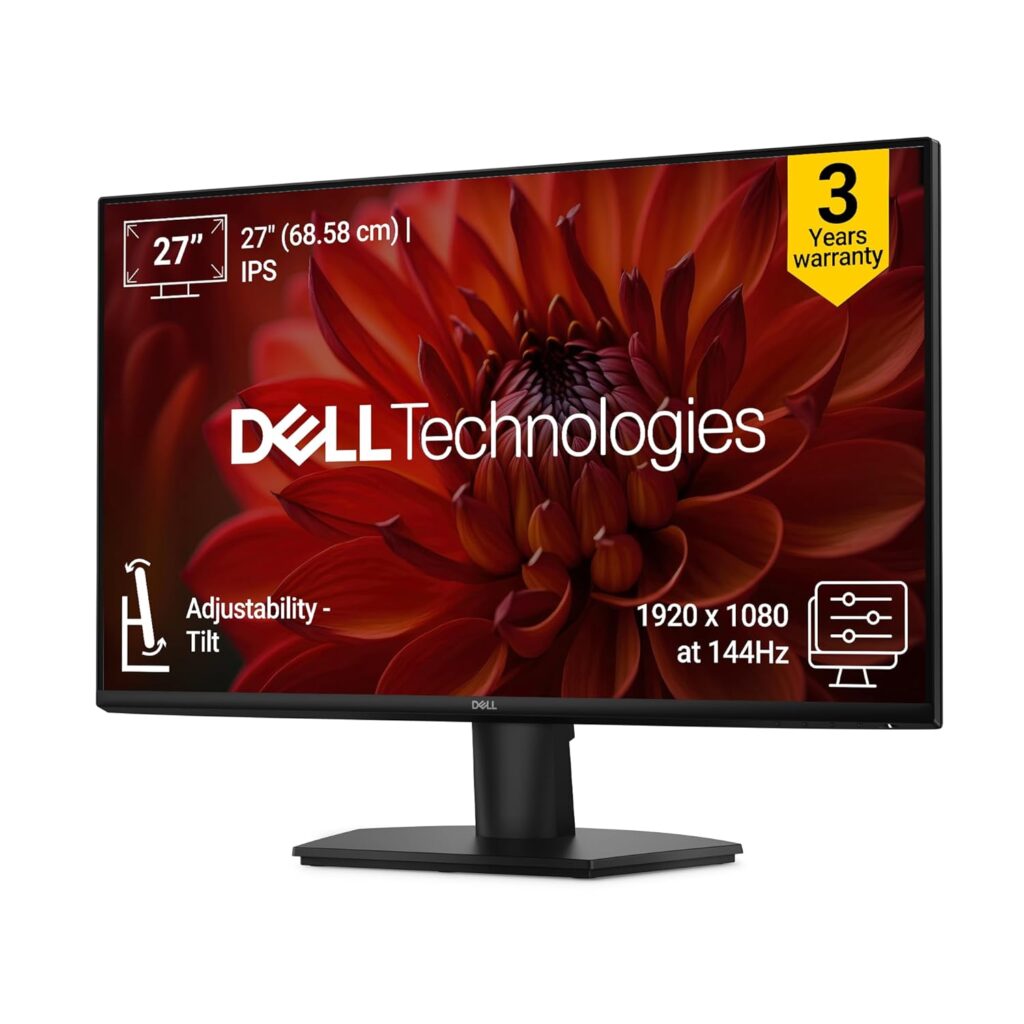
The Dell S2721HNM is a stylish and reliable IPS monitor designed to elevate everyday computer setups. Backed by Dell’s legendary build quality, it features a textured back pattern and clean thin bezels. The vibrant IPS panel renders rich, accurate colors, making it highly effective for homework, browsing, and office applications.
⭐ Key Features
| Feature | Details |
|---|---|
| Panel Quality | IPS panel with 99% sRGB color gamut and 178-degree wide viewing angles |
| Dual Inputs | Dual HDMI 1.4 ports to easily switch between PC and gaming consoles |
| Design Build | Modern textured back cover design with thin profile and sleek stand |
👍 Pros & 👎 Cons
| Pros | Cons |
|---|---|
| Brilliant IPS color accuracy and wide off-axis viewing | No DisplayPort input provided |
| Two HDMI ports prevent constant cable swapping | Stand only supports basic tilting |
| Excellent build quality with reliable brand support in India | 1080p resolution has a slightly lower pixel density on 27″ screens |
📊 Specifications
| Category | Home & Office Monitor |
|---|---|
| Screen Size / Size | 27-inch (68.6 cm) |
| Resolution / Performance | 1920 x 1080 Full HD (1080p) |
| Processor | IPS Panel |
| Display Type | Flat widescreen |
| Connectivity | 2x HDMI 1.4, Audio Line-out |
| Audio Output | Audio line-out jack (no built-in speakers) |
| Special Features | AMD FreeSync (75Hz), ComfortView technology, Dual HDMI |
📝 Final Verdict
Our Verdict: The Dell S2721HNM is a highly durable and stylish work monitor. If color accuracy, reliable everyday performance, and excellent customer service support are your priorities, this is an excellent choice.
5) Samsung M5 32″ FHD Smart Monitor
The Samsung M5 is a hybrid smart monitor that doubles as an independent entertainment hub. Operating on Tizen OS with built-in Wi-Fi, it allows you to stream your favorite shows on Netflix, Prime Video, and YouTube without turning on a computer. It also supports cloud applications like Microsoft 365, enabling you to work PC-free.
⭐ Key Features
| Feature | Details |
|---|---|
| Smart System | Built-in Tizen Smart OS with app store, remote, and voice assistants |
| Wireless Connection | Built-in Wi-Fi 5, Bluetooth, Apple AirPlay 2, and mobile mirroring |
| Work Workspace | Allows document editing and web browsing directly without a PC connected |
👍 Pros & 👎 Cons
| Pros | Cons |
|---|---|
| Works as a standalone Smart TV with built-in speakers and remote | FHD (1080p) resolution looks soft on a large 32-inch screen |
| Integrates Apple AirPlay and screen mirroring effortlessly | Only 60Hz refresh rate (not suitable for fast action gaming) |
| Allows PC-free productivity using cloud office apps | Stand is basic and lacks height adjustability |
📊 Specifications
| Category | Smart Hybrid Monitor |
|---|---|
| Screen Size / Size | 32-inch (80 cm) |
| Resolution / Performance | 1920 x 1080 Full HD (1080p) |
| Processor | VA Panel |
| Display Type | Flat widescreen |
| Connectivity | 2x HDMI 2.0, 2x USB-A, Wi-Fi, Bluetooth |
| Audio Output | Built-in 2-channel stereo speakers |
| Special Features | Tizen Smart Hub, Voice Remote, Apple AirPlay 2, Work Hub |
📝 Final Verdict
Our Verdict: The Samsung M5 is perfect for students, small bedrooms, or hybrid workspaces. If you want a single display that acts as an entertainment TV and a study monitor without needing a computer running all the time, this offers stellar utility.
6) Acer Nitro VG270 S3 27″ Gaming Monitor
The Acer Nitro VG270 S3 is a budget-focused gaming monitor designed to deliver premium performance. Pushing the limits of value, it packs an ultra-fast 180Hz refresh rate and a response time of up to 0.5ms on a vibrant 27-inch IPS panel. Combined with AMD FreeSync Premium, it ensures fast-paced games run exceptionally smooth.
⭐ Key Features
| Feature | Details |
|---|---|
| High Speed | 180Hz refresh rate with up to 0.5ms (GtG min) response time |
| IPS Panel | True IPS colors with 99% sRGB color gamut and HDR10 support |
| Sync Support | AMD FreeSync Premium for stutter-free, fluid gameplay frames |
👍 Pros & 👎 Cons
| Pros | Cons |
|---|---|
| Incredibly fast 180Hz refresh rate at a budget price | Built-in speakers (2W x 2) are quiet and lack bass |
| Vibrant IPS panel provides superb color reproduction | Cabinet build is mostly plastic (though stable) |
| DisplayPort and HDMI cables are included in the box | Stand only supports basic tilting adjustability |
📊 Specifications
| Category | Budget Gaming Monitor |
|---|---|
| Screen Size / Size | 27-inch (68.6 cm) |
| Resolution / Performance | 1920 x 1080 Full HD (1080p) |
| Processor | IPS Panel |
| Display Type | Flat widescreen |
| Connectivity | 2x HDMI 2.0, 1x DisplayPort 1.2, Headphone out |
| Audio Output | 2x 2W built-in speakers & headphone jack |
| Special Features | 180Hz, HDR10, AMD FreeSync Premium, 0.5ms Response Time |
📝 Final Verdict
Our Verdict: The Acer Nitro VG270 S3 is a budget gaming titan. If you play fast-paced multiplayer games and want the benefit of a high refresh rate IPS panel without spending a fortune, this is the best value display you can buy.
7) BenQ PD2705Q 27″ QHD Professional Monitor
The BenQ PD2705Q is a professional-grade monitor designed specifically for creative experts, video editors, and graphic designers. It comes factory color-calibrated to deliver absolute color accuracy out of the box. Its high-utility USB-C connection allows you to display QHD video, transfer high-speed data, and charge your laptop (65W) using a single cable.
⭐ Key Features
| Feature | Details |
|---|---|
| Color Accuracy | 100% sRGB and Rec.709 coverage; Delta E ≤ 3 (Pantone & Calman Validated) |
| USB-C Docking | Single USB-C connection with 65W power delivery to charge your laptop |
| KVM Switch | Allows you to control two computer systems with one mouse and keyboard |
👍 Pros & 👎 Cons
| Pros | Cons |
|---|---|
| Flawless out-of-the-box color accuracy (factory calibrated) | Refresh rate is limited to standard 60Hz |
| USB-C docking is exceptionally clean for MacBook and laptop users | Premium price tag due to color certification standards |
| Ergonomic stand supports full height, swivel, tilt, and pivot adjustments | Contrast is standard for IPS (1000:1), not suitable for pitch-dark rooms |
📊 Specifications
| Category | Professional Designer Monitor |
|---|---|
| Screen Size / Size | 27-inch (68.6 cm) |
| Resolution / Performance | 2560 x 1440 QHD (2K) |
| Processor | IPS Panel (Factory Calibrated) |
| Display Type | Flat widescreen |
| Connectivity | 1x USB-C (65W charging), 1x DisplayPort 1.4, 1x HDMI 2.0, USB Hub |
| Audio Output | 2x 2W built-in speakers & headphone jack |
| Special Features | Calman & Pantone Certified, CAD/CAM Mode, KVM Switch, Ergonomic Stand |
📝 Final Verdict
Our Verdict: The BenQ PD2705Q is an outstanding tool for professional designers, photographers, and editors. While not intended for gaming, its factory calibration, ergonomic flexibility, and MacBook-charging USB-C port make it a superb professional investment.
8) Gigabyte G27F 2 27″ Gaming Monitor
The Gigabyte G27F 2 is a highly capable all-rounder display that bridges the gap between high-speed gaming and creative productivity. Featuring a high-quality 27-inch IPS panel, it offers a 170Hz overclocked refresh rate. Thanks to its rich 95% DCI-P3 wide color gamut, it provides highly saturated, beautiful visuals for media and games.
⭐ Key Features
| Feature | Details |
|---|---|
| High Speed | 165Hz native (overclocks up to 170Hz) with 1ms response time (MPRT) |
| Vivid Palette | 95% DCI-P3 / 130% sRGB color gamut for deep, punchy colors |
| Built-in Hub | Integrated USB ports allow you to connect keyboard, mouse, and USB drives |
👍 Pros & 👎 Cons
| Pros | Cons |
|---|---|
| Spectacularly rich and saturated IPS color performance | External power supply adapter brick is relatively large |
| Useful integrated USB hub makes cable routing easy | No built-in speakers included |
| Height and tilt adjustable metal stand | FHD (1080p) is only standard sharpness at 27 inches |
📊 Specifications
| Category | Mid-Range Gaming & Work Monitor |
|---|---|
| Screen Size / Size | 27-inch (68.6 cm) |
| Resolution / Performance | 1920 x 1080 Full HD (1080p) |
| Processor | IPS Panel |
| Display Type | Flat widescreen |
| Connectivity | 2x HDMI 2.0, 1x DisplayPort 1.2, 2x USB 3.2 Gen 1 (downstream) |
| Audio Output | Headphone jack |
| Special Features | 170Hz OC, HDR Ready, Height Adjustable Stand, OSD Sidekick software |
📝 Final Verdict
Our Verdict: The Gigabyte G27F 2 is a brilliant general-purpose screen. It successfully combines wide-color gamut IPS display quality with fast gaming response times, making it a stellar crossover monitor for media creators and gamers.
9) ASUS ROG Swift OLED PG27UCDM 27″ QD-OLED
The ASUS ROG Swift OLED PG27UCDM is a top-tier premium gaming monitor. Featuring a state-of-the-art QD-OLED panel, it achieves an infinite contrast ratio, displaying absolute, pure blacks alongside vibrant highlights. With a blistering 240Hz refresh rate and a near-instantaneous 0.03ms response time, it completely eliminates motion blur.
⭐ Key Features
| Feature | Details |
|---|---|
| OLED Technology | QD-OLED panel with infinite contrast, true 10-bit color, and absolute blacks |
| Elite Speed | 240Hz refresh rate and a near-instant 0.03ms (GtG) response time |
| Thermal Safeguard | Custom passive heatsink and OLED Care features prevent screen burn-in |
👍 Pros & 👎 Cons
| Pros | Cons |
|---|---|
| Breathtaking visual quality with unmatched colors and deep blacks | Extremely expensive premium purchase |
| 0.03ms response time completely removes ghosting | OLED panels require general care to avoid static burn-in |
| USB-C supports high-power 90W Power Delivery charging | Text clarity is slightly soft due to the OLED subpixel layout |
📊 Specifications
| Category | Premium Gaming Monitor |
|---|---|
| Screen Size / Size | 26.5-inch (67.3 cm) |
| Resolution / Performance | 2560 x 1440 QHD (1440p) |
| Processor | QD-OLED Panel |
| Display Type | Flat widescreen |
| Connectivity | 1x USB-C (90W PD), 1x DisplayPort 1.4, 2x HDMI 2.1, 3x USB 3.2 |
| Audio Output | SPDIF (optical audio) & headphone jack |
| Special Features | 240Hz, 0.03ms, KVM Switch, ROG projecting base, custom heatsink |
📝 Final Verdict
Our Verdict: The ASUS ROG Swift OLED PG27UCDM is a premium engineering masterpiece. If budget is no constraint and you want the absolute ultimate gaming monitor in India with true blacks and fluid response speeds, this is the definitive option.
10) Acer EK220Q 21.5″ Full HD Monitor
The Acer EK220Q is a compact and functional budget monitor designed for general daily tasks. Extremely cost-effective, it is highly suitable for home study desks, billing counters, and basic office work. Despite its low price, it features a sharp Full HD resolution and a smooth 100Hz refresh rate, ensuring that scrolling through documents feels clear and fluid.
⭐ Key Features
| Feature | Details |
|---|---|
| High Value | Superb entry-level price point, perfect for basic home and shop setups |
| Fluid Speed | 100Hz refresh rate ensures smooth scrolling and interface usage |
| Eye Shield | Integrated Acer BlueLightShield and Flickerless technology |
👍 Pros & 👎 Cons
| Pros | Cons |
|---|---|
| Ergonomic and highly cost-effective | No DisplayPort input (HDMI and VGA only) |
| 100Hz refresh rate is excellent for the price tier | Stand only supports basic tilting |
| Compact design occupies very little desktop area | Slight color shifting when viewed from the side |
📊 Specifications
| Category | Entry-Level / Student Monitor |
|---|---|
| Screen Size / Size | 21.5-inch (54.6 cm) |
| Resolution / Performance | 1920 x 1080 Full HD (1080p) |
| Processor | VA Panel |
| Display Type | Flat widescreen |
| Connectivity | 1x HDMI 1.4, 1x VGA (D-Sub) |
| Audio Output | None |
| Special Features | Ultra-thin frame, 100Hz refresh, Flickerless, BlueLightShield |
📝 Final Verdict
Our Verdict: The Acer EK220Q is a simple and reliable budget choice. If you want a compact screen for basic study, office work, or shop management, it is the Best Budget Monitor in India under ₹7,000.
❓ FAQs – Answering What Everyone Asks
IPS vs. VA: Which panel is better for daily work?
For general office work, coding, and multitasking, an IPS panel is superior because it offers wider viewing angles and cleaner text clarity without color distortion. However, if you work in a dark room and watch a lot of movies, a VA panel‘s deep contrast ratio is excellent.
Is a 27-inch 1080p monitor good?
While a 27-inch 1080p monitor is fine for gaming and media, text can appear slightly soft or pixelated if you sit very close to the screen (within 2 feet). For a 27-inch monitor, 1440p (QHD) is the ideal sweet-spot resolution.
Do I need DisplayPort, or is HDMI enough?
For basic office setups at 60Hz-75Hz, HDMI is more than enough. However, if you are using a high refresh rate gaming monitor (144Hz+) or a high-resolution display, using a DisplayPort (DP) cable is highly recommended to support higher bandwidths, G-Sync, and HDR.
Does a high refresh rate monitor help with eye strain?
Yes! Higher refresh rates (100Hz+) reduce the perceived motion flicker and make scrolling, mouse movement, and page animations incredibly fluid, which significantly reduces tracking fatigue on your eyes.
🏁 Conclusion – Make a Smart Choice
Choosing the best monitor boils down to your primary use case:
- For office work, coding, and general study, the BenQ GW2791 is the absolute best for eye comfort.
- For budget gaming, go with the high-speed Acer Nitro VG270 S3 or the curved LG UltraGear 27GS60QC.
- If you are a professional designer or video editor, the color-accurate BenQ PD2705Q is essential.
- If you want the pinnacle of visual fidelity, save up for the absolute marvel that is the ASUS ROG Swift OLED PG27UCDM.
| Feature | Details |
|---|---|
| Ergonomic Stand | Fully adjustable height, pivot, swivel, and tilt stand for optimal ergonomics |
| Fast Gaming | 144Hz refresh rate and a rapid 1ms response time (MPRT) |
| Tear-Free Engine | AMD FreeSync Premium synchronization reduces screen lag and stutter |
👍 Pros & 👎 Cons
| Pros | Cons |
|---|---|
| Stand allows 90-degree pivot rotation (great for secondary screens) | Colors are not as vibrant as IPS counterparts |
| 144Hz refresh rate is highly responsive for fast shooters | No built-in speakers or USB hubs |
| High 3000:1 contrast ratio produces rich dark details | VA panel suffers from minor dark-smearing in fast motion |
📊 Specifications
| Category | Entry-Level Gaming Monitor |
|---|---|
| Screen Size / Size | 24-inch (60.4 cm) |
| Resolution / Performance | 1920 x 1080 Full HD (1080p) |
| Processor | VA Panel |
| Display Type | Flat widescreen |
| Connectivity | 1x HDMI 1.4, 1x DisplayPort 1.2 |
| Audio Output | Headphone jack |
| Special Features | Height Adjust, Swivel, Pivot (90° Rotation), FreeSync Premium |
📝 Final Verdict
Our Verdict: The Samsung Odyssey G3 is an impressive budget display for competitive gamers and coders. The fully adjustable stand is a game-changer at this price tier, making it a highly functional secondary screen or entry-level gaming monitor.
4) Dell S2721HNM 27″ IPS Full HD Monitor
The Dell S2721HNM is a stylish and reliable IPS monitor designed to elevate everyday computer setups. Backed by Dell’s legendary build quality, it features a textured back pattern and clean thin bezels. The vibrant IPS panel renders rich, accurate colors, making it highly effective for homework, browsing, and office applications.
⭐ Key Features
| Feature | Details |
|---|---|
| Panel Quality | IPS panel with 99% sRGB color gamut and 178-degree wide viewing angles |
| Dual Inputs | Dual HDMI 1.4 ports to easily switch between PC and gaming consoles |
| Design Build | Modern textured back cover design with thin profile and sleek stand |
👍 Pros & 👎 Cons
| Pros | Cons |
|---|---|
| Brilliant IPS color accuracy and wide off-axis viewing | No DisplayPort input provided |
| Two HDMI ports prevent constant cable swapping | Stand only supports basic tilting |
| Excellent build quality with reliable brand support in India | 1080p resolution has a slightly lower pixel density on 27″ screens |
📊 Specifications
| Category | Home & Office Monitor |
|---|---|
| Screen Size / Size | 27-inch (68.6 cm) |
| Resolution / Performance | 1920 x 1080 Full HD (1080p) |
| Processor | IPS Panel |
| Display Type | Flat widescreen |
| Connectivity | 2x HDMI 1.4, Audio Line-out |
| Audio Output | Audio line-out jack (no built-in speakers) |
| Special Features | AMD FreeSync (75Hz), ComfortView technology, Dual HDMI |
📝 Final Verdict
Our Verdict: The Dell S2721HNM is a highly durable and stylish work monitor. If color accuracy, reliable everyday performance, and excellent customer service support are your priorities, this is an excellent choice.
5) Samsung M5 32″ FHD Smart Monitor
The Samsung M5 is a hybrid smart monitor that doubles as an independent entertainment hub. Operating on Tizen OS with built-in Wi-Fi, it allows you to stream your favorite shows on Netflix, Prime Video, and YouTube without turning on a computer. It also supports cloud applications like Microsoft 365, enabling you to work PC-free.
⭐ Key Features
| Feature | Details |
|---|---|
| Smart System | Built-in Tizen Smart OS with app store, remote, and voice assistants |
| Wireless Connection | Built-in Wi-Fi 5, Bluetooth, Apple AirPlay 2, and mobile mirroring |
| Work Workspace | Allows document editing and web browsing directly without a PC connected |
👍 Pros & 👎 Cons
| Pros | Cons |
|---|---|
| Works as a standalone Smart TV with built-in speakers and remote | FHD (1080p) resolution looks soft on a large 32-inch screen |
| Integrates Apple AirPlay and screen mirroring effortlessly | Only 60Hz refresh rate (not suitable for fast action gaming) |
| Allows PC-free productivity using cloud office apps | Stand is basic and lacks height adjustability |
📊 Specifications
| Category | Smart Hybrid Monitor |
|---|---|
| Screen Size / Size | 32-inch (80 cm) |
| Resolution / Performance | 1920 x 1080 Full HD (1080p) |
| Processor | VA Panel |
| Display Type | Flat widescreen |
| Connectivity | 2x HDMI 2.0, 2x USB-A, Wi-Fi, Bluetooth |
| Audio Output | Built-in 2-channel stereo speakers |
| Special Features | Tizen Smart Hub, Voice Remote, Apple AirPlay 2, Work Hub |
📝 Final Verdict
Our Verdict: The Samsung M5 is perfect for students, small bedrooms, or hybrid workspaces. If you want a single display that acts as an entertainment TV and a study monitor without needing a computer running all the time, this offers stellar utility.
6) Acer Nitro VG270 S3 27″ Gaming Monitor
The Acer Nitro VG270 S3 is a budget-focused gaming monitor designed to deliver premium performance. Pushing the limits of value, it packs an ultra-fast 180Hz refresh rate and a response time of up to 0.5ms on a vibrant 27-inch IPS panel. Combined with AMD FreeSync Premium, it ensures fast-paced games run exceptionally smooth.
⭐ Key Features
| Feature | Details |
|---|---|
| High Speed | 180Hz refresh rate with up to 0.5ms (GtG min) response time |
| IPS Panel | True IPS colors with 99% sRGB color gamut and HDR10 support |
| Sync Support | AMD FreeSync Premium for stutter-free, fluid gameplay frames |
👍 Pros & 👎 Cons
| Pros | Cons |
|---|---|
| Incredibly fast 180Hz refresh rate at a budget price | Built-in speakers (2W x 2) are quiet and lack bass |
| Vibrant IPS panel provides superb color reproduction | Cabinet build is mostly plastic (though stable) |
| DisplayPort and HDMI cables are included in the box | Stand only supports basic tilting adjustability |
📊 Specifications
| Category | Budget Gaming Monitor |
|---|---|
| Screen Size / Size | 27-inch (68.6 cm) |
| Resolution / Performance | 1920 x 1080 Full HD (1080p) |
| Processor | IPS Panel |
| Display Type | Flat widescreen |
| Connectivity | 2x HDMI 2.0, 1x DisplayPort 1.2, Headphone out |
| Audio Output | 2x 2W built-in speakers & headphone jack |
| Special Features | 180Hz, HDR10, AMD FreeSync Premium, 0.5ms Response Time |
📝 Final Verdict
Our Verdict: The Acer Nitro VG270 S3 is a budget gaming titan. If you play fast-paced multiplayer games and want the benefit of a high refresh rate IPS panel without spending a fortune, this is the best value display you can buy.
7) BenQ PD2705Q 27″ QHD Professional Monitor
The BenQ PD2705Q is a professional-grade monitor designed specifically for creative experts, video editors, and graphic designers. It comes factory color-calibrated to deliver absolute color accuracy out of the box. Its high-utility USB-C connection allows you to display QHD video, transfer high-speed data, and charge your laptop (65W) using a single cable.
⭐ Key Features
| Feature | Details |
|---|---|
| Color Accuracy | 100% sRGB and Rec.709 coverage; Delta E ≤ 3 (Pantone & Calman Validated) |
| USB-C Docking | Single USB-C connection with 65W power delivery to charge your laptop |
| KVM Switch | Allows you to control two computer systems with one mouse and keyboard |
👍 Pros & 👎 Cons
| Pros | Cons |
|---|---|
| Flawless out-of-the-box color accuracy (factory calibrated) | Refresh rate is limited to standard 60Hz |
| USB-C docking is exceptionally clean for MacBook and laptop users | Premium price tag due to color certification standards |
| Ergonomic stand supports full height, swivel, tilt, and pivot adjustments | Contrast is standard for IPS (1000:1), not suitable for pitch-dark rooms |
📊 Specifications
| Category | Professional Designer Monitor |
|---|---|
| Screen Size / Size | 27-inch (68.6 cm) |
| Resolution / Performance | 2560 x 1440 QHD (2K) |
| Processor | IPS Panel (Factory Calibrated) |
| Display Type | Flat widescreen |
| Connectivity | 1x USB-C (65W charging), 1x DisplayPort 1.4, 1x HDMI 2.0, USB Hub |
| Audio Output | 2x 2W built-in speakers & headphone jack |
| Special Features | Calman & Pantone Certified, CAD/CAM Mode, KVM Switch, Ergonomic Stand |
📝 Final Verdict
Our Verdict: The BenQ PD2705Q is an outstanding tool for professional designers, photographers, and editors. While not intended for gaming, its factory calibration, ergonomic flexibility, and MacBook-charging USB-C port make it a superb professional investment.
8) Gigabyte G27F 2 27″ Gaming Monitor
The Gigabyte G27F 2 is a highly capable all-rounder display that bridges the gap between high-speed gaming and creative productivity. Featuring a high-quality 27-inch IPS panel, it offers a 170Hz overclocked refresh rate. Thanks to its rich 95% DCI-P3 wide color gamut, it provides highly saturated, beautiful visuals for media and games.
⭐ Key Features
| Feature | Details |
|---|---|
| High Speed | 165Hz native (overclocks up to 170Hz) with 1ms response time (MPRT) |
| Vivid Palette | 95% DCI-P3 / 130% sRGB color gamut for deep, punchy colors |
| Built-in Hub | Integrated USB ports allow you to connect keyboard, mouse, and USB drives |
👍 Pros & 👎 Cons
| Pros | Cons |
|---|---|
| Spectacularly rich and saturated IPS color performance | External power supply adapter brick is relatively large |
| Useful integrated USB hub makes cable routing easy | No built-in speakers included |
| Height and tilt adjustable metal stand | FHD (1080p) is only standard sharpness at 27 inches |
📊 Specifications
| Category | Mid-Range Gaming & Work Monitor |
|---|---|
| Screen Size / Size | 27-inch (68.6 cm) |
| Resolution / Performance | 1920 x 1080 Full HD (1080p) |
| Processor | IPS Panel |
| Display Type | Flat widescreen |
| Connectivity | 2x HDMI 2.0, 1x DisplayPort 1.2, 2x USB 3.2 Gen 1 (downstream) |
| Audio Output | Headphone jack |
| Special Features | 170Hz OC, HDR Ready, Height Adjustable Stand, OSD Sidekick software |
📝 Final Verdict
Our Verdict: The Gigabyte G27F 2 is a brilliant general-purpose screen. It successfully combines wide-color gamut IPS display quality with fast gaming response times, making it a stellar crossover monitor for media creators and gamers.
9) ASUS ROG Swift OLED PG27UCDM 27″ QD-OLED
The ASUS ROG Swift OLED PG27UCDM is a top-tier premium gaming monitor. Featuring a state-of-the-art QD-OLED panel, it achieves an infinite contrast ratio, displaying absolute, pure blacks alongside vibrant highlights. With a blistering 240Hz refresh rate and a near-instantaneous 0.03ms response time, it completely eliminates motion blur.
⭐ Key Features
| Feature | Details |
|---|---|
| OLED Technology | QD-OLED panel with infinite contrast, true 10-bit color, and absolute blacks |
| Elite Speed | 240Hz refresh rate and a near-instant 0.03ms (GtG) response time |
| Thermal Safeguard | Custom passive heatsink and OLED Care features prevent screen burn-in |
👍 Pros & 👎 Cons
| Pros | Cons |
|---|---|
| Breathtaking visual quality with unmatched colors and deep blacks | Extremely expensive premium purchase |
| 0.03ms response time completely removes ghosting | OLED panels require general care to avoid static burn-in |
| USB-C supports high-power 90W Power Delivery charging | Text clarity is slightly soft due to the OLED subpixel layout |
📊 Specifications
| Category | Premium Gaming Monitor |
|---|---|
| Screen Size / Size | 26.5-inch (67.3 cm) |
| Resolution / Performance | 2560 x 1440 QHD (1440p) |
| Processor | QD-OLED Panel |
| Display Type | Flat widescreen |
| Connectivity | 1x USB-C (90W PD), 1x DisplayPort 1.4, 2x HDMI 2.1, 3x USB 3.2 |
| Audio Output | SPDIF (optical audio) & headphone jack |
| Special Features | 240Hz, 0.03ms, KVM Switch, ROG projecting base, custom heatsink |
📝 Final Verdict
Our Verdict: The ASUS ROG Swift OLED PG27UCDM is a premium engineering masterpiece. If budget is no constraint and you want the absolute ultimate gaming monitor in India with true blacks and fluid response speeds, this is the definitive option.
10) Acer EK220Q 21.5″ Full HD Monitor
The Acer EK220Q is a compact and functional budget monitor designed for general daily tasks. Extremely cost-effective, it is highly suitable for home study desks, billing counters, and basic office work. Despite its low price, it features a sharp Full HD resolution and a smooth 100Hz refresh rate, ensuring that scrolling through documents feels clear and fluid.
⭐ Key Features
| Feature | Details |
|---|---|
| High Value | Superb entry-level price point, perfect for basic home and shop setups |
| Fluid Speed | 100Hz refresh rate ensures smooth scrolling and interface usage |
| Eye Shield | Integrated Acer BlueLightShield and Flickerless technology |
👍 Pros & 👎 Cons
| Pros | Cons |
|---|---|
| Ergonomic and highly cost-effective | No DisplayPort input (HDMI and VGA only) |
| 100Hz refresh rate is excellent for the price tier | Stand only supports basic tilting |
| Compact design occupies very little desktop area | Slight color shifting when viewed from the side |
📊 Specifications
| Category | Entry-Level / Student Monitor |
|---|---|
| Screen Size / Size | 21.5-inch (54.6 cm) |
| Resolution / Performance | 1920 x 1080 Full HD (1080p) |
| Processor | VA Panel |
| Display Type | Flat widescreen |
| Connectivity | 1x HDMI 1.4, 1x VGA (D-Sub) |
| Audio Output | None |
| Special Features | Ultra-thin frame, 100Hz refresh, Flickerless, BlueLightShield |
📝 Final Verdict
Our Verdict: The Acer EK220Q is a simple and reliable budget choice. If you want a compact screen for basic study, office work, or shop management, it is the Best Budget Monitor in India under ₹7,000.
❓ FAQs – Answering What Everyone Asks
IPS vs. VA: Which panel is better for daily work?
For general office work, coding, and multitasking, an IPS panel is superior because it offers wider viewing angles and cleaner text clarity without color distortion. However, if you work in a dark room and watch a lot of movies, a VA panel‘s deep contrast ratio is excellent.
Is a 27-inch 1080p monitor good?
While a 27-inch 1080p monitor is fine for gaming and media, text can appear slightly soft or pixelated if you sit very close to the screen (within 2 feet). For a 27-inch monitor, 1440p (QHD) is the ideal sweet-spot resolution.
Do I need DisplayPort, or is HDMI enough?
For basic office setups at 60Hz-75Hz, HDMI is more than enough. However, if you are using a high refresh rate gaming monitor (144Hz+) or a high-resolution display, using a DisplayPort (DP) cable is highly recommended to support higher bandwidths, G-Sync, and HDR.
Does a high refresh rate monitor help with eye strain?
Yes! Higher refresh rates (100Hz+) reduce the perceived motion flicker and make scrolling, mouse movement, and page animations incredibly fluid, which significantly reduces tracking fatigue on your eyes.
🏁 Conclusion – Make a Smart Choice
Choosing the best monitor boils down to your primary use case:
- For office work, coding, and general study, the BenQ GW2791 is the absolute best for eye comfort.
- For budget gaming, go with the high-speed Acer Nitro VG270 S3 or the curved LG UltraGear 27GS60QC.
- If you are a professional designer or video editor, the color-accurate BenQ PD2705Q is essential.
- If you want the pinnacle of visual fidelity, save up for the absolute marvel that is the ASUS ROG Swift OLED PG27UCDM.
| Pros | Cons |
|---|---|
| 2K resolution provides spectacular clarity and sharp text | VA panel viewing angles are narrower than IPS displays |
| 1000R curve wraps around your eyes beautifully | Does not feature built-in speakers |
| High contrast ratio ensures deep black levels for dark scenes | Stand adjustments are limited to basic tilt |
📊 Specifications
| Category | Curved Gaming Monitor |
|---|---|
| Screen Size / Size | 27-inch (68.5 cm) |
| Resolution / Performance | 2560 x 1440 QHD (1440p) |
| Processor | VA Curved Panel |
| Display Type | Curved (1000R) |
| Connectivity | 2x HDMI 2.0, 1x DisplayPort 1.4, Headphone out |
| Audio Output | Headphone jack |
| Special Features | 180Hz, 1ms GtG, HDR10, FreeSync Premium, Black Stabilizer |
📝 Final Verdict
Our Verdict: The LG UltraGear 27GS60QC is a stellar mid-range gaming monitor for enthusiasts who appreciate deep contrast and immersive curved visuals. It delivers butter-smooth QHD performance and incredible speed, offering exceptional gaming value.
3) Samsung Odyssey G3 24″ Gaming Monitor
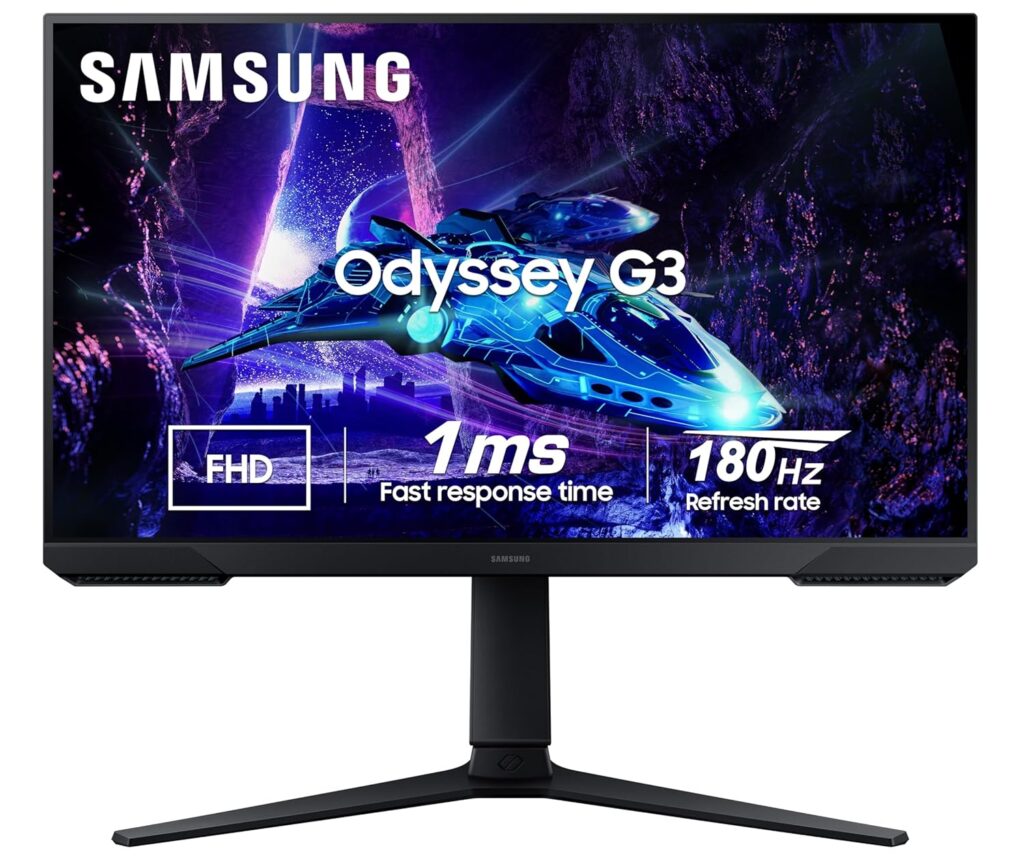
The Samsung Odyssey G3 is a budget-friendly gaming monitor built to provide high-speed performance for competitive gaming. Featuring a 144Hz refresh rate and FreeSync Premium, it keeps up with high-framerate action effortlessly. Its standout feature is a fully ergonomic stand, offering comprehensive height, swivel, tilt, and pivot adjustments.
⭐ Key Features
| Feature | Details |
|---|---|
| Ergonomic Stand | Fully adjustable height, pivot, swivel, and tilt stand for optimal ergonomics |
| Fast Gaming | 144Hz refresh rate and a rapid 1ms response time (MPRT) |
| Tear-Free Engine | AMD FreeSync Premium synchronization reduces screen lag and stutter |
👍 Pros & 👎 Cons
| Pros | Cons |
|---|---|
| Stand allows 90-degree pivot rotation (great for secondary screens) | Colors are not as vibrant as IPS counterparts |
| 144Hz refresh rate is highly responsive for fast shooters | No built-in speakers or USB hubs |
| High 3000:1 contrast ratio produces rich dark details | VA panel suffers from minor dark-smearing in fast motion |
📊 Specifications
| Category | Entry-Level Gaming Monitor |
|---|---|
| Screen Size / Size | 24-inch (60.4 cm) |
| Resolution / Performance | 1920 x 1080 Full HD (1080p) |
| Processor | VA Panel |
| Display Type | Flat widescreen |
| Connectivity | 1x HDMI 1.4, 1x DisplayPort 1.2 |
| Audio Output | Headphone jack |
| Special Features | Height Adjust, Swivel, Pivot (90° Rotation), FreeSync Premium |
📝 Final Verdict
Our Verdict: The Samsung Odyssey G3 is an impressive budget display for competitive gamers and coders. The fully adjustable stand is a game-changer at this price tier, making it a highly functional secondary screen or entry-level gaming monitor.
4) Dell S2721HNM 27″ IPS Full HD Monitor
The Dell S2721HNM is a stylish and reliable IPS monitor designed to elevate everyday computer setups. Backed by Dell’s legendary build quality, it features a textured back pattern and clean thin bezels. The vibrant IPS panel renders rich, accurate colors, making it highly effective for homework, browsing, and office applications.
⭐ Key Features
| Feature | Details |
|---|---|
| Panel Quality | IPS panel with 99% sRGB color gamut and 178-degree wide viewing angles |
| Dual Inputs | Dual HDMI 1.4 ports to easily switch between PC and gaming consoles |
| Design Build | Modern textured back cover design with thin profile and sleek stand |
👍 Pros & 👎 Cons
| Pros | Cons |
|---|---|
| Brilliant IPS color accuracy and wide off-axis viewing | No DisplayPort input provided |
| Two HDMI ports prevent constant cable swapping | Stand only supports basic tilting |
| Excellent build quality with reliable brand support in India | 1080p resolution has a slightly lower pixel density on 27″ screens |
📊 Specifications
| Category | Home & Office Monitor |
|---|---|
| Screen Size / Size | 27-inch (68.6 cm) |
| Resolution / Performance | 1920 x 1080 Full HD (1080p) |
| Processor | IPS Panel |
| Display Type | Flat widescreen |
| Connectivity | 2x HDMI 1.4, Audio Line-out |
| Audio Output | Audio line-out jack (no built-in speakers) |
| Special Features | AMD FreeSync (75Hz), ComfortView technology, Dual HDMI |
📝 Final Verdict
Our Verdict: The Dell S2721HNM is a highly durable and stylish work monitor. If color accuracy, reliable everyday performance, and excellent customer service support are your priorities, this is an excellent choice.
5) Samsung M5 32″ FHD Smart Monitor
The Samsung M5 is a hybrid smart monitor that doubles as an independent entertainment hub. Operating on Tizen OS with built-in Wi-Fi, it allows you to stream your favorite shows on Netflix, Prime Video, and YouTube without turning on a computer. It also supports cloud applications like Microsoft 365, enabling you to work PC-free.
⭐ Key Features
| Feature | Details |
|---|---|
| Smart System | Built-in Tizen Smart OS with app store, remote, and voice assistants |
| Wireless Connection | Built-in Wi-Fi 5, Bluetooth, Apple AirPlay 2, and mobile mirroring |
| Work Workspace | Allows document editing and web browsing directly without a PC connected |
👍 Pros & 👎 Cons
| Pros | Cons |
|---|---|
| Works as a standalone Smart TV with built-in speakers and remote | FHD (1080p) resolution looks soft on a large 32-inch screen |
| Integrates Apple AirPlay and screen mirroring effortlessly | Only 60Hz refresh rate (not suitable for fast action gaming) |
| Allows PC-free productivity using cloud office apps | Stand is basic and lacks height adjustability |
📊 Specifications
| Category | Smart Hybrid Monitor |
|---|---|
| Screen Size / Size | 32-inch (80 cm) |
| Resolution / Performance | 1920 x 1080 Full HD (1080p) |
| Processor | VA Panel |
| Display Type | Flat widescreen |
| Connectivity | 2x HDMI 2.0, 2x USB-A, Wi-Fi, Bluetooth |
| Audio Output | Built-in 2-channel stereo speakers |
| Special Features | Tizen Smart Hub, Voice Remote, Apple AirPlay 2, Work Hub |
📝 Final Verdict
Our Verdict: The Samsung M5 is perfect for students, small bedrooms, or hybrid workspaces. If you want a single display that acts as an entertainment TV and a study monitor without needing a computer running all the time, this offers stellar utility.
6) Acer Nitro VG270 S3 27″ Gaming Monitor
The Acer Nitro VG270 S3 is a budget-focused gaming monitor designed to deliver premium performance. Pushing the limits of value, it packs an ultra-fast 180Hz refresh rate and a response time of up to 0.5ms on a vibrant 27-inch IPS panel. Combined with AMD FreeSync Premium, it ensures fast-paced games run exceptionally smooth.
⭐ Key Features
| Feature | Details |
|---|---|
| High Speed | 180Hz refresh rate with up to 0.5ms (GtG min) response time |
| IPS Panel | True IPS colors with 99% sRGB color gamut and HDR10 support |
| Sync Support | AMD FreeSync Premium for stutter-free, fluid gameplay frames |
👍 Pros & 👎 Cons
| Pros | Cons |
|---|---|
| Incredibly fast 180Hz refresh rate at a budget price | Built-in speakers (2W x 2) are quiet and lack bass |
| Vibrant IPS panel provides superb color reproduction | Cabinet build is mostly plastic (though stable) |
| DisplayPort and HDMI cables are included in the box | Stand only supports basic tilting adjustability |
📊 Specifications
| Category | Budget Gaming Monitor |
|---|---|
| Screen Size / Size | 27-inch (68.6 cm) |
| Resolution / Performance | 1920 x 1080 Full HD (1080p) |
| Processor | IPS Panel |
| Display Type | Flat widescreen |
| Connectivity | 2x HDMI 2.0, 1x DisplayPort 1.2, Headphone out |
| Audio Output | 2x 2W built-in speakers & headphone jack |
| Special Features | 180Hz, HDR10, AMD FreeSync Premium, 0.5ms Response Time |
📝 Final Verdict
Our Verdict: The Acer Nitro VG270 S3 is a budget gaming titan. If you play fast-paced multiplayer games and want the benefit of a high refresh rate IPS panel without spending a fortune, this is the best value display you can buy.
7) BenQ PD2705Q 27″ QHD Professional Monitor
The BenQ PD2705Q is a professional-grade monitor designed specifically for creative experts, video editors, and graphic designers. It comes factory color-calibrated to deliver absolute color accuracy out of the box. Its high-utility USB-C connection allows you to display QHD video, transfer high-speed data, and charge your laptop (65W) using a single cable.
⭐ Key Features
| Feature | Details |
|---|---|
| Color Accuracy | 100% sRGB and Rec.709 coverage; Delta E ≤ 3 (Pantone & Calman Validated) |
| USB-C Docking | Single USB-C connection with 65W power delivery to charge your laptop |
| KVM Switch | Allows you to control two computer systems with one mouse and keyboard |
👍 Pros & 👎 Cons
| Pros | Cons |
|---|---|
| Flawless out-of-the-box color accuracy (factory calibrated) | Refresh rate is limited to standard 60Hz |
| USB-C docking is exceptionally clean for MacBook and laptop users | Premium price tag due to color certification standards |
| Ergonomic stand supports full height, swivel, tilt, and pivot adjustments | Contrast is standard for IPS (1000:1), not suitable for pitch-dark rooms |
📊 Specifications
| Category | Professional Designer Monitor |
|---|---|
| Screen Size / Size | 27-inch (68.6 cm) |
| Resolution / Performance | 2560 x 1440 QHD (2K) |
| Processor | IPS Panel (Factory Calibrated) |
| Display Type | Flat widescreen |
| Connectivity | 1x USB-C (65W charging), 1x DisplayPort 1.4, 1x HDMI 2.0, USB Hub |
| Audio Output | 2x 2W built-in speakers & headphone jack |
| Special Features | Calman & Pantone Certified, CAD/CAM Mode, KVM Switch, Ergonomic Stand |
📝 Final Verdict
Our Verdict: The BenQ PD2705Q is an outstanding tool for professional designers, photographers, and editors. While not intended for gaming, its factory calibration, ergonomic flexibility, and MacBook-charging USB-C port make it a superb professional investment.
8) Gigabyte G27F 2 27″ Gaming Monitor
The Gigabyte G27F 2 is a highly capable all-rounder display that bridges the gap between high-speed gaming and creative productivity. Featuring a high-quality 27-inch IPS panel, it offers a 170Hz overclocked refresh rate. Thanks to its rich 95% DCI-P3 wide color gamut, it provides highly saturated, beautiful visuals for media and games.
⭐ Key Features
| Feature | Details |
|---|---|
| High Speed | 165Hz native (overclocks up to 170Hz) with 1ms response time (MPRT) |
| Vivid Palette | 95% DCI-P3 / 130% sRGB color gamut for deep, punchy colors |
| Built-in Hub | Integrated USB ports allow you to connect keyboard, mouse, and USB drives |
👍 Pros & 👎 Cons
| Pros | Cons |
|---|---|
| Spectacularly rich and saturated IPS color performance | External power supply adapter brick is relatively large |
| Useful integrated USB hub makes cable routing easy | No built-in speakers included |
| Height and tilt adjustable metal stand | FHD (1080p) is only standard sharpness at 27 inches |
📊 Specifications
| Category | Mid-Range Gaming & Work Monitor |
|---|---|
| Screen Size / Size | 27-inch (68.6 cm) |
| Resolution / Performance | 1920 x 1080 Full HD (1080p) |
| Processor | IPS Panel |
| Display Type | Flat widescreen |
| Connectivity | 2x HDMI 2.0, 1x DisplayPort 1.2, 2x USB 3.2 Gen 1 (downstream) |
| Audio Output | Headphone jack |
| Special Features | 170Hz OC, HDR Ready, Height Adjustable Stand, OSD Sidekick software |
📝 Final Verdict
Our Verdict: The Gigabyte G27F 2 is a brilliant general-purpose screen. It successfully combines wide-color gamut IPS display quality with fast gaming response times, making it a stellar crossover monitor for media creators and gamers.
9) ASUS ROG Swift OLED PG27UCDM 27″ QD-OLED
The ASUS ROG Swift OLED PG27UCDM is a top-tier premium gaming monitor. Featuring a state-of-the-art QD-OLED panel, it achieves an infinite contrast ratio, displaying absolute, pure blacks alongside vibrant highlights. With a blistering 240Hz refresh rate and a near-instantaneous 0.03ms response time, it completely eliminates motion blur.
⭐ Key Features
| Feature | Details |
|---|---|
| OLED Technology | QD-OLED panel with infinite contrast, true 10-bit color, and absolute blacks |
| Elite Speed | 240Hz refresh rate and a near-instant 0.03ms (GtG) response time |
| Thermal Safeguard | Custom passive heatsink and OLED Care features prevent screen burn-in |
👍 Pros & 👎 Cons
| Pros | Cons |
|---|---|
| Breathtaking visual quality with unmatched colors and deep blacks | Extremely expensive premium purchase |
| 0.03ms response time completely removes ghosting | OLED panels require general care to avoid static burn-in |
| USB-C supports high-power 90W Power Delivery charging | Text clarity is slightly soft due to the OLED subpixel layout |
📊 Specifications
| Category | Premium Gaming Monitor |
|---|---|
| Screen Size / Size | 26.5-inch (67.3 cm) |
| Resolution / Performance | 2560 x 1440 QHD (1440p) |
| Processor | QD-OLED Panel |
| Display Type | Flat widescreen |
| Connectivity | 1x USB-C (90W PD), 1x DisplayPort 1.4, 2x HDMI 2.1, 3x USB 3.2 |
| Audio Output | SPDIF (optical audio) & headphone jack |
| Special Features | 240Hz, 0.03ms, KVM Switch, ROG projecting base, custom heatsink |
📝 Final Verdict
Our Verdict: The ASUS ROG Swift OLED PG27UCDM is a premium engineering masterpiece. If budget is no constraint and you want the absolute ultimate gaming monitor in India with true blacks and fluid response speeds, this is the definitive option.
10) Acer EK220Q 21.5″ Full HD Monitor
The Acer EK220Q is a compact and functional budget monitor designed for general daily tasks. Extremely cost-effective, it is highly suitable for home study desks, billing counters, and basic office work. Despite its low price, it features a sharp Full HD resolution and a smooth 100Hz refresh rate, ensuring that scrolling through documents feels clear and fluid.
⭐ Key Features
| Feature | Details |
|---|---|
| High Value | Superb entry-level price point, perfect for basic home and shop setups |
| Fluid Speed | 100Hz refresh rate ensures smooth scrolling and interface usage |
| Eye Shield | Integrated Acer BlueLightShield and Flickerless technology |
👍 Pros & 👎 Cons
| Pros | Cons |
|---|---|
| Ergonomic and highly cost-effective | No DisplayPort input (HDMI and VGA only) |
| 100Hz refresh rate is excellent for the price tier | Stand only supports basic tilting |
| Compact design occupies very little desktop area | Slight color shifting when viewed from the side |
📊 Specifications
| Category | Entry-Level / Student Monitor |
|---|---|
| Screen Size / Size | 21.5-inch (54.6 cm) |
| Resolution / Performance | 1920 x 1080 Full HD (1080p) |
| Processor | VA Panel |
| Display Type | Flat widescreen |
| Connectivity | 1x HDMI 1.4, 1x VGA (D-Sub) |
| Audio Output | None |
| Special Features | Ultra-thin frame, 100Hz refresh, Flickerless, BlueLightShield |
📝 Final Verdict
Our Verdict: The Acer EK220Q is a simple and reliable budget choice. If you want a compact screen for basic study, office work, or shop management, it is the Best Budget Monitor in India under ₹7,000.
❓ FAQs – Answering What Everyone Asks
IPS vs. VA: Which panel is better for daily work?
For general office work, coding, and multitasking, an IPS panel is superior because it offers wider viewing angles and cleaner text clarity without color distortion. However, if you work in a dark room and watch a lot of movies, a VA panel‘s deep contrast ratio is excellent.
Is a 27-inch 1080p monitor good?
While a 27-inch 1080p monitor is fine for gaming and media, text can appear slightly soft or pixelated if you sit very close to the screen (within 2 feet). For a 27-inch monitor, 1440p (QHD) is the ideal sweet-spot resolution.
Do I need DisplayPort, or is HDMI enough?
For basic office setups at 60Hz-75Hz, HDMI is more than enough. However, if you are using a high refresh rate gaming monitor (144Hz+) or a high-resolution display, using a DisplayPort (DP) cable is highly recommended to support higher bandwidths, G-Sync, and HDR.
Does a high refresh rate monitor help with eye strain?
Yes! Higher refresh rates (100Hz+) reduce the perceived motion flicker and make scrolling, mouse movement, and page animations incredibly fluid, which significantly reduces tracking fatigue on your eyes.
🏁 Conclusion – Make a Smart Choice
Choosing the best monitor boils down to your primary use case:
- For office work, coding, and general study, the BenQ GW2791 is the absolute best for eye comfort.
- For budget gaming, go with the high-speed Acer Nitro VG270 S3 or the curved LG UltraGear 27GS60QC.
- If you are a professional designer or video editor, the color-accurate BenQ PD2705Q is essential.
- If you want the pinnacle of visual fidelity, save up for the absolute marvel that is the ASUS ROG Swift OLED PG27UCDM.
| Feature | Details |
|---|---|
| Curved Screen | 1000R curvature provides optimal comfort and gaming immersion |
| Gaming Speed | 180Hz refresh rate combined with a rapid 1ms (GtG) response time |
| Adaptive Sync | AMD FreeSync Premium and G-Sync compatibility to prevent screen tearing |
👍 Pros & 👎 Cons
| Pros | Cons |
|---|---|
| 2K resolution provides spectacular clarity and sharp text | VA panel viewing angles are narrower than IPS displays |
| 1000R curve wraps around your eyes beautifully | Does not feature built-in speakers |
| High contrast ratio ensures deep black levels for dark scenes | Stand adjustments are limited to basic tilt |
📊 Specifications
| Category | Curved Gaming Monitor |
|---|---|
| Screen Size / Size | 27-inch (68.5 cm) |
| Resolution / Performance | 2560 x 1440 QHD (1440p) |
| Processor | VA Curved Panel |
| Display Type | Curved (1000R) |
| Connectivity | 2x HDMI 2.0, 1x DisplayPort 1.4, Headphone out |
| Audio Output | Headphone jack |
| Special Features | 180Hz, 1ms GtG, HDR10, FreeSync Premium, Black Stabilizer |
📝 Final Verdict
Our Verdict: The LG UltraGear 27GS60QC is a stellar mid-range gaming monitor for enthusiasts who appreciate deep contrast and immersive curved visuals. It delivers butter-smooth QHD performance and incredible speed, offering exceptional gaming value.
3) Samsung Odyssey G3 24″ Gaming Monitor
The Samsung Odyssey G3 is a budget-friendly gaming monitor built to provide high-speed performance for competitive gaming. Featuring a 144Hz refresh rate and FreeSync Premium, it keeps up with high-framerate action effortlessly. Its standout feature is a fully ergonomic stand, offering comprehensive height, swivel, tilt, and pivot adjustments.
⭐ Key Features
| Feature | Details |
|---|---|
| Ergonomic Stand | Fully adjustable height, pivot, swivel, and tilt stand for optimal ergonomics |
| Fast Gaming | 144Hz refresh rate and a rapid 1ms response time (MPRT) |
| Tear-Free Engine | AMD FreeSync Premium synchronization reduces screen lag and stutter |
👍 Pros & 👎 Cons
| Pros | Cons |
|---|---|
| Stand allows 90-degree pivot rotation (great for secondary screens) | Colors are not as vibrant as IPS counterparts |
| 144Hz refresh rate is highly responsive for fast shooters | No built-in speakers or USB hubs |
| High 3000:1 contrast ratio produces rich dark details | VA panel suffers from minor dark-smearing in fast motion |
📊 Specifications
| Category | Entry-Level Gaming Monitor |
|---|---|
| Screen Size / Size | 24-inch (60.4 cm) |
| Resolution / Performance | 1920 x 1080 Full HD (1080p) |
| Processor | VA Panel |
| Display Type | Flat widescreen |
| Connectivity | 1x HDMI 1.4, 1x DisplayPort 1.2 |
| Audio Output | Headphone jack |
| Special Features | Height Adjust, Swivel, Pivot (90° Rotation), FreeSync Premium |
📝 Final Verdict
Our Verdict: The Samsung Odyssey G3 is an impressive budget display for competitive gamers and coders. The fully adjustable stand is a game-changer at this price tier, making it a highly functional secondary screen or entry-level gaming monitor.
4) Dell S2721HNM 27″ IPS Full HD Monitor
The Dell S2721HNM is a stylish and reliable IPS monitor designed to elevate everyday computer setups. Backed by Dell’s legendary build quality, it features a textured back pattern and clean thin bezels. The vibrant IPS panel renders rich, accurate colors, making it highly effective for homework, browsing, and office applications.
⭐ Key Features
| Feature | Details |
|---|---|
| Panel Quality | IPS panel with 99% sRGB color gamut and 178-degree wide viewing angles |
| Dual Inputs | Dual HDMI 1.4 ports to easily switch between PC and gaming consoles |
| Design Build | Modern textured back cover design with thin profile and sleek stand |
👍 Pros & 👎 Cons
| Pros | Cons |
|---|---|
| Brilliant IPS color accuracy and wide off-axis viewing | No DisplayPort input provided |
| Two HDMI ports prevent constant cable swapping | Stand only supports basic tilting |
| Excellent build quality with reliable brand support in India | 1080p resolution has a slightly lower pixel density on 27″ screens |
📊 Specifications
| Category | Home & Office Monitor |
|---|---|
| Screen Size / Size | 27-inch (68.6 cm) |
| Resolution / Performance | 1920 x 1080 Full HD (1080p) |
| Processor | IPS Panel |
| Display Type | Flat widescreen |
| Connectivity | 2x HDMI 1.4, Audio Line-out |
| Audio Output | Audio line-out jack (no built-in speakers) |
| Special Features | AMD FreeSync (75Hz), ComfortView technology, Dual HDMI |
📝 Final Verdict
Our Verdict: The Dell S2721HNM is a highly durable and stylish work monitor. If color accuracy, reliable everyday performance, and excellent customer service support are your priorities, this is an excellent choice.
5) Samsung M5 32″ FHD Smart Monitor
The Samsung M5 is a hybrid smart monitor that doubles as an independent entertainment hub. Operating on Tizen OS with built-in Wi-Fi, it allows you to stream your favorite shows on Netflix, Prime Video, and YouTube without turning on a computer. It also supports cloud applications like Microsoft 365, enabling you to work PC-free.
⭐ Key Features
| Feature | Details |
|---|---|
| Smart System | Built-in Tizen Smart OS with app store, remote, and voice assistants |
| Wireless Connection | Built-in Wi-Fi 5, Bluetooth, Apple AirPlay 2, and mobile mirroring |
| Work Workspace | Allows document editing and web browsing directly without a PC connected |
👍 Pros & 👎 Cons
| Pros | Cons |
|---|---|
| Works as a standalone Smart TV with built-in speakers and remote | FHD (1080p) resolution looks soft on a large 32-inch screen |
| Integrates Apple AirPlay and screen mirroring effortlessly | Only 60Hz refresh rate (not suitable for fast action gaming) |
| Allows PC-free productivity using cloud office apps | Stand is basic and lacks height adjustability |
📊 Specifications
| Category | Smart Hybrid Monitor |
|---|---|
| Screen Size / Size | 32-inch (80 cm) |
| Resolution / Performance | 1920 x 1080 Full HD (1080p) |
| Processor | VA Panel |
| Display Type | Flat widescreen |
| Connectivity | 2x HDMI 2.0, 2x USB-A, Wi-Fi, Bluetooth |
| Audio Output | Built-in 2-channel stereo speakers |
| Special Features | Tizen Smart Hub, Voice Remote, Apple AirPlay 2, Work Hub |
📝 Final Verdict
Our Verdict: The Samsung M5 is perfect for students, small bedrooms, or hybrid workspaces. If you want a single display that acts as an entertainment TV and a study monitor without needing a computer running all the time, this offers stellar utility.
6) Acer Nitro VG270 S3 27″ Gaming Monitor
The Acer Nitro VG270 S3 is a budget-focused gaming monitor designed to deliver premium performance. Pushing the limits of value, it packs an ultra-fast 180Hz refresh rate and a response time of up to 0.5ms on a vibrant 27-inch IPS panel. Combined with AMD FreeSync Premium, it ensures fast-paced games run exceptionally smooth.
⭐ Key Features
| Feature | Details |
|---|---|
| High Speed | 180Hz refresh rate with up to 0.5ms (GtG min) response time |
| IPS Panel | True IPS colors with 99% sRGB color gamut and HDR10 support |
| Sync Support | AMD FreeSync Premium for stutter-free, fluid gameplay frames |
👍 Pros & 👎 Cons
| Pros | Cons |
|---|---|
| Incredibly fast 180Hz refresh rate at a budget price | Built-in speakers (2W x 2) are quiet and lack bass |
| Vibrant IPS panel provides superb color reproduction | Cabinet build is mostly plastic (though stable) |
| DisplayPort and HDMI cables are included in the box | Stand only supports basic tilting adjustability |
📊 Specifications
| Category | Budget Gaming Monitor |
|---|---|
| Screen Size / Size | 27-inch (68.6 cm) |
| Resolution / Performance | 1920 x 1080 Full HD (1080p) |
| Processor | IPS Panel |
| Display Type | Flat widescreen |
| Connectivity | 2x HDMI 2.0, 1x DisplayPort 1.2, Headphone out |
| Audio Output | 2x 2W built-in speakers & headphone jack |
| Special Features | 180Hz, HDR10, AMD FreeSync Premium, 0.5ms Response Time |
📝 Final Verdict
Our Verdict: The Acer Nitro VG270 S3 is a budget gaming titan. If you play fast-paced multiplayer games and want the benefit of a high refresh rate IPS panel without spending a fortune, this is the best value display you can buy.
7) BenQ PD2705Q 27″ QHD Professional Monitor
The BenQ PD2705Q is a professional-grade monitor designed specifically for creative experts, video editors, and graphic designers. It comes factory color-calibrated to deliver absolute color accuracy out of the box. Its high-utility USB-C connection allows you to display QHD video, transfer high-speed data, and charge your laptop (65W) using a single cable.
⭐ Key Features
| Feature | Details |
|---|---|
| Color Accuracy | 100% sRGB and Rec.709 coverage; Delta E ≤ 3 (Pantone & Calman Validated) |
| USB-C Docking | Single USB-C connection with 65W power delivery to charge your laptop |
| KVM Switch | Allows you to control two computer systems with one mouse and keyboard |
👍 Pros & 👎 Cons
| Pros | Cons |
|---|---|
| Flawless out-of-the-box color accuracy (factory calibrated) | Refresh rate is limited to standard 60Hz |
| USB-C docking is exceptionally clean for MacBook and laptop users | Premium price tag due to color certification standards |
| Ergonomic stand supports full height, swivel, tilt, and pivot adjustments | Contrast is standard for IPS (1000:1), not suitable for pitch-dark rooms |
📊 Specifications
| Category | Professional Designer Monitor |
|---|---|
| Screen Size / Size | 27-inch (68.6 cm) |
| Resolution / Performance | 2560 x 1440 QHD (2K) |
| Processor | IPS Panel (Factory Calibrated) |
| Display Type | Flat widescreen |
| Connectivity | 1x USB-C (65W charging), 1x DisplayPort 1.4, 1x HDMI 2.0, USB Hub |
| Audio Output | 2x 2W built-in speakers & headphone jack |
| Special Features | Calman & Pantone Certified, CAD/CAM Mode, KVM Switch, Ergonomic Stand |
📝 Final Verdict
Our Verdict: The BenQ PD2705Q is an outstanding tool for professional designers, photographers, and editors. While not intended for gaming, its factory calibration, ergonomic flexibility, and MacBook-charging USB-C port make it a superb professional investment.
8) Gigabyte G27F 2 27″ Gaming Monitor
The Gigabyte G27F 2 is a highly capable all-rounder display that bridges the gap between high-speed gaming and creative productivity. Featuring a high-quality 27-inch IPS panel, it offers a 170Hz overclocked refresh rate. Thanks to its rich 95% DCI-P3 wide color gamut, it provides highly saturated, beautiful visuals for media and games.
⭐ Key Features
| Feature | Details |
|---|---|
| High Speed | 165Hz native (overclocks up to 170Hz) with 1ms response time (MPRT) |
| Vivid Palette | 95% DCI-P3 / 130% sRGB color gamut for deep, punchy colors |
| Built-in Hub | Integrated USB ports allow you to connect keyboard, mouse, and USB drives |
👍 Pros & 👎 Cons
| Pros | Cons |
|---|---|
| Spectacularly rich and saturated IPS color performance | External power supply adapter brick is relatively large |
| Useful integrated USB hub makes cable routing easy | No built-in speakers included |
| Height and tilt adjustable metal stand | FHD (1080p) is only standard sharpness at 27 inches |
📊 Specifications
| Category | Mid-Range Gaming & Work Monitor |
|---|---|
| Screen Size / Size | 27-inch (68.6 cm) |
| Resolution / Performance | 1920 x 1080 Full HD (1080p) |
| Processor | IPS Panel |
| Display Type | Flat widescreen |
| Connectivity | 2x HDMI 2.0, 1x DisplayPort 1.2, 2x USB 3.2 Gen 1 (downstream) |
| Audio Output | Headphone jack |
| Special Features | 170Hz OC, HDR Ready, Height Adjustable Stand, OSD Sidekick software |
📝 Final Verdict
Our Verdict: The Gigabyte G27F 2 is a brilliant general-purpose screen. It successfully combines wide-color gamut IPS display quality with fast gaming response times, making it a stellar crossover monitor for media creators and gamers.
9) ASUS ROG Swift OLED PG27UCDM 27″ QD-OLED
The ASUS ROG Swift OLED PG27UCDM is a top-tier premium gaming monitor. Featuring a state-of-the-art QD-OLED panel, it achieves an infinite contrast ratio, displaying absolute, pure blacks alongside vibrant highlights. With a blistering 240Hz refresh rate and a near-instantaneous 0.03ms response time, it completely eliminates motion blur.
⭐ Key Features
| Feature | Details |
|---|---|
| OLED Technology | QD-OLED panel with infinite contrast, true 10-bit color, and absolute blacks |
| Elite Speed | 240Hz refresh rate and a near-instant 0.03ms (GtG) response time |
| Thermal Safeguard | Custom passive heatsink and OLED Care features prevent screen burn-in |
👍 Pros & 👎 Cons
| Pros | Cons |
|---|---|
| Breathtaking visual quality with unmatched colors and deep blacks | Extremely expensive premium purchase |
| 0.03ms response time completely removes ghosting | OLED panels require general care to avoid static burn-in |
| USB-C supports high-power 90W Power Delivery charging | Text clarity is slightly soft due to the OLED subpixel layout |
📊 Specifications
| Category | Premium Gaming Monitor |
|---|---|
| Screen Size / Size | 26.5-inch (67.3 cm) |
| Resolution / Performance | 2560 x 1440 QHD (1440p) |
| Processor | QD-OLED Panel |
| Display Type | Flat widescreen |
| Connectivity | 1x USB-C (90W PD), 1x DisplayPort 1.4, 2x HDMI 2.1, 3x USB 3.2 |
| Audio Output | SPDIF (optical audio) & headphone jack |
| Special Features | 240Hz, 0.03ms, KVM Switch, ROG projecting base, custom heatsink |
📝 Final Verdict
Our Verdict: The ASUS ROG Swift OLED PG27UCDM is a premium engineering masterpiece. If budget is no constraint and you want the absolute ultimate gaming monitor in India with true blacks and fluid response speeds, this is the definitive option.
10) Acer EK220Q 21.5″ Full HD Monitor
The Acer EK220Q is a compact and functional budget monitor designed for general daily tasks. Extremely cost-effective, it is highly suitable for home study desks, billing counters, and basic office work. Despite its low price, it features a sharp Full HD resolution and a smooth 100Hz refresh rate, ensuring that scrolling through documents feels clear and fluid.
⭐ Key Features
| Feature | Details |
|---|---|
| High Value | Superb entry-level price point, perfect for basic home and shop setups |
| Fluid Speed | 100Hz refresh rate ensures smooth scrolling and interface usage |
| Eye Shield | Integrated Acer BlueLightShield and Flickerless technology |
👍 Pros & 👎 Cons
| Pros | Cons |
|---|---|
| Ergonomic and highly cost-effective | No DisplayPort input (HDMI and VGA only) |
| 100Hz refresh rate is excellent for the price tier | Stand only supports basic tilting |
| Compact design occupies very little desktop area | Slight color shifting when viewed from the side |
📊 Specifications
| Category | Entry-Level / Student Monitor |
|---|---|
| Screen Size / Size | 21.5-inch (54.6 cm) |
| Resolution / Performance | 1920 x 1080 Full HD (1080p) |
| Processor | VA Panel |
| Display Type | Flat widescreen |
| Connectivity | 1x HDMI 1.4, 1x VGA (D-Sub) |
| Audio Output | None |
| Special Features | Ultra-thin frame, 100Hz refresh, Flickerless, BlueLightShield |
📝 Final Verdict
Our Verdict: The Acer EK220Q is a simple and reliable budget choice. If you want a compact screen for basic study, office work, or shop management, it is the Best Budget Monitor in India under ₹7,000.
❓ FAQs – Answering What Everyone Asks
IPS vs. VA: Which panel is better for daily work?
For general office work, coding, and multitasking, an IPS panel is superior because it offers wider viewing angles and cleaner text clarity without color distortion. However, if you work in a dark room and watch a lot of movies, a VA panel‘s deep contrast ratio is excellent.
Is a 27-inch 1080p monitor good?
While a 27-inch 1080p monitor is fine for gaming and media, text can appear slightly soft or pixelated if you sit very close to the screen (within 2 feet). For a 27-inch monitor, 1440p (QHD) is the ideal sweet-spot resolution.
Do I need DisplayPort, or is HDMI enough?
For basic office setups at 60Hz-75Hz, HDMI is more than enough. However, if you are using a high refresh rate gaming monitor (144Hz+) or a high-resolution display, using a DisplayPort (DP) cable is highly recommended to support higher bandwidths, G-Sync, and HDR.
Does a high refresh rate monitor help with eye strain?
Yes! Higher refresh rates (100Hz+) reduce the perceived motion flicker and make scrolling, mouse movement, and page animations incredibly fluid, which significantly reduces tracking fatigue on your eyes.
🏁 Conclusion – Make a Smart Choice
Choosing the best monitor boils down to your primary use case:
- For office work, coding, and general study, the BenQ GW2791 is the absolute best for eye comfort.
- For budget gaming, go with the high-speed Acer Nitro VG270 S3 or the curved LG UltraGear 27GS60QC.
- If you are a professional designer or video editor, the color-accurate BenQ PD2705Q is essential.
- If you want the pinnacle of visual fidelity, save up for the absolute marvel that is the ASUS ROG Swift OLED PG27UCDM.
| Feature | Details |
|---|---|
| Panel Technology | IPS panel with 178-degree wide viewing angles and 99% sRGB color gamut |
| Refresh Rate | 100Hz refresh rate for fluid document scrolling and clean animation transitions |
| Eye-Care Suite | TUV Rheinland certified Flicker-Free, Low Blue Light Plus, and Brightness Intelligence |
👍 Pros & 👎 Cons
| Pros | Cons |
|---|---|
| Dynamic brightness auto-sensor protects eyes from strain | FHD (1080p) is only moderately sharp at 27 inches |
| 100Hz refresh rate is highly fluid for scrolling | No built-in speakers for direct audio playback |
| Elegant three-sided bezel-less design looks premium | Stand is basic and only supports tilt adjustment |
📊 Specifications
| Category | Home & Office Monitor |
|---|---|
| Screen Size / Size | 27-inch (68.6 cm) |
| Resolution / Performance | 1920 x 1080 Full HD (1080p) |
| Processor | IPS Panel |
| Display Type | Flat widescreen |
| Connectivity | HDMI 1.4, DisplayPort 1.2, Headphone jack |
| Audio Output | Headphone jack (speakers not included) |
| Special Features | Brightness Intelligence, Color Weakness Mode, ePaper Mode |
📝 Final Verdict
Our Verdict: The BenQ GW2791 is an exceptional workspace monitor designed for office professionals and students. While the resolution is standard 1080p, its premium eye care suite and fluid 100Hz refresh rate make it the absolute best choice for long-session reading and writing making it Best Monitor in India.
2) LG UltraGear 27GS60QC 27″ Curved QHD Gaming Monitor
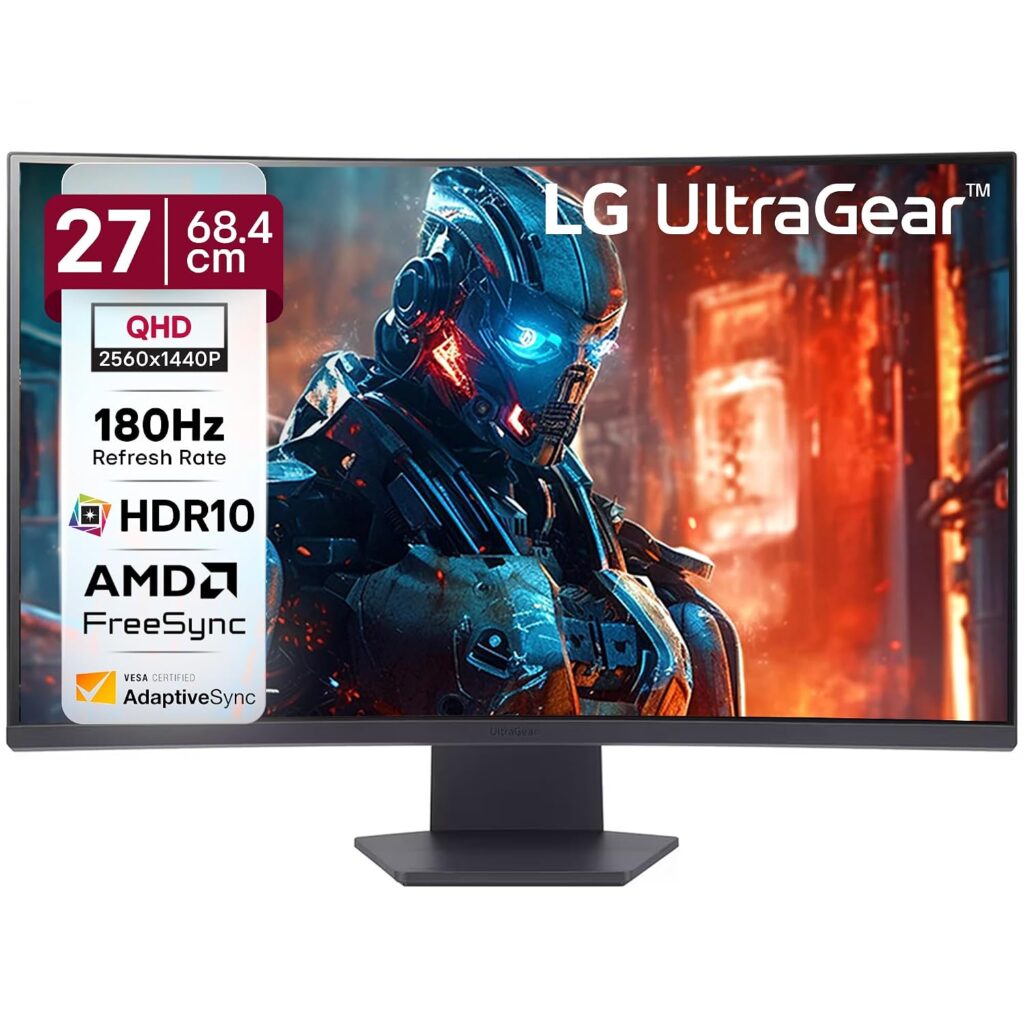
The LG UltraGear 27GS60QC is a high-performance curved gaming monitor engineered to deliver incredible game immersion and responsiveness. Featuring a crisp 2K QHD resolution and a tightly curved 1000R panel, it naturally matches your field of view to wrap you inside the action. Its blistering 180Hz refresh rate and 1ms response time ensure smooth, lag-free gameplay.
⭐ Key Features
| Feature | Details |
|---|---|
| Curved Screen | 1000R curvature provides optimal comfort and gaming immersion |
| Gaming Speed | 180Hz refresh rate combined with a rapid 1ms (GtG) response time |
| Adaptive Sync | AMD FreeSync Premium and G-Sync compatibility to prevent screen tearing |
👍 Pros & 👎 Cons
| Pros | Cons |
|---|---|
| 2K resolution provides spectacular clarity and sharp text | VA panel viewing angles are narrower than IPS displays |
| 1000R curve wraps around your eyes beautifully | Does not feature built-in speakers |
| High contrast ratio ensures deep black levels for dark scenes | Stand adjustments are limited to basic tilt |
📊 Specifications
| Category | Curved Gaming Monitor |
|---|---|
| Screen Size / Size | 27-inch (68.5 cm) |
| Resolution / Performance | 2560 x 1440 QHD (1440p) |
| Processor | VA Curved Panel |
| Display Type | Curved (1000R) |
| Connectivity | 2x HDMI 2.0, 1x DisplayPort 1.4, Headphone out |
| Audio Output | Headphone jack |
| Special Features | 180Hz, 1ms GtG, HDR10, FreeSync Premium, Black Stabilizer |
📝 Final Verdict
Our Verdict: The LG UltraGear 27GS60QC is a stellar mid-range gaming monitor for enthusiasts who appreciate deep contrast and immersive curved visuals. It delivers butter-smooth QHD performance and incredible speed, offering exceptional gaming value.
3) Samsung Odyssey G3 24″ Gaming Monitor
The Samsung Odyssey G3 is a budget-friendly gaming monitor built to provide high-speed performance for competitive gaming. Featuring a 144Hz refresh rate and FreeSync Premium, it keeps up with high-framerate action effortlessly. Its standout feature is a fully ergonomic stand, offering comprehensive height, swivel, tilt, and pivot adjustments.
⭐ Key Features
| Feature | Details |
|---|---|
| Ergonomic Stand | Fully adjustable height, pivot, swivel, and tilt stand for optimal ergonomics |
| Fast Gaming | 144Hz refresh rate and a rapid 1ms response time (MPRT) |
| Tear-Free Engine | AMD FreeSync Premium synchronization reduces screen lag and stutter |
👍 Pros & 👎 Cons
| Pros | Cons |
|---|---|
| Stand allows 90-degree pivot rotation (great for secondary screens) | Colors are not as vibrant as IPS counterparts |
| 144Hz refresh rate is highly responsive for fast shooters | No built-in speakers or USB hubs |
| High 3000:1 contrast ratio produces rich dark details | VA panel suffers from minor dark-smearing in fast motion |
📊 Specifications
| Category | Entry-Level Gaming Monitor |
|---|---|
| Screen Size / Size | 24-inch (60.4 cm) |
| Resolution / Performance | 1920 x 1080 Full HD (1080p) |
| Processor | VA Panel |
| Display Type | Flat widescreen |
| Connectivity | 1x HDMI 1.4, 1x DisplayPort 1.2 |
| Audio Output | Headphone jack |
| Special Features | Height Adjust, Swivel, Pivot (90° Rotation), FreeSync Premium |
📝 Final Verdict
Our Verdict: The Samsung Odyssey G3 is an impressive budget display for competitive gamers and coders. The fully adjustable stand is a game-changer at this price tier, making it a highly functional secondary screen or entry-level gaming monitor.
4) Dell S2721HNM 27″ IPS Full HD Monitor
The Dell S2721HNM is a stylish and reliable IPS monitor designed to elevate everyday computer setups. Backed by Dell’s legendary build quality, it features a textured back pattern and clean thin bezels. The vibrant IPS panel renders rich, accurate colors, making it highly effective for homework, browsing, and office applications.
⭐ Key Features
| Feature | Details |
|---|---|
| Panel Quality | IPS panel with 99% sRGB color gamut and 178-degree wide viewing angles |
| Dual Inputs | Dual HDMI 1.4 ports to easily switch between PC and gaming consoles |
| Design Build | Modern textured back cover design with thin profile and sleek stand |
👍 Pros & 👎 Cons
| Pros | Cons |
|---|---|
| Brilliant IPS color accuracy and wide off-axis viewing | No DisplayPort input provided |
| Two HDMI ports prevent constant cable swapping | Stand only supports basic tilting |
| Excellent build quality with reliable brand support in India | 1080p resolution has a slightly lower pixel density on 27″ screens |
📊 Specifications
| Category | Home & Office Monitor |
|---|---|
| Screen Size / Size | 27-inch (68.6 cm) |
| Resolution / Performance | 1920 x 1080 Full HD (1080p) |
| Processor | IPS Panel |
| Display Type | Flat widescreen |
| Connectivity | 2x HDMI 1.4, Audio Line-out |
| Audio Output | Audio line-out jack (no built-in speakers) |
| Special Features | AMD FreeSync (75Hz), ComfortView technology, Dual HDMI |
📝 Final Verdict
Our Verdict: The Dell S2721HNM is a highly durable and stylish work monitor. If color accuracy, reliable everyday performance, and excellent customer service support are your priorities, this is an excellent choice.
5) Samsung M5 32″ FHD Smart Monitor
The Samsung M5 is a hybrid smart monitor that doubles as an independent entertainment hub. Operating on Tizen OS with built-in Wi-Fi, it allows you to stream your favorite shows on Netflix, Prime Video, and YouTube without turning on a computer. It also supports cloud applications like Microsoft 365, enabling you to work PC-free.
⭐ Key Features
| Feature | Details |
|---|---|
| Smart System | Built-in Tizen Smart OS with app store, remote, and voice assistants |
| Wireless Connection | Built-in Wi-Fi 5, Bluetooth, Apple AirPlay 2, and mobile mirroring |
| Work Workspace | Allows document editing and web browsing directly without a PC connected |
👍 Pros & 👎 Cons
| Pros | Cons |
|---|---|
| Works as a standalone Smart TV with built-in speakers and remote | FHD (1080p) resolution looks soft on a large 32-inch screen |
| Integrates Apple AirPlay and screen mirroring effortlessly | Only 60Hz refresh rate (not suitable for fast action gaming) |
| Allows PC-free productivity using cloud office apps | Stand is basic and lacks height adjustability |
📊 Specifications
| Category | Smart Hybrid Monitor |
|---|---|
| Screen Size / Size | 32-inch (80 cm) |
| Resolution / Performance | 1920 x 1080 Full HD (1080p) |
| Processor | VA Panel |
| Display Type | Flat widescreen |
| Connectivity | 2x HDMI 2.0, 2x USB-A, Wi-Fi, Bluetooth |
| Audio Output | Built-in 2-channel stereo speakers |
| Special Features | Tizen Smart Hub, Voice Remote, Apple AirPlay 2, Work Hub |
📝 Final Verdict
Our Verdict: The Samsung M5 is perfect for students, small bedrooms, or hybrid workspaces. If you want a single display that acts as an entertainment TV and a study monitor without needing a computer running all the time, this offers stellar utility.
6) Acer Nitro VG270 S3 27″ Gaming Monitor
The Acer Nitro VG270 S3 is a budget-focused gaming monitor designed to deliver premium performance. Pushing the limits of value, it packs an ultra-fast 180Hz refresh rate and a response time of up to 0.5ms on a vibrant 27-inch IPS panel. Combined with AMD FreeSync Premium, it ensures fast-paced games run exceptionally smooth.
⭐ Key Features
| Feature | Details |
|---|---|
| High Speed | 180Hz refresh rate with up to 0.5ms (GtG min) response time |
| IPS Panel | True IPS colors with 99% sRGB color gamut and HDR10 support |
| Sync Support | AMD FreeSync Premium for stutter-free, fluid gameplay frames |
👍 Pros & 👎 Cons
| Pros | Cons |
|---|---|
| Incredibly fast 180Hz refresh rate at a budget price | Built-in speakers (2W x 2) are quiet and lack bass |
| Vibrant IPS panel provides superb color reproduction | Cabinet build is mostly plastic (though stable) |
| DisplayPort and HDMI cables are included in the box | Stand only supports basic tilting adjustability |
📊 Specifications
| Category | Budget Gaming Monitor |
|---|---|
| Screen Size / Size | 27-inch (68.6 cm) |
| Resolution / Performance | 1920 x 1080 Full HD (1080p) |
| Processor | IPS Panel |
| Display Type | Flat widescreen |
| Connectivity | 2x HDMI 2.0, 1x DisplayPort 1.2, Headphone out |
| Audio Output | 2x 2W built-in speakers & headphone jack |
| Special Features | 180Hz, HDR10, AMD FreeSync Premium, 0.5ms Response Time |
📝 Final Verdict
Our Verdict: The Acer Nitro VG270 S3 is a budget gaming titan. If you play fast-paced multiplayer games and want the benefit of a high refresh rate IPS panel without spending a fortune, this is the best value display you can buy.
7) BenQ PD2705Q 27″ QHD Professional Monitor
The BenQ PD2705Q is a professional-grade monitor designed specifically for creative experts, video editors, and graphic designers. It comes factory color-calibrated to deliver absolute color accuracy out of the box. Its high-utility USB-C connection allows you to display QHD video, transfer high-speed data, and charge your laptop (65W) using a single cable.
⭐ Key Features
| Feature | Details |
|---|---|
| Color Accuracy | 100% sRGB and Rec.709 coverage; Delta E ≤ 3 (Pantone & Calman Validated) |
| USB-C Docking | Single USB-C connection with 65W power delivery to charge your laptop |
| KVM Switch | Allows you to control two computer systems with one mouse and keyboard |
👍 Pros & 👎 Cons
| Pros | Cons |
|---|---|
| Flawless out-of-the-box color accuracy (factory calibrated) | Refresh rate is limited to standard 60Hz |
| USB-C docking is exceptionally clean for MacBook and laptop users | Premium price tag due to color certification standards |
| Ergonomic stand supports full height, swivel, tilt, and pivot adjustments | Contrast is standard for IPS (1000:1), not suitable for pitch-dark rooms |
📊 Specifications
| Category | Professional Designer Monitor |
|---|---|
| Screen Size / Size | 27-inch (68.6 cm) |
| Resolution / Performance | 2560 x 1440 QHD (2K) |
| Processor | IPS Panel (Factory Calibrated) |
| Display Type | Flat widescreen |
| Connectivity | 1x USB-C (65W charging), 1x DisplayPort 1.4, 1x HDMI 2.0, USB Hub |
| Audio Output | 2x 2W built-in speakers & headphone jack |
| Special Features | Calman & Pantone Certified, CAD/CAM Mode, KVM Switch, Ergonomic Stand |
📝 Final Verdict
Our Verdict: The BenQ PD2705Q is an outstanding tool for professional designers, photographers, and editors. While not intended for gaming, its factory calibration, ergonomic flexibility, and MacBook-charging USB-C port make it a superb professional investment.
8) Gigabyte G27F 2 27″ Gaming Monitor
The Gigabyte G27F 2 is a highly capable all-rounder display that bridges the gap between high-speed gaming and creative productivity. Featuring a high-quality 27-inch IPS panel, it offers a 170Hz overclocked refresh rate. Thanks to its rich 95% DCI-P3 wide color gamut, it provides highly saturated, beautiful visuals for media and games.
⭐ Key Features
| Feature | Details |
|---|---|
| High Speed | 165Hz native (overclocks up to 170Hz) with 1ms response time (MPRT) |
| Vivid Palette | 95% DCI-P3 / 130% sRGB color gamut for deep, punchy colors |
| Built-in Hub | Integrated USB ports allow you to connect keyboard, mouse, and USB drives |
👍 Pros & 👎 Cons
| Pros | Cons |
|---|---|
| Spectacularly rich and saturated IPS color performance | External power supply adapter brick is relatively large |
| Useful integrated USB hub makes cable routing easy | No built-in speakers included |
| Height and tilt adjustable metal stand | FHD (1080p) is only standard sharpness at 27 inches |
📊 Specifications
| Category | Mid-Range Gaming & Work Monitor |
|---|---|
| Screen Size / Size | 27-inch (68.6 cm) |
| Resolution / Performance | 1920 x 1080 Full HD (1080p) |
| Processor | IPS Panel |
| Display Type | Flat widescreen |
| Connectivity | 2x HDMI 2.0, 1x DisplayPort 1.2, 2x USB 3.2 Gen 1 (downstream) |
| Audio Output | Headphone jack |
| Special Features | 170Hz OC, HDR Ready, Height Adjustable Stand, OSD Sidekick software |
📝 Final Verdict
Our Verdict: The Gigabyte G27F 2 is a brilliant general-purpose screen. It successfully combines wide-color gamut IPS display quality with fast gaming response times, making it a stellar crossover monitor for media creators and gamers.
9) ASUS ROG Swift OLED PG27UCDM 27″ QD-OLED
The ASUS ROG Swift OLED PG27UCDM is a top-tier premium gaming monitor. Featuring a state-of-the-art QD-OLED panel, it achieves an infinite contrast ratio, displaying absolute, pure blacks alongside vibrant highlights. With a blistering 240Hz refresh rate and a near-instantaneous 0.03ms response time, it completely eliminates motion blur.
⭐ Key Features
| Feature | Details |
|---|---|
| OLED Technology | QD-OLED panel with infinite contrast, true 10-bit color, and absolute blacks |
| Elite Speed | 240Hz refresh rate and a near-instant 0.03ms (GtG) response time |
| Thermal Safeguard | Custom passive heatsink and OLED Care features prevent screen burn-in |
👍 Pros & 👎 Cons
| Pros | Cons |
|---|---|
| Breathtaking visual quality with unmatched colors and deep blacks | Extremely expensive premium purchase |
| 0.03ms response time completely removes ghosting | OLED panels require general care to avoid static burn-in |
| USB-C supports high-power 90W Power Delivery charging | Text clarity is slightly soft due to the OLED subpixel layout |
📊 Specifications
| Category | Premium Gaming Monitor |
|---|---|
| Screen Size / Size | 26.5-inch (67.3 cm) |
| Resolution / Performance | 2560 x 1440 QHD (1440p) |
| Processor | QD-OLED Panel |
| Display Type | Flat widescreen |
| Connectivity | 1x USB-C (90W PD), 1x DisplayPort 1.4, 2x HDMI 2.1, 3x USB 3.2 |
| Audio Output | SPDIF (optical audio) & headphone jack |
| Special Features | 240Hz, 0.03ms, KVM Switch, ROG projecting base, custom heatsink |
📝 Final Verdict
Our Verdict: The ASUS ROG Swift OLED PG27UCDM is a premium engineering masterpiece. If budget is no constraint and you want the absolute ultimate gaming monitor in India with true blacks and fluid response speeds, this is the definitive option.
10) Acer EK220Q 21.5″ Full HD Monitor
The Acer EK220Q is a compact and functional budget monitor designed for general daily tasks. Extremely cost-effective, it is highly suitable for home study desks, billing counters, and basic office work. Despite its low price, it features a sharp Full HD resolution and a smooth 100Hz refresh rate, ensuring that scrolling through documents feels clear and fluid.
⭐ Key Features
| Feature | Details |
|---|---|
| High Value | Superb entry-level price point, perfect for basic home and shop setups |
| Fluid Speed | 100Hz refresh rate ensures smooth scrolling and interface usage |
| Eye Shield | Integrated Acer BlueLightShield and Flickerless technology |
👍 Pros & 👎 Cons
| Pros | Cons |
|---|---|
| Ergonomic and highly cost-effective | No DisplayPort input (HDMI and VGA only) |
| 100Hz refresh rate is excellent for the price tier | Stand only supports basic tilting |
| Compact design occupies very little desktop area | Slight color shifting when viewed from the side |
📊 Specifications
| Category | Entry-Level / Student Monitor |
|---|---|
| Screen Size / Size | 21.5-inch (54.6 cm) |
| Resolution / Performance | 1920 x 1080 Full HD (1080p) |
| Processor | VA Panel |
| Display Type | Flat widescreen |
| Connectivity | 1x HDMI 1.4, 1x VGA (D-Sub) |
| Audio Output | None |
| Special Features | Ultra-thin frame, 100Hz refresh, Flickerless, BlueLightShield |
📝 Final Verdict
Our Verdict: The Acer EK220Q is a simple and reliable budget choice. If you want a compact screen for basic study, office work, or shop management, it is the Best Budget Monitor in India under ₹7,000.
❓ FAQs – Answering What Everyone Asks
IPS vs. VA: Which panel is better for daily work?
For general office work, coding, and multitasking, an IPS panel is superior because it offers wider viewing angles and cleaner text clarity without color distortion. However, if you work in a dark room and watch a lot of movies, a VA panel‘s deep contrast ratio is excellent.
Is a 27-inch 1080p monitor good?
While a 27-inch 1080p monitor is fine for gaming and media, text can appear slightly soft or pixelated if you sit very close to the screen (within 2 feet). For a 27-inch monitor, 1440p (QHD) is the ideal sweet-spot resolution.
Do I need DisplayPort, or is HDMI enough?
For basic office setups at 60Hz-75Hz, HDMI is more than enough. However, if you are using a high refresh rate gaming monitor (144Hz+) or a high-resolution display, using a DisplayPort (DP) cable is highly recommended to support higher bandwidths, G-Sync, and HDR.
Does a high refresh rate monitor help with eye strain?
Yes! Higher refresh rates (100Hz+) reduce the perceived motion flicker and make scrolling, mouse movement, and page animations incredibly fluid, which significantly reduces tracking fatigue on your eyes.
🏁 Conclusion – Make a Smart Choice
Choosing the best monitor boils down to your primary use case:
- For office work, coding, and general study, the BenQ GW2791 is the absolute best for eye comfort.
- For budget gaming, go with the high-speed Acer Nitro VG270 S3 or the curved LG UltraGear 27GS60QC.
- If you are a professional designer or video editor, the color-accurate BenQ PD2705Q is essential.
- If you want the pinnacle of visual fidelity, save up for the absolute marvel that is the ASUS ROG Swift OLED PG27UCDM.
- 22-inch to 24-inch: Full HD (1080p) is perfect. The text remains sharp, and it is highly budget-friendly.
- 27-inch: QHD (1440p / 2K) is the sweet spot. 1080p at 27 inches can look slightly pixelated if you sit close.
- 32-inch and above: UHD (4K) is highly recommended. It offers massive screen real estate for multitasking.
BEST TV MONITOR IN INDIA (TOP 10 PICKS)
1) BenQ GW2791 27″ FHD Monitor
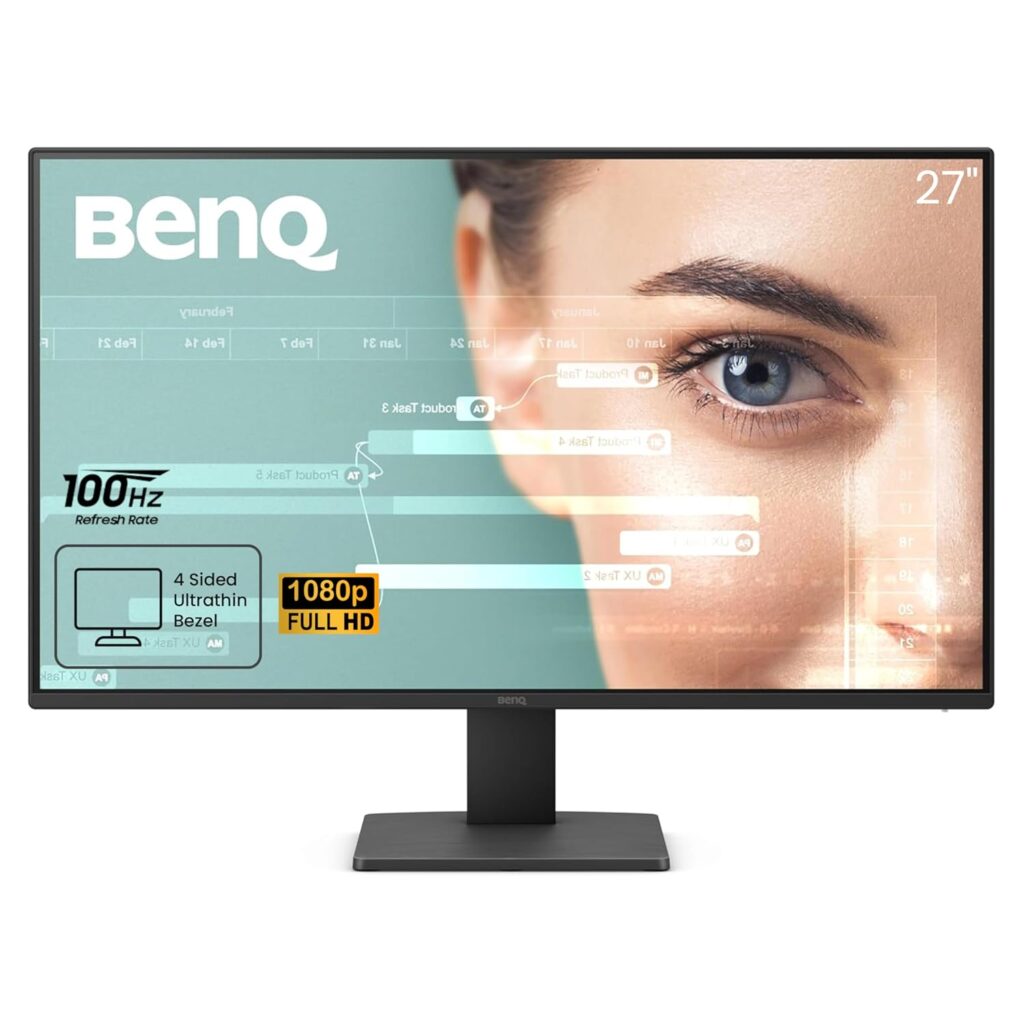
The BenQ GW2791 is a premium 27-inch monitor built specifically for office productivity, coding, and remote studying. Equipped with BenQ’s industry-leading eye-care technology and dynamic Brightness Intelligence, it automatically scales screen brightness to match ambient room light, saving users from headaches and fatigue. Its smooth 100Hz refresh rate and bright IPS display make it an outstanding all-day workhorse.
⭐ Key Features
| Feature | Details |
|---|---|
| Panel Technology | IPS panel with 178-degree wide viewing angles and 99% sRGB color gamut |
| Refresh Rate | 100Hz refresh rate for fluid document scrolling and clean animation transitions |
| Eye-Care Suite | TUV Rheinland certified Flicker-Free, Low Blue Light Plus, and Brightness Intelligence |
👍 Pros & 👎 Cons
| Pros | Cons |
|---|---|
| Dynamic brightness auto-sensor protects eyes from strain | FHD (1080p) is only moderately sharp at 27 inches |
| 100Hz refresh rate is highly fluid for scrolling | No built-in speakers for direct audio playback |
| Elegant three-sided bezel-less design looks premium | Stand is basic and only supports tilt adjustment |
📊 Specifications
| Category | Home & Office Monitor |
|---|---|
| Screen Size / Size | 27-inch (68.6 cm) |
| Resolution / Performance | 1920 x 1080 Full HD (1080p) |
| Processor | IPS Panel |
| Display Type | Flat widescreen |
| Connectivity | HDMI 1.4, DisplayPort 1.2, Headphone jack |
| Audio Output | Headphone jack (speakers not included) |
| Special Features | Brightness Intelligence, Color Weakness Mode, ePaper Mode |
📝 Final Verdict
Our Verdict: The BenQ GW2791 is an exceptional workspace monitor designed for office professionals and students. While the resolution is standard 1080p, its premium eye care suite and fluid 100Hz refresh rate make it the absolute best choice for long-session reading and writing making it Best Monitor in India.
2) LG UltraGear 27GS60QC 27″ Curved QHD Gaming Monitor
The LG UltraGear 27GS60QC is a high-performance curved gaming monitor engineered to deliver incredible game immersion and responsiveness. Featuring a crisp 2K QHD resolution and a tightly curved 1000R panel, it naturally matches your field of view to wrap you inside the action. Its blistering 180Hz refresh rate and 1ms response time ensure smooth, lag-free gameplay.
⭐ Key Features
| Feature | Details |
|---|---|
| Curved Screen | 1000R curvature provides optimal comfort and gaming immersion |
| Gaming Speed | 180Hz refresh rate combined with a rapid 1ms (GtG) response time |
| Adaptive Sync | AMD FreeSync Premium and G-Sync compatibility to prevent screen tearing |
👍 Pros & 👎 Cons
| Pros | Cons |
|---|---|
| 2K resolution provides spectacular clarity and sharp text | VA panel viewing angles are narrower than IPS displays |
| 1000R curve wraps around your eyes beautifully | Does not feature built-in speakers |
| High contrast ratio ensures deep black levels for dark scenes | Stand adjustments are limited to basic tilt |
📊 Specifications
| Category | Curved Gaming Monitor |
|---|---|
| Screen Size / Size | 27-inch (68.5 cm) |
| Resolution / Performance | 2560 x 1440 QHD (1440p) |
| Processor | VA Curved Panel |
| Display Type | Curved (1000R) |
| Connectivity | 2x HDMI 2.0, 1x DisplayPort 1.4, Headphone out |
| Audio Output | Headphone jack |
| Special Features | 180Hz, 1ms GtG, HDR10, FreeSync Premium, Black Stabilizer |
📝 Final Verdict
Our Verdict: The LG UltraGear 27GS60QC is a stellar mid-range gaming monitor for enthusiasts who appreciate deep contrast and immersive curved visuals. It delivers butter-smooth QHD performance and incredible speed, offering exceptional gaming value.
3) Samsung Odyssey G3 24″ Gaming Monitor
The Samsung Odyssey G3 is a budget-friendly gaming monitor built to provide high-speed performance for competitive gaming. Featuring a 144Hz refresh rate and FreeSync Premium, it keeps up with high-framerate action effortlessly. Its standout feature is a fully ergonomic stand, offering comprehensive height, swivel, tilt, and pivot adjustments.
⭐ Key Features
| Feature | Details |
|---|---|
| Ergonomic Stand | Fully adjustable height, pivot, swivel, and tilt stand for optimal ergonomics |
| Fast Gaming | 144Hz refresh rate and a rapid 1ms response time (MPRT) |
| Tear-Free Engine | AMD FreeSync Premium synchronization reduces screen lag and stutter |
👍 Pros & 👎 Cons
| Pros | Cons |
|---|---|
| Stand allows 90-degree pivot rotation (great for secondary screens) | Colors are not as vibrant as IPS counterparts |
| 144Hz refresh rate is highly responsive for fast shooters | No built-in speakers or USB hubs |
| High 3000:1 contrast ratio produces rich dark details | VA panel suffers from minor dark-smearing in fast motion |
📊 Specifications
| Category | Entry-Level Gaming Monitor |
|---|---|
| Screen Size / Size | 24-inch (60.4 cm) |
| Resolution / Performance | 1920 x 1080 Full HD (1080p) |
| Processor | VA Panel |
| Display Type | Flat widescreen |
| Connectivity | 1x HDMI 1.4, 1x DisplayPort 1.2 |
| Audio Output | Headphone jack |
| Special Features | Height Adjust, Swivel, Pivot (90° Rotation), FreeSync Premium |
📝 Final Verdict
Our Verdict: The Samsung Odyssey G3 is an impressive budget display for competitive gamers and coders. The fully adjustable stand is a game-changer at this price tier, making it a highly functional secondary screen or entry-level gaming monitor.
4) Dell S2721HNM 27″ IPS Full HD Monitor
The Dell S2721HNM is a stylish and reliable IPS monitor designed to elevate everyday computer setups. Backed by Dell’s legendary build quality, it features a textured back pattern and clean thin bezels. The vibrant IPS panel renders rich, accurate colors, making it highly effective for homework, browsing, and office applications.
⭐ Key Features
| Feature | Details |
|---|---|
| Panel Quality | IPS panel with 99% sRGB color gamut and 178-degree wide viewing angles |
| Dual Inputs | Dual HDMI 1.4 ports to easily switch between PC and gaming consoles |
| Design Build | Modern textured back cover design with thin profile and sleek stand |
👍 Pros & 👎 Cons
| Pros | Cons |
|---|---|
| Brilliant IPS color accuracy and wide off-axis viewing | No DisplayPort input provided |
| Two HDMI ports prevent constant cable swapping | Stand only supports basic tilting |
| Excellent build quality with reliable brand support in India | 1080p resolution has a slightly lower pixel density on 27″ screens |
📊 Specifications
| Category | Home & Office Monitor |
|---|---|
| Screen Size / Size | 27-inch (68.6 cm) |
| Resolution / Performance | 1920 x 1080 Full HD (1080p) |
| Processor | IPS Panel |
| Display Type | Flat widescreen |
| Connectivity | 2x HDMI 1.4, Audio Line-out |
| Audio Output | Audio line-out jack (no built-in speakers) |
| Special Features | AMD FreeSync (75Hz), ComfortView technology, Dual HDMI |
📝 Final Verdict
Our Verdict: The Dell S2721HNM is a highly durable and stylish work monitor. If color accuracy, reliable everyday performance, and excellent customer service support are your priorities, this is an excellent choice.
5) Samsung M5 32″ FHD Smart Monitor
The Samsung M5 is a hybrid smart monitor that doubles as an independent entertainment hub. Operating on Tizen OS with built-in Wi-Fi, it allows you to stream your favorite shows on Netflix, Prime Video, and YouTube without turning on a computer. It also supports cloud applications like Microsoft 365, enabling you to work PC-free.
⭐ Key Features
| Feature | Details |
|---|---|
| Smart System | Built-in Tizen Smart OS with app store, remote, and voice assistants |
| Wireless Connection | Built-in Wi-Fi 5, Bluetooth, Apple AirPlay 2, and mobile mirroring |
| Work Workspace | Allows document editing and web browsing directly without a PC connected |
👍 Pros & 👎 Cons
| Pros | Cons |
|---|---|
| Works as a standalone Smart TV with built-in speakers and remote | FHD (1080p) resolution looks soft on a large 32-inch screen |
| Integrates Apple AirPlay and screen mirroring effortlessly | Only 60Hz refresh rate (not suitable for fast action gaming) |
| Allows PC-free productivity using cloud office apps | Stand is basic and lacks height adjustability |
📊 Specifications
| Category | Smart Hybrid Monitor |
|---|---|
| Screen Size / Size | 32-inch (80 cm) |
| Resolution / Performance | 1920 x 1080 Full HD (1080p) |
| Processor | VA Panel |
| Display Type | Flat widescreen |
| Connectivity | 2x HDMI 2.0, 2x USB-A, Wi-Fi, Bluetooth |
| Audio Output | Built-in 2-channel stereo speakers |
| Special Features | Tizen Smart Hub, Voice Remote, Apple AirPlay 2, Work Hub |
📝 Final Verdict
Our Verdict: The Samsung M5 is perfect for students, small bedrooms, or hybrid workspaces. If you want a single display that acts as an entertainment TV and a study monitor without needing a computer running all the time, this offers stellar utility.
6) Acer Nitro VG270 S3 27″ Gaming Monitor
The Acer Nitro VG270 S3 is a budget-focused gaming monitor designed to deliver premium performance. Pushing the limits of value, it packs an ultra-fast 180Hz refresh rate and a response time of up to 0.5ms on a vibrant 27-inch IPS panel. Combined with AMD FreeSync Premium, it ensures fast-paced games run exceptionally smooth.
⭐ Key Features
| Feature | Details |
|---|---|
| High Speed | 180Hz refresh rate with up to 0.5ms (GtG min) response time |
| IPS Panel | True IPS colors with 99% sRGB color gamut and HDR10 support |
| Sync Support | AMD FreeSync Premium for stutter-free, fluid gameplay frames |
👍 Pros & 👎 Cons
| Pros | Cons |
|---|---|
| Incredibly fast 180Hz refresh rate at a budget price | Built-in speakers (2W x 2) are quiet and lack bass |
| Vibrant IPS panel provides superb color reproduction | Cabinet build is mostly plastic (though stable) |
| DisplayPort and HDMI cables are included in the box | Stand only supports basic tilting adjustability |
📊 Specifications
| Category | Budget Gaming Monitor |
|---|---|
| Screen Size / Size | 27-inch (68.6 cm) |
| Resolution / Performance | 1920 x 1080 Full HD (1080p) |
| Processor | IPS Panel |
| Display Type | Flat widescreen |
| Connectivity | 2x HDMI 2.0, 1x DisplayPort 1.2, Headphone out |
| Audio Output | 2x 2W built-in speakers & headphone jack |
| Special Features | 180Hz, HDR10, AMD FreeSync Premium, 0.5ms Response Time |
📝 Final Verdict
Our Verdict: The Acer Nitro VG270 S3 is a budget gaming titan. If you play fast-paced multiplayer games and want the benefit of a high refresh rate IPS panel without spending a fortune, this is the best value display you can buy.
7) BenQ PD2705Q 27″ QHD Professional Monitor
The BenQ PD2705Q is a professional-grade monitor designed specifically for creative experts, video editors, and graphic designers. It comes factory color-calibrated to deliver absolute color accuracy out of the box. Its high-utility USB-C connection allows you to display QHD video, transfer high-speed data, and charge your laptop (65W) using a single cable.
⭐ Key Features
| Feature | Details |
|---|---|
| Color Accuracy | 100% sRGB and Rec.709 coverage; Delta E ≤ 3 (Pantone & Calman Validated) |
| USB-C Docking | Single USB-C connection with 65W power delivery to charge your laptop |
| KVM Switch | Allows you to control two computer systems with one mouse and keyboard |
👍 Pros & 👎 Cons
| Pros | Cons |
|---|---|
| Flawless out-of-the-box color accuracy (factory calibrated) | Refresh rate is limited to standard 60Hz |
| USB-C docking is exceptionally clean for MacBook and laptop users | Premium price tag due to color certification standards |
| Ergonomic stand supports full height, swivel, tilt, and pivot adjustments | Contrast is standard for IPS (1000:1), not suitable for pitch-dark rooms |
📊 Specifications
| Category | Professional Designer Monitor |
|---|---|
| Screen Size / Size | 27-inch (68.6 cm) |
| Resolution / Performance | 2560 x 1440 QHD (2K) |
| Processor | IPS Panel (Factory Calibrated) |
| Display Type | Flat widescreen |
| Connectivity | 1x USB-C (65W charging), 1x DisplayPort 1.4, 1x HDMI 2.0, USB Hub |
| Audio Output | 2x 2W built-in speakers & headphone jack |
| Special Features | Calman & Pantone Certified, CAD/CAM Mode, KVM Switch, Ergonomic Stand |
📝 Final Verdict
Our Verdict: The BenQ PD2705Q is an outstanding tool for professional designers, photographers, and editors. While not intended for gaming, its factory calibration, ergonomic flexibility, and MacBook-charging USB-C port make it a superb professional investment.
8) Gigabyte G27F 2 27″ Gaming Monitor
The Gigabyte G27F 2 is a highly capable all-rounder display that bridges the gap between high-speed gaming and creative productivity. Featuring a high-quality 27-inch IPS panel, it offers a 170Hz overclocked refresh rate. Thanks to its rich 95% DCI-P3 wide color gamut, it provides highly saturated, beautiful visuals for media and games.
⭐ Key Features
| Feature | Details |
|---|---|
| High Speed | 165Hz native (overclocks up to 170Hz) with 1ms response time (MPRT) |
| Vivid Palette | 95% DCI-P3 / 130% sRGB color gamut for deep, punchy colors |
| Built-in Hub | Integrated USB ports allow you to connect keyboard, mouse, and USB drives |
👍 Pros & 👎 Cons
| Pros | Cons |
|---|---|
| Spectacularly rich and saturated IPS color performance | External power supply adapter brick is relatively large |
| Useful integrated USB hub makes cable routing easy | No built-in speakers included |
| Height and tilt adjustable metal stand | FHD (1080p) is only standard sharpness at 27 inches |
📊 Specifications
| Category | Mid-Range Gaming & Work Monitor |
|---|---|
| Screen Size / Size | 27-inch (68.6 cm) |
| Resolution / Performance | 1920 x 1080 Full HD (1080p) |
| Processor | IPS Panel |
| Display Type | Flat widescreen |
| Connectivity | 2x HDMI 2.0, 1x DisplayPort 1.2, 2x USB 3.2 Gen 1 (downstream) |
| Audio Output | Headphone jack |
| Special Features | 170Hz OC, HDR Ready, Height Adjustable Stand, OSD Sidekick software |
📝 Final Verdict
Our Verdict: The Gigabyte G27F 2 is a brilliant general-purpose screen. It successfully combines wide-color gamut IPS display quality with fast gaming response times, making it a stellar crossover monitor for media creators and gamers.
9) ASUS ROG Swift OLED PG27UCDM 27″ QD-OLED
The ASUS ROG Swift OLED PG27UCDM is a top-tier premium gaming monitor. Featuring a state-of-the-art QD-OLED panel, it achieves an infinite contrast ratio, displaying absolute, pure blacks alongside vibrant highlights. With a blistering 240Hz refresh rate and a near-instantaneous 0.03ms response time, it completely eliminates motion blur.
⭐ Key Features
| Feature | Details |
|---|---|
| OLED Technology | QD-OLED panel with infinite contrast, true 10-bit color, and absolute blacks |
| Elite Speed | 240Hz refresh rate and a near-instant 0.03ms (GtG) response time |
| Thermal Safeguard | Custom passive heatsink and OLED Care features prevent screen burn-in |
👍 Pros & 👎 Cons
| Pros | Cons |
|---|---|
| Breathtaking visual quality with unmatched colors and deep blacks | Extremely expensive premium purchase |
| 0.03ms response time completely removes ghosting | OLED panels require general care to avoid static burn-in |
| USB-C supports high-power 90W Power Delivery charging | Text clarity is slightly soft due to the OLED subpixel layout |
📊 Specifications
| Category | Premium Gaming Monitor |
|---|---|
| Screen Size / Size | 26.5-inch (67.3 cm) |
| Resolution / Performance | 2560 x 1440 QHD (1440p) |
| Processor | QD-OLED Panel |
| Display Type | Flat widescreen |
| Connectivity | 1x USB-C (90W PD), 1x DisplayPort 1.4, 2x HDMI 2.1, 3x USB 3.2 |
| Audio Output | SPDIF (optical audio) & headphone jack |
| Special Features | 240Hz, 0.03ms, KVM Switch, ROG projecting base, custom heatsink |
📝 Final Verdict
Our Verdict: The ASUS ROG Swift OLED PG27UCDM is a premium engineering masterpiece. If budget is no constraint and you want the absolute ultimate gaming monitor in India with true blacks and fluid response speeds, this is the definitive option.
10) Acer EK220Q 21.5″ Full HD Monitor
The Acer EK220Q is a compact and functional budget monitor designed for general daily tasks. Extremely cost-effective, it is highly suitable for home study desks, billing counters, and basic office work. Despite its low price, it features a sharp Full HD resolution and a smooth 100Hz refresh rate, ensuring that scrolling through documents feels clear and fluid.
⭐ Key Features
| Feature | Details |
|---|---|
| High Value | Superb entry-level price point, perfect for basic home and shop setups |
| Fluid Speed | 100Hz refresh rate ensures smooth scrolling and interface usage |
| Eye Shield | Integrated Acer BlueLightShield and Flickerless technology |
👍 Pros & 👎 Cons
| Pros | Cons |
|---|---|
| Ergonomic and highly cost-effective | No DisplayPort input (HDMI and VGA only) |
| 100Hz refresh rate is excellent for the price tier | Stand only supports basic tilting |
| Compact design occupies very little desktop area | Slight color shifting when viewed from the side |
📊 Specifications
| Category | Entry-Level / Student Monitor |
|---|---|
| Screen Size / Size | 21.5-inch (54.6 cm) |
| Resolution / Performance | 1920 x 1080 Full HD (1080p) |
| Processor | VA Panel |
| Display Type | Flat widescreen |
| Connectivity | 1x HDMI 1.4, 1x VGA (D-Sub) |
| Audio Output | None |
| Special Features | Ultra-thin frame, 100Hz refresh, Flickerless, BlueLightShield |
📝 Final Verdict
Our Verdict: The Acer EK220Q is a simple and reliable budget choice. If you want a compact screen for basic study, office work, or shop management, it is the Best Budget Monitor in India under ₹7,000.
❓ FAQs – Answering What Everyone Asks
IPS vs. VA: Which panel is better for daily work?
For general office work, coding, and multitasking, an IPS panel is superior because it offers wider viewing angles and cleaner text clarity without color distortion. However, if you work in a dark room and watch a lot of movies, a VA panel‘s deep contrast ratio is excellent.
Is a 27-inch 1080p monitor good?
While a 27-inch 1080p monitor is fine for gaming and media, text can appear slightly soft or pixelated if you sit very close to the screen (within 2 feet). For a 27-inch monitor, 1440p (QHD) is the ideal sweet-spot resolution.
Do I need DisplayPort, or is HDMI enough?
For basic office setups at 60Hz-75Hz, HDMI is more than enough. However, if you are using a high refresh rate gaming monitor (144Hz+) or a high-resolution display, using a DisplayPort (DP) cable is highly recommended to support higher bandwidths, G-Sync, and HDR.
Does a high refresh rate monitor help with eye strain?
Yes! Higher refresh rates (100Hz+) reduce the perceived motion flicker and make scrolling, mouse movement, and page animations incredibly fluid, which significantly reduces tracking fatigue on your eyes.
🏁 Conclusion – Make a Smart Choice
Choosing the best monitor boils down to your primary use case:
- For office work, coding, and general study, the BenQ GW2791 is the absolute best for eye comfort.
- For budget gaming, go with the high-speed Acer Nitro VG270 S3 or the curved LG UltraGear 27GS60QC.
- If you are a professional designer or video editor, the color-accurate BenQ PD2705Q is essential.
- If you want the pinnacle of visual fidelity, save up for the absolute marvel that is the ASUS ROG Swift OLED PG27UCDM.
| Product Name | Screen Size | Panel Type | Resolution | Refresh Rate | Best For |
|---|---|---|---|---|---|
| BenQ GW2791 | 27″ | IPS | FHD (1080p) | 100Hz | Office, Coding & Eye-Care |
| LG UltraGear 27GS60QC | 27″ | VA (Curved) | QHD (1440p) | 180Hz | Mid-Range Gaming & Movies |
| Samsung Odyssey G3 | 24″ | VA | FHD (1080p) | 144Hz | Budget Gaming & Esports |
| Dell S2721HNM | 27″ | IPS | FHD (1080p) | 75Hz | General Productivity & Work |
| Samsung M5 Smart Monitor | 32″ | VA | FHD (1080p) | 60Hz | Hybrid Smart TV & Entertainment |
| Acer Nitro VG270 S3 | 27″ | IPS | FHD (1080p) | 180Hz | Fast Budget Gaming |
| BenQ PD2705Q | 27″ | IPS | QHD (1440p) | 60Hz | Professional Designing & Editing |
| Gigabyte G27F 2 | 27″ | IPS | FHD (1080p) | 170Hz | Gaming & Content Creation |
| ASUS ROG Swift OLED PG27UCDM | 27″ | QD-OLED | QHD (1440p) | 240Hz | Premium Gaming & Pure Blacks |
| Acer EK220Q | 21.5″ | VA | FHD (1080p) | 100Hz | Ultra-Budget / Work & Study |
🛒 Monitor Buying Guide (Must Read Before Buying)
Before jumping into the reviews, let’s quickly break down the core technology concepts you must know so you don’t end up buying the wrong screen.
Panel Types: IPS vs. VA vs. OLED
- IPS (In-Plane Switching): Best for 90% of users. Offers wide viewing angles, superb color reproduction, and fast response times. It is ideal for office work, editing, and casual gaming.
- VA (Vertical Alignment): Offers deep blacks and excellent contrast ratios (usually 3000:1 compared to 1000:1 on IPS). Highly recommended for watching movies in dark rooms and budget curved gaming setups.
- OLED / QD-OLED: The gold standard in 2026. Every pixel emits its own light, resulting in infinite contrast, absolute blacks, and near-zero response times. Perfect for HDR media and high-end gaming.
Resolution vs. Screen Size
- 22-inch to 24-inch: Full HD (1080p) is perfect. The text remains sharp, and it is highly budget-friendly.
- 27-inch: QHD (1440p / 2K) is the sweet spot. 1080p at 27 inches can look slightly pixelated if you sit close.
- 32-inch and above: UHD (4K) is highly recommended. It offers massive screen real estate for multitasking.
BEST TV MONITOR IN INDIA (TOP 10 PICKS)
1) BenQ GW2791 27″ FHD Monitor
The BenQ GW2791 is a premium 27-inch monitor built specifically for office productivity, coding, and remote studying. Equipped with BenQ’s industry-leading eye-care technology and dynamic Brightness Intelligence, it automatically scales screen brightness to match ambient room light, saving users from headaches and fatigue. Its smooth 100Hz refresh rate and bright IPS display make it an outstanding all-day workhorse.
⭐ Key Features
| Feature | Details |
|---|---|
| Panel Technology | IPS panel with 178-degree wide viewing angles and 99% sRGB color gamut |
| Refresh Rate | 100Hz refresh rate for fluid document scrolling and clean animation transitions |
| Eye-Care Suite | TUV Rheinland certified Flicker-Free, Low Blue Light Plus, and Brightness Intelligence |
👍 Pros & 👎 Cons
| Pros | Cons |
|---|---|
| Dynamic brightness auto-sensor protects eyes from strain | FHD (1080p) is only moderately sharp at 27 inches |
| 100Hz refresh rate is highly fluid for scrolling | No built-in speakers for direct audio playback |
| Elegant three-sided bezel-less design looks premium | Stand is basic and only supports tilt adjustment |
📊 Specifications
| Category | Home & Office Monitor |
|---|---|
| Screen Size / Size | 27-inch (68.6 cm) |
| Resolution / Performance | 1920 x 1080 Full HD (1080p) |
| Processor | IPS Panel |
| Display Type | Flat widescreen |
| Connectivity | HDMI 1.4, DisplayPort 1.2, Headphone jack |
| Audio Output | Headphone jack (speakers not included) |
| Special Features | Brightness Intelligence, Color Weakness Mode, ePaper Mode |
📝 Final Verdict
Our Verdict: The BenQ GW2791 is an exceptional workspace monitor designed for office professionals and students. While the resolution is standard 1080p, its premium eye care suite and fluid 100Hz refresh rate make it the absolute best choice for long-session reading and writing making it Best Monitor in India.
2) LG UltraGear 27GS60QC 27″ Curved QHD Gaming Monitor
The LG UltraGear 27GS60QC is a high-performance curved gaming monitor engineered to deliver incredible game immersion and responsiveness. Featuring a crisp 2K QHD resolution and a tightly curved 1000R panel, it naturally matches your field of view to wrap you inside the action. Its blistering 180Hz refresh rate and 1ms response time ensure smooth, lag-free gameplay.
⭐ Key Features
| Feature | Details |
|---|---|
| Curved Screen | 1000R curvature provides optimal comfort and gaming immersion |
| Gaming Speed | 180Hz refresh rate combined with a rapid 1ms (GtG) response time |
| Adaptive Sync | AMD FreeSync Premium and G-Sync compatibility to prevent screen tearing |
👍 Pros & 👎 Cons
| Pros | Cons |
|---|---|
| 2K resolution provides spectacular clarity and sharp text | VA panel viewing angles are narrower than IPS displays |
| 1000R curve wraps around your eyes beautifully | Does not feature built-in speakers |
| High contrast ratio ensures deep black levels for dark scenes | Stand adjustments are limited to basic tilt |
📊 Specifications
| Category | Curved Gaming Monitor |
|---|---|
| Screen Size / Size | 27-inch (68.5 cm) |
| Resolution / Performance | 2560 x 1440 QHD (1440p) |
| Processor | VA Curved Panel |
| Display Type | Curved (1000R) |
| Connectivity | 2x HDMI 2.0, 1x DisplayPort 1.4, Headphone out |
| Audio Output | Headphone jack |
| Special Features | 180Hz, 1ms GtG, HDR10, FreeSync Premium, Black Stabilizer |
📝 Final Verdict
Our Verdict: The LG UltraGear 27GS60QC is a stellar mid-range gaming monitor for enthusiasts who appreciate deep contrast and immersive curved visuals. It delivers butter-smooth QHD performance and incredible speed, offering exceptional gaming value.
3) Samsung Odyssey G3 24″ Gaming Monitor
The Samsung Odyssey G3 is a budget-friendly gaming monitor built to provide high-speed performance for competitive gaming. Featuring a 144Hz refresh rate and FreeSync Premium, it keeps up with high-framerate action effortlessly. Its standout feature is a fully ergonomic stand, offering comprehensive height, swivel, tilt, and pivot adjustments.
⭐ Key Features
| Feature | Details |
|---|---|
| Ergonomic Stand | Fully adjustable height, pivot, swivel, and tilt stand for optimal ergonomics |
| Fast Gaming | 144Hz refresh rate and a rapid 1ms response time (MPRT) |
| Tear-Free Engine | AMD FreeSync Premium synchronization reduces screen lag and stutter |
👍 Pros & 👎 Cons
| Pros | Cons |
|---|---|
| Stand allows 90-degree pivot rotation (great for secondary screens) | Colors are not as vibrant as IPS counterparts |
| 144Hz refresh rate is highly responsive for fast shooters | No built-in speakers or USB hubs |
| High 3000:1 contrast ratio produces rich dark details | VA panel suffers from minor dark-smearing in fast motion |
📊 Specifications
| Category | Entry-Level Gaming Monitor |
|---|---|
| Screen Size / Size | 24-inch (60.4 cm) |
| Resolution / Performance | 1920 x 1080 Full HD (1080p) |
| Processor | VA Panel |
| Display Type | Flat widescreen |
| Connectivity | 1x HDMI 1.4, 1x DisplayPort 1.2 |
| Audio Output | Headphone jack |
| Special Features | Height Adjust, Swivel, Pivot (90° Rotation), FreeSync Premium |
📝 Final Verdict
Our Verdict: The Samsung Odyssey G3 is an impressive budget display for competitive gamers and coders. The fully adjustable stand is a game-changer at this price tier, making it a highly functional secondary screen or entry-level gaming monitor.
4) Dell S2721HNM 27″ IPS Full HD Monitor
The Dell S2721HNM is a stylish and reliable IPS monitor designed to elevate everyday computer setups. Backed by Dell’s legendary build quality, it features a textured back pattern and clean thin bezels. The vibrant IPS panel renders rich, accurate colors, making it highly effective for homework, browsing, and office applications.
⭐ Key Features
| Feature | Details |
|---|---|
| Panel Quality | IPS panel with 99% sRGB color gamut and 178-degree wide viewing angles |
| Dual Inputs | Dual HDMI 1.4 ports to easily switch between PC and gaming consoles |
| Design Build | Modern textured back cover design with thin profile and sleek stand |
👍 Pros & 👎 Cons
| Pros | Cons |
|---|---|
| Brilliant IPS color accuracy and wide off-axis viewing | No DisplayPort input provided |
| Two HDMI ports prevent constant cable swapping | Stand only supports basic tilting |
| Excellent build quality with reliable brand support in India | 1080p resolution has a slightly lower pixel density on 27″ screens |
📊 Specifications
| Category | Home & Office Monitor |
|---|---|
| Screen Size / Size | 27-inch (68.6 cm) |
| Resolution / Performance | 1920 x 1080 Full HD (1080p) |
| Processor | IPS Panel |
| Display Type | Flat widescreen |
| Connectivity | 2x HDMI 1.4, Audio Line-out |
| Audio Output | Audio line-out jack (no built-in speakers) |
| Special Features | AMD FreeSync (75Hz), ComfortView technology, Dual HDMI |
📝 Final Verdict
Our Verdict: The Dell S2721HNM is a highly durable and stylish work monitor. If color accuracy, reliable everyday performance, and excellent customer service support are your priorities, this is an excellent choice.
5) Samsung M5 32″ FHD Smart Monitor
The Samsung M5 is a hybrid smart monitor that doubles as an independent entertainment hub. Operating on Tizen OS with built-in Wi-Fi, it allows you to stream your favorite shows on Netflix, Prime Video, and YouTube without turning on a computer. It also supports cloud applications like Microsoft 365, enabling you to work PC-free.
⭐ Key Features
| Feature | Details |
|---|---|
| Smart System | Built-in Tizen Smart OS with app store, remote, and voice assistants |
| Wireless Connection | Built-in Wi-Fi 5, Bluetooth, Apple AirPlay 2, and mobile mirroring |
| Work Workspace | Allows document editing and web browsing directly without a PC connected |
👍 Pros & 👎 Cons
| Pros | Cons |
|---|---|
| Works as a standalone Smart TV with built-in speakers and remote | FHD (1080p) resolution looks soft on a large 32-inch screen |
| Integrates Apple AirPlay and screen mirroring effortlessly | Only 60Hz refresh rate (not suitable for fast action gaming) |
| Allows PC-free productivity using cloud office apps | Stand is basic and lacks height adjustability |
📊 Specifications
| Category | Smart Hybrid Monitor |
|---|---|
| Screen Size / Size | 32-inch (80 cm) |
| Resolution / Performance | 1920 x 1080 Full HD (1080p) |
| Processor | VA Panel |
| Display Type | Flat widescreen |
| Connectivity | 2x HDMI 2.0, 2x USB-A, Wi-Fi, Bluetooth |
| Audio Output | Built-in 2-channel stereo speakers |
| Special Features | Tizen Smart Hub, Voice Remote, Apple AirPlay 2, Work Hub |
📝 Final Verdict
Our Verdict: The Samsung M5 is perfect for students, small bedrooms, or hybrid workspaces. If you want a single display that acts as an entertainment TV and a study monitor without needing a computer running all the time, this offers stellar utility.
6) Acer Nitro VG270 S3 27″ Gaming Monitor
The Acer Nitro VG270 S3 is a budget-focused gaming monitor designed to deliver premium performance. Pushing the limits of value, it packs an ultra-fast 180Hz refresh rate and a response time of up to 0.5ms on a vibrant 27-inch IPS panel. Combined with AMD FreeSync Premium, it ensures fast-paced games run exceptionally smooth.
⭐ Key Features
| Feature | Details |
|---|---|
| High Speed | 180Hz refresh rate with up to 0.5ms (GtG min) response time |
| IPS Panel | True IPS colors with 99% sRGB color gamut and HDR10 support |
| Sync Support | AMD FreeSync Premium for stutter-free, fluid gameplay frames |
👍 Pros & 👎 Cons
| Pros | Cons |
|---|---|
| Incredibly fast 180Hz refresh rate at a budget price | Built-in speakers (2W x 2) are quiet and lack bass |
| Vibrant IPS panel provides superb color reproduction | Cabinet build is mostly plastic (though stable) |
| DisplayPort and HDMI cables are included in the box | Stand only supports basic tilting adjustability |
📊 Specifications
| Category | Budget Gaming Monitor |
|---|---|
| Screen Size / Size | 27-inch (68.6 cm) |
| Resolution / Performance | 1920 x 1080 Full HD (1080p) |
| Processor | IPS Panel |
| Display Type | Flat widescreen |
| Connectivity | 2x HDMI 2.0, 1x DisplayPort 1.2, Headphone out |
| Audio Output | 2x 2W built-in speakers & headphone jack |
| Special Features | 180Hz, HDR10, AMD FreeSync Premium, 0.5ms Response Time |
📝 Final Verdict
Our Verdict: The Acer Nitro VG270 S3 is a budget gaming titan. If you play fast-paced multiplayer games and want the benefit of a high refresh rate IPS panel without spending a fortune, this is the best value display you can buy.
7) BenQ PD2705Q 27″ QHD Professional Monitor
The BenQ PD2705Q is a professional-grade monitor designed specifically for creative experts, video editors, and graphic designers. It comes factory color-calibrated to deliver absolute color accuracy out of the box. Its high-utility USB-C connection allows you to display QHD video, transfer high-speed data, and charge your laptop (65W) using a single cable.
⭐ Key Features
| Feature | Details |
|---|---|
| Color Accuracy | 100% sRGB and Rec.709 coverage; Delta E ≤ 3 (Pantone & Calman Validated) |
| USB-C Docking | Single USB-C connection with 65W power delivery to charge your laptop |
| KVM Switch | Allows you to control two computer systems with one mouse and keyboard |
👍 Pros & 👎 Cons
| Pros | Cons |
|---|---|
| Flawless out-of-the-box color accuracy (factory calibrated) | Refresh rate is limited to standard 60Hz |
| USB-C docking is exceptionally clean for MacBook and laptop users | Premium price tag due to color certification standards |
| Ergonomic stand supports full height, swivel, tilt, and pivot adjustments | Contrast is standard for IPS (1000:1), not suitable for pitch-dark rooms |
📊 Specifications
| Category | Professional Designer Monitor |
|---|---|
| Screen Size / Size | 27-inch (68.6 cm) |
| Resolution / Performance | 2560 x 1440 QHD (2K) |
| Processor | IPS Panel (Factory Calibrated) |
| Display Type | Flat widescreen |
| Connectivity | 1x USB-C (65W charging), 1x DisplayPort 1.4, 1x HDMI 2.0, USB Hub |
| Audio Output | 2x 2W built-in speakers & headphone jack |
| Special Features | Calman & Pantone Certified, CAD/CAM Mode, KVM Switch, Ergonomic Stand |
📝 Final Verdict
Our Verdict: The BenQ PD2705Q is an outstanding tool for professional designers, photographers, and editors. While not intended for gaming, its factory calibration, ergonomic flexibility, and MacBook-charging USB-C port make it a superb professional investment.
8) Gigabyte G27F 2 27″ Gaming Monitor
The Gigabyte G27F 2 is a highly capable all-rounder display that bridges the gap between high-speed gaming and creative productivity. Featuring a high-quality 27-inch IPS panel, it offers a 170Hz overclocked refresh rate. Thanks to its rich 95% DCI-P3 wide color gamut, it provides highly saturated, beautiful visuals for media and games.
⭐ Key Features
| Feature | Details |
|---|---|
| High Speed | 165Hz native (overclocks up to 170Hz) with 1ms response time (MPRT) |
| Vivid Palette | 95% DCI-P3 / 130% sRGB color gamut for deep, punchy colors |
| Built-in Hub | Integrated USB ports allow you to connect keyboard, mouse, and USB drives |
👍 Pros & 👎 Cons
| Pros | Cons |
|---|---|
| Spectacularly rich and saturated IPS color performance | External power supply adapter brick is relatively large |
| Useful integrated USB hub makes cable routing easy | No built-in speakers included |
| Height and tilt adjustable metal stand | FHD (1080p) is only standard sharpness at 27 inches |
📊 Specifications
| Category | Mid-Range Gaming & Work Monitor |
|---|---|
| Screen Size / Size | 27-inch (68.6 cm) |
| Resolution / Performance | 1920 x 1080 Full HD (1080p) |
| Processor | IPS Panel |
| Display Type | Flat widescreen |
| Connectivity | 2x HDMI 2.0, 1x DisplayPort 1.2, 2x USB 3.2 Gen 1 (downstream) |
| Audio Output | Headphone jack |
| Special Features | 170Hz OC, HDR Ready, Height Adjustable Stand, OSD Sidekick software |
📝 Final Verdict
Our Verdict: The Gigabyte G27F 2 is a brilliant general-purpose screen. It successfully combines wide-color gamut IPS display quality with fast gaming response times, making it a stellar crossover monitor for media creators and gamers.
9) ASUS ROG Swift OLED PG27UCDM 27″ QD-OLED
The ASUS ROG Swift OLED PG27UCDM is a top-tier premium gaming monitor. Featuring a state-of-the-art QD-OLED panel, it achieves an infinite contrast ratio, displaying absolute, pure blacks alongside vibrant highlights. With a blistering 240Hz refresh rate and a near-instantaneous 0.03ms response time, it completely eliminates motion blur.
⭐ Key Features
| Feature | Details |
|---|---|
| OLED Technology | QD-OLED panel with infinite contrast, true 10-bit color, and absolute blacks |
| Elite Speed | 240Hz refresh rate and a near-instant 0.03ms (GtG) response time |
| Thermal Safeguard | Custom passive heatsink and OLED Care features prevent screen burn-in |
👍 Pros & 👎 Cons
| Pros | Cons |
|---|---|
| Breathtaking visual quality with unmatched colors and deep blacks | Extremely expensive premium purchase |
| 0.03ms response time completely removes ghosting | OLED panels require general care to avoid static burn-in |
| USB-C supports high-power 90W Power Delivery charging | Text clarity is slightly soft due to the OLED subpixel layout |
📊 Specifications
| Category | Premium Gaming Monitor |
|---|---|
| Screen Size / Size | 26.5-inch (67.3 cm) |
| Resolution / Performance | 2560 x 1440 QHD (1440p) |
| Processor | QD-OLED Panel |
| Display Type | Flat widescreen |
| Connectivity | 1x USB-C (90W PD), 1x DisplayPort 1.4, 2x HDMI 2.1, 3x USB 3.2 |
| Audio Output | SPDIF (optical audio) & headphone jack |
| Special Features | 240Hz, 0.03ms, KVM Switch, ROG projecting base, custom heatsink |
📝 Final Verdict
Our Verdict: The ASUS ROG Swift OLED PG27UCDM is a premium engineering masterpiece. If budget is no constraint and you want the absolute ultimate gaming monitor in India with true blacks and fluid response speeds, this is the definitive option.
10) Acer EK220Q 21.5″ Full HD Monitor
The Acer EK220Q is a compact and functional budget monitor designed for general daily tasks. Extremely cost-effective, it is highly suitable for home study desks, billing counters, and basic office work. Despite its low price, it features a sharp Full HD resolution and a smooth 100Hz refresh rate, ensuring that scrolling through documents feels clear and fluid.
⭐ Key Features
| Feature | Details |
|---|---|
| High Value | Superb entry-level price point, perfect for basic home and shop setups |
| Fluid Speed | 100Hz refresh rate ensures smooth scrolling and interface usage |
| Eye Shield | Integrated Acer BlueLightShield and Flickerless technology |
👍 Pros & 👎 Cons
| Pros | Cons |
|---|---|
| Ergonomic and highly cost-effective | No DisplayPort input (HDMI and VGA only) |
| 100Hz refresh rate is excellent for the price tier | Stand only supports basic tilting |
| Compact design occupies very little desktop area | Slight color shifting when viewed from the side |
📊 Specifications
| Category | Entry-Level / Student Monitor |
|---|---|
| Screen Size / Size | 21.5-inch (54.6 cm) |
| Resolution / Performance | 1920 x 1080 Full HD (1080p) |
| Processor | VA Panel |
| Display Type | Flat widescreen |
| Connectivity | 1x HDMI 1.4, 1x VGA (D-Sub) |
| Audio Output | None |
| Special Features | Ultra-thin frame, 100Hz refresh, Flickerless, BlueLightShield |
📝 Final Verdict
Our Verdict: The Acer EK220Q is a simple and reliable budget choice. If you want a compact screen for basic study, office work, or shop management, it is the Best Budget Monitor in India under ₹7,000.
❓ FAQs – Answering What Everyone Asks
IPS vs. VA: Which panel is better for daily work?
For general office work, coding, and multitasking, an IPS panel is superior because it offers wider viewing angles and cleaner text clarity without color distortion. However, if you work in a dark room and watch a lot of movies, a VA panel‘s deep contrast ratio is excellent.
Is a 27-inch 1080p monitor good?
While a 27-inch 1080p monitor is fine for gaming and media, text can appear slightly soft or pixelated if you sit very close to the screen (within 2 feet). For a 27-inch monitor, 1440p (QHD) is the ideal sweet-spot resolution.
Do I need DisplayPort, or is HDMI enough?
For basic office setups at 60Hz-75Hz, HDMI is more than enough. However, if you are using a high refresh rate gaming monitor (144Hz+) or a high-resolution display, using a DisplayPort (DP) cable is highly recommended to support higher bandwidths, G-Sync, and HDR.
Does a high refresh rate monitor help with eye strain?
Yes! Higher refresh rates (100Hz+) reduce the perceived motion flicker and make scrolling, mouse movement, and page animations incredibly fluid, which significantly reduces tracking fatigue on your eyes.
🏁 Conclusion – Make a Smart Choice
Choosing the best monitor boils down to your primary use case:
- For office work, coding, and general study, the BenQ GW2791 is the absolute best for eye comfort.
- For budget gaming, go with the high-speed Acer Nitro VG270 S3 or the curved LG UltraGear 27GS60QC.
- If you are a professional designer or video editor, the color-accurate BenQ PD2705Q is essential.
- If you want the pinnacle of visual fidelity, save up for the absolute marvel that is the ASUS ROG Swift OLED PG27UCDM.
Finding the Best Monitor in India isn’t as simple as picking the biggest screen or the one with the highest resolution. The right monitor can completely change the way you work, play, and create. Whether you’re working from home, coding for long hours, editing 4K videos, designing graphics, binge-watching your favorite shows, or playing competitive games, your monitor is something you’ll look at for hours every day. A good display offers sharper visuals, better colors, smoother performance, and improved comfort, while a poor-quality screen can lead to eye strain, headaches, and reduced productivity over time.
The good news is that monitors have become significantly better and more affordable in 2026. Even budget models now offer features like Full HD IPS panels, high refresh rates up to 180Hz, Adaptive Sync, and USB-C connectivity that were once reserved for premium displays. At the higher end, technologies such as Mini-LED, QD-OLED, HDR, and ultra-fast response times are delivering stunning picture quality and exceptional gaming performance. With so many excellent options from brands like Dell, LG, Samsung, ASUS, Acer, MSI, and BenQ, choosing the right monitor can feel overwhelming.
To make your decision easier, we’ve researched and handpicked the 10 Best Monitor in India across different price ranges and use cases. Whether you’re looking for an affordable monitor for office work, a color-accurate display for creative projects, or a high-refresh-rate gaming monitor, this guide covers the best options available today. We’ve compared each monitor based on display quality, performance, features, connectivity, build quality, and overall value for money, so you can confidently choose the perfect monitor for your needs and budget.
📊 Best Monitor in India (2026) – Quick Comparison
| Product Name | Screen Size | Panel Type | Resolution | Refresh Rate | Best For |
|---|---|---|---|---|---|
| BenQ GW2791 | 27″ | IPS | FHD (1080p) | 100Hz | Office, Coding & Eye-Care |
| LG UltraGear 27GS60QC | 27″ | VA (Curved) | QHD (1440p) | 180Hz | Mid-Range Gaming & Movies |
| Samsung Odyssey G3 | 24″ | VA | FHD (1080p) | 144Hz | Budget Gaming & Esports |
| Dell S2721HNM | 27″ | IPS | FHD (1080p) | 75Hz | General Productivity & Work |
| Samsung M5 Smart Monitor | 32″ | VA | FHD (1080p) | 60Hz | Hybrid Smart TV & Entertainment |
| Acer Nitro VG270 S3 | 27″ | IPS | FHD (1080p) | 180Hz | Fast Budget Gaming |
| BenQ PD2705Q | 27″ | IPS | QHD (1440p) | 60Hz | Professional Designing & Editing |
| Gigabyte G27F 2 | 27″ | IPS | FHD (1080p) | 170Hz | Gaming & Content Creation |
| ASUS ROG Swift OLED PG27UCDM | 27″ | QD-OLED | QHD (1440p) | 240Hz | Premium Gaming & Pure Blacks |
| Acer EK220Q | 21.5″ | VA | FHD (1080p) | 100Hz | Ultra-Budget / Work & Study |
🛒 Monitor Buying Guide (Must Read Before Buying)
Before jumping into the reviews, let’s quickly break down the core technology concepts you must know so you don’t end up buying the wrong screen.
Panel Types: IPS vs. VA vs. OLED
- IPS (In-Plane Switching): Best for 90% of users. Offers wide viewing angles, superb color reproduction, and fast response times. It is ideal for office work, editing, and casual gaming.
- VA (Vertical Alignment): Offers deep blacks and excellent contrast ratios (usually 3000:1 compared to 1000:1 on IPS). Highly recommended for watching movies in dark rooms and budget curved gaming setups.
- OLED / QD-OLED: The gold standard in 2026. Every pixel emits its own light, resulting in infinite contrast, absolute blacks, and near-zero response times. Perfect for HDR media and high-end gaming.
Resolution vs. Screen Size
- 22-inch to 24-inch: Full HD (1080p) is perfect. The text remains sharp, and it is highly budget-friendly.
- 27-inch: QHD (1440p / 2K) is the sweet spot. 1080p at 27 inches can look slightly pixelated if you sit close.
- 32-inch and above: UHD (4K) is highly recommended. It offers massive screen real estate for multitasking.
BEST TV MONITOR IN INDIA (TOP 10 PICKS)
1) BenQ GW2791 27″ FHD Monitor
The BenQ GW2791 is a premium 27-inch monitor built specifically for office productivity, coding, and remote studying. Equipped with BenQ’s industry-leading eye-care technology and dynamic Brightness Intelligence, it automatically scales screen brightness to match ambient room light, saving users from headaches and fatigue. Its smooth 100Hz refresh rate and bright IPS display make it an outstanding all-day workhorse.
⭐ Key Features
| Feature | Details |
|---|---|
| Panel Technology | IPS panel with 178-degree wide viewing angles and 99% sRGB color gamut |
| Refresh Rate | 100Hz refresh rate for fluid document scrolling and clean animation transitions |
| Eye-Care Suite | TUV Rheinland certified Flicker-Free, Low Blue Light Plus, and Brightness Intelligence |
👍 Pros & 👎 Cons
| Pros | Cons |
|---|---|
| Dynamic brightness auto-sensor protects eyes from strain | FHD (1080p) is only moderately sharp at 27 inches |
| 100Hz refresh rate is highly fluid for scrolling | No built-in speakers for direct audio playback |
| Elegant three-sided bezel-less design looks premium | Stand is basic and only supports tilt adjustment |
📊 Specifications
| Category | Home & Office Monitor |
|---|---|
| Screen Size / Size | 27-inch (68.6 cm) |
| Resolution / Performance | 1920 x 1080 Full HD (1080p) |
| Processor | IPS Panel |
| Display Type | Flat widescreen |
| Connectivity | HDMI 1.4, DisplayPort 1.2, Headphone jack |
| Audio Output | Headphone jack (speakers not included) |
| Special Features | Brightness Intelligence, Color Weakness Mode, ePaper Mode |
📝 Final Verdict
Our Verdict: The BenQ GW2791 is an exceptional workspace monitor designed for office professionals and students. While the resolution is standard 1080p, its premium eye care suite and fluid 100Hz refresh rate make it the absolute best choice for long-session reading and writing making it Best Monitor in India.
2) LG UltraGear 27GS60QC 27″ Curved QHD Gaming Monitor
The LG UltraGear 27GS60QC is a high-performance curved gaming monitor engineered to deliver incredible game immersion and responsiveness. Featuring a crisp 2K QHD resolution and a tightly curved 1000R panel, it naturally matches your field of view to wrap you inside the action. Its blistering 180Hz refresh rate and 1ms response time ensure smooth, lag-free gameplay.
⭐ Key Features
| Feature | Details |
|---|---|
| Curved Screen | 1000R curvature provides optimal comfort and gaming immersion |
| Gaming Speed | 180Hz refresh rate combined with a rapid 1ms (GtG) response time |
| Adaptive Sync | AMD FreeSync Premium and G-Sync compatibility to prevent screen tearing |
👍 Pros & 👎 Cons
| Pros | Cons |
|---|---|
| 2K resolution provides spectacular clarity and sharp text | VA panel viewing angles are narrower than IPS displays |
| 1000R curve wraps around your eyes beautifully | Does not feature built-in speakers |
| High contrast ratio ensures deep black levels for dark scenes | Stand adjustments are limited to basic tilt |
📊 Specifications
| Category | Curved Gaming Monitor |
|---|---|
| Screen Size / Size | 27-inch (68.5 cm) |
| Resolution / Performance | 2560 x 1440 QHD (1440p) |
| Processor | VA Curved Panel |
| Display Type | Curved (1000R) |
| Connectivity | 2x HDMI 2.0, 1x DisplayPort 1.4, Headphone out |
| Audio Output | Headphone jack |
| Special Features | 180Hz, 1ms GtG, HDR10, FreeSync Premium, Black Stabilizer |
📝 Final Verdict
Our Verdict: The LG UltraGear 27GS60QC is a stellar mid-range gaming monitor for enthusiasts who appreciate deep contrast and immersive curved visuals. It delivers butter-smooth QHD performance and incredible speed, offering exceptional gaming value.
3) Samsung Odyssey G3 24″ Gaming Monitor
The Samsung Odyssey G3 is a budget-friendly gaming monitor built to provide high-speed performance for competitive gaming. Featuring a 144Hz refresh rate and FreeSync Premium, it keeps up with high-framerate action effortlessly. Its standout feature is a fully ergonomic stand, offering comprehensive height, swivel, tilt, and pivot adjustments.
⭐ Key Features
| Feature | Details |
|---|---|
| Ergonomic Stand | Fully adjustable height, pivot, swivel, and tilt stand for optimal ergonomics |
| Fast Gaming | 144Hz refresh rate and a rapid 1ms response time (MPRT) |
| Tear-Free Engine | AMD FreeSync Premium synchronization reduces screen lag and stutter |
👍 Pros & 👎 Cons
| Pros | Cons |
|---|---|
| Stand allows 90-degree pivot rotation (great for secondary screens) | Colors are not as vibrant as IPS counterparts |
| 144Hz refresh rate is highly responsive for fast shooters | No built-in speakers or USB hubs |
| High 3000:1 contrast ratio produces rich dark details | VA panel suffers from minor dark-smearing in fast motion |
📊 Specifications
| Category | Entry-Level Gaming Monitor |
|---|---|
| Screen Size / Size | 24-inch (60.4 cm) |
| Resolution / Performance | 1920 x 1080 Full HD (1080p) |
| Processor | VA Panel |
| Display Type | Flat widescreen |
| Connectivity | 1x HDMI 1.4, 1x DisplayPort 1.2 |
| Audio Output | Headphone jack |
| Special Features | Height Adjust, Swivel, Pivot (90° Rotation), FreeSync Premium |
📝 Final Verdict
Our Verdict: The Samsung Odyssey G3 is an impressive budget display for competitive gamers and coders. The fully adjustable stand is a game-changer at this price tier, making it a highly functional secondary screen or entry-level gaming monitor.
4) Dell S2721HNM 27″ IPS Full HD Monitor
The Dell S2721HNM is a stylish and reliable IPS monitor designed to elevate everyday computer setups. Backed by Dell’s legendary build quality, it features a textured back pattern and clean thin bezels. The vibrant IPS panel renders rich, accurate colors, making it highly effective for homework, browsing, and office applications.
⭐ Key Features
| Feature | Details |
|---|---|
| Panel Quality | IPS panel with 99% sRGB color gamut and 178-degree wide viewing angles |
| Dual Inputs | Dual HDMI 1.4 ports to easily switch between PC and gaming consoles |
| Design Build | Modern textured back cover design with thin profile and sleek stand |
👍 Pros & 👎 Cons
| Pros | Cons |
|---|---|
| Brilliant IPS color accuracy and wide off-axis viewing | No DisplayPort input provided |
| Two HDMI ports prevent constant cable swapping | Stand only supports basic tilting |
| Excellent build quality with reliable brand support in India | 1080p resolution has a slightly lower pixel density on 27″ screens |
📊 Specifications
| Category | Home & Office Monitor |
|---|---|
| Screen Size / Size | 27-inch (68.6 cm) |
| Resolution / Performance | 1920 x 1080 Full HD (1080p) |
| Processor | IPS Panel |
| Display Type | Flat widescreen |
| Connectivity | 2x HDMI 1.4, Audio Line-out |
| Audio Output | Audio line-out jack (no built-in speakers) |
| Special Features | AMD FreeSync (75Hz), ComfortView technology, Dual HDMI |
📝 Final Verdict
Our Verdict: The Dell S2721HNM is a highly durable and stylish work monitor. If color accuracy, reliable everyday performance, and excellent customer service support are your priorities, this is an excellent choice.
5) Samsung M5 32″ FHD Smart Monitor
The Samsung M5 is a hybrid smart monitor that doubles as an independent entertainment hub. Operating on Tizen OS with built-in Wi-Fi, it allows you to stream your favorite shows on Netflix, Prime Video, and YouTube without turning on a computer. It also supports cloud applications like Microsoft 365, enabling you to work PC-free.
⭐ Key Features
| Feature | Details |
|---|---|
| Smart System | Built-in Tizen Smart OS with app store, remote, and voice assistants |
| Wireless Connection | Built-in Wi-Fi 5, Bluetooth, Apple AirPlay 2, and mobile mirroring |
| Work Workspace | Allows document editing and web browsing directly without a PC connected |
👍 Pros & 👎 Cons
| Pros | Cons |
|---|---|
| Works as a standalone Smart TV with built-in speakers and remote | FHD (1080p) resolution looks soft on a large 32-inch screen |
| Integrates Apple AirPlay and screen mirroring effortlessly | Only 60Hz refresh rate (not suitable for fast action gaming) |
| Allows PC-free productivity using cloud office apps | Stand is basic and lacks height adjustability |
📊 Specifications
| Category | Smart Hybrid Monitor |
|---|---|
| Screen Size / Size | 32-inch (80 cm) |
| Resolution / Performance | 1920 x 1080 Full HD (1080p) |
| Processor | VA Panel |
| Display Type | Flat widescreen |
| Connectivity | 2x HDMI 2.0, 2x USB-A, Wi-Fi, Bluetooth |
| Audio Output | Built-in 2-channel stereo speakers |
| Special Features | Tizen Smart Hub, Voice Remote, Apple AirPlay 2, Work Hub |
📝 Final Verdict
Our Verdict: The Samsung M5 is perfect for students, small bedrooms, or hybrid workspaces. If you want a single display that acts as an entertainment TV and a study monitor without needing a computer running all the time, this offers stellar utility.
6) Acer Nitro VG270 S3 27″ Gaming Monitor
The Acer Nitro VG270 S3 is a budget-focused gaming monitor designed to deliver premium performance. Pushing the limits of value, it packs an ultra-fast 180Hz refresh rate and a response time of up to 0.5ms on a vibrant 27-inch IPS panel. Combined with AMD FreeSync Premium, it ensures fast-paced games run exceptionally smooth.
⭐ Key Features
| Feature | Details |
|---|---|
| High Speed | 180Hz refresh rate with up to 0.5ms (GtG min) response time |
| IPS Panel | True IPS colors with 99% sRGB color gamut and HDR10 support |
| Sync Support | AMD FreeSync Premium for stutter-free, fluid gameplay frames |
👍 Pros & 👎 Cons
| Pros | Cons |
|---|---|
| Incredibly fast 180Hz refresh rate at a budget price | Built-in speakers (2W x 2) are quiet and lack bass |
| Vibrant IPS panel provides superb color reproduction | Cabinet build is mostly plastic (though stable) |
| DisplayPort and HDMI cables are included in the box | Stand only supports basic tilting adjustability |
📊 Specifications
| Category | Budget Gaming Monitor |
|---|---|
| Screen Size / Size | 27-inch (68.6 cm) |
| Resolution / Performance | 1920 x 1080 Full HD (1080p) |
| Processor | IPS Panel |
| Display Type | Flat widescreen |
| Connectivity | 2x HDMI 2.0, 1x DisplayPort 1.2, Headphone out |
| Audio Output | 2x 2W built-in speakers & headphone jack |
| Special Features | 180Hz, HDR10, AMD FreeSync Premium, 0.5ms Response Time |
📝 Final Verdict
Our Verdict: The Acer Nitro VG270 S3 is a budget gaming titan. If you play fast-paced multiplayer games and want the benefit of a high refresh rate IPS panel without spending a fortune, this is the best value display you can buy.
7) BenQ PD2705Q 27″ QHD Professional Monitor
The BenQ PD2705Q is a professional-grade monitor designed specifically for creative experts, video editors, and graphic designers. It comes factory color-calibrated to deliver absolute color accuracy out of the box. Its high-utility USB-C connection allows you to display QHD video, transfer high-speed data, and charge your laptop (65W) using a single cable.
⭐ Key Features
| Feature | Details |
|---|---|
| Color Accuracy | 100% sRGB and Rec.709 coverage; Delta E ≤ 3 (Pantone & Calman Validated) |
| USB-C Docking | Single USB-C connection with 65W power delivery to charge your laptop |
| KVM Switch | Allows you to control two computer systems with one mouse and keyboard |
👍 Pros & 👎 Cons
| Pros | Cons |
|---|---|
| Flawless out-of-the-box color accuracy (factory calibrated) | Refresh rate is limited to standard 60Hz |
| USB-C docking is exceptionally clean for MacBook and laptop users | Premium price tag due to color certification standards |
| Ergonomic stand supports full height, swivel, tilt, and pivot adjustments | Contrast is standard for IPS (1000:1), not suitable for pitch-dark rooms |
📊 Specifications
| Category | Professional Designer Monitor |
|---|---|
| Screen Size / Size | 27-inch (68.6 cm) |
| Resolution / Performance | 2560 x 1440 QHD (2K) |
| Processor | IPS Panel (Factory Calibrated) |
| Display Type | Flat widescreen |
| Connectivity | 1x USB-C (65W charging), 1x DisplayPort 1.4, 1x HDMI 2.0, USB Hub |
| Audio Output | 2x 2W built-in speakers & headphone jack |
| Special Features | Calman & Pantone Certified, CAD/CAM Mode, KVM Switch, Ergonomic Stand |
📝 Final Verdict
Our Verdict: The BenQ PD2705Q is an outstanding tool for professional designers, photographers, and editors. While not intended for gaming, its factory calibration, ergonomic flexibility, and MacBook-charging USB-C port make it a superb professional investment.
8) Gigabyte G27F 2 27″ Gaming Monitor
The Gigabyte G27F 2 is a highly capable all-rounder display that bridges the gap between high-speed gaming and creative productivity. Featuring a high-quality 27-inch IPS panel, it offers a 170Hz overclocked refresh rate. Thanks to its rich 95% DCI-P3 wide color gamut, it provides highly saturated, beautiful visuals for media and games.
⭐ Key Features
| Feature | Details |
|---|---|
| High Speed | 165Hz native (overclocks up to 170Hz) with 1ms response time (MPRT) |
| Vivid Palette | 95% DCI-P3 / 130% sRGB color gamut for deep, punchy colors |
| Built-in Hub | Integrated USB ports allow you to connect keyboard, mouse, and USB drives |
👍 Pros & 👎 Cons
| Pros | Cons |
|---|---|
| Spectacularly rich and saturated IPS color performance | External power supply adapter brick is relatively large |
| Useful integrated USB hub makes cable routing easy | No built-in speakers included |
| Height and tilt adjustable metal stand | FHD (1080p) is only standard sharpness at 27 inches |
📊 Specifications
| Category | Mid-Range Gaming & Work Monitor |
|---|---|
| Screen Size / Size | 27-inch (68.6 cm) |
| Resolution / Performance | 1920 x 1080 Full HD (1080p) |
| Processor | IPS Panel |
| Display Type | Flat widescreen |
| Connectivity | 2x HDMI 2.0, 1x DisplayPort 1.2, 2x USB 3.2 Gen 1 (downstream) |
| Audio Output | Headphone jack |
| Special Features | 170Hz OC, HDR Ready, Height Adjustable Stand, OSD Sidekick software |
📝 Final Verdict
Our Verdict: The Gigabyte G27F 2 is a brilliant general-purpose screen. It successfully combines wide-color gamut IPS display quality with fast gaming response times, making it a stellar crossover monitor for media creators and gamers.
9) ASUS ROG Swift OLED PG27UCDM 27″ QD-OLED
The ASUS ROG Swift OLED PG27UCDM is a top-tier premium gaming monitor. Featuring a state-of-the-art QD-OLED panel, it achieves an infinite contrast ratio, displaying absolute, pure blacks alongside vibrant highlights. With a blistering 240Hz refresh rate and a near-instantaneous 0.03ms response time, it completely eliminates motion blur.
⭐ Key Features
| Feature | Details |
|---|---|
| OLED Technology | QD-OLED panel with infinite contrast, true 10-bit color, and absolute blacks |
| Elite Speed | 240Hz refresh rate and a near-instant 0.03ms (GtG) response time |
| Thermal Safeguard | Custom passive heatsink and OLED Care features prevent screen burn-in |
👍 Pros & 👎 Cons
| Pros | Cons |
|---|---|
| Breathtaking visual quality with unmatched colors and deep blacks | Extremely expensive premium purchase |
| 0.03ms response time completely removes ghosting | OLED panels require general care to avoid static burn-in |
| USB-C supports high-power 90W Power Delivery charging | Text clarity is slightly soft due to the OLED subpixel layout |
📊 Specifications
| Category | Premium Gaming Monitor |
|---|---|
| Screen Size / Size | 26.5-inch (67.3 cm) |
| Resolution / Performance | 2560 x 1440 QHD (1440p) |
| Processor | QD-OLED Panel |
| Display Type | Flat widescreen |
| Connectivity | 1x USB-C (90W PD), 1x DisplayPort 1.4, 2x HDMI 2.1, 3x USB 3.2 |
| Audio Output | SPDIF (optical audio) & headphone jack |
| Special Features | 240Hz, 0.03ms, KVM Switch, ROG projecting base, custom heatsink |
📝 Final Verdict
Our Verdict: The ASUS ROG Swift OLED PG27UCDM is a premium engineering masterpiece. If budget is no constraint and you want the absolute ultimate gaming monitor in India with true blacks and fluid response speeds, this is the definitive option.
10) Acer EK220Q 21.5″ Full HD Monitor
The Acer EK220Q is a compact and functional budget monitor designed for general daily tasks. Extremely cost-effective, it is highly suitable for home study desks, billing counters, and basic office work. Despite its low price, it features a sharp Full HD resolution and a smooth 100Hz refresh rate, ensuring that scrolling through documents feels clear and fluid.
⭐ Key Features
| Feature | Details |
|---|---|
| High Value | Superb entry-level price point, perfect for basic home and shop setups |
| Fluid Speed | 100Hz refresh rate ensures smooth scrolling and interface usage |
| Eye Shield | Integrated Acer BlueLightShield and Flickerless technology |
👍 Pros & 👎 Cons
| Pros | Cons |
|---|---|
| Ergonomic and highly cost-effective | No DisplayPort input (HDMI and VGA only) |
| 100Hz refresh rate is excellent for the price tier | Stand only supports basic tilting |
| Compact design occupies very little desktop area | Slight color shifting when viewed from the side |
📊 Specifications
| Category | Entry-Level / Student Monitor |
|---|---|
| Screen Size / Size | 21.5-inch (54.6 cm) |
| Resolution / Performance | 1920 x 1080 Full HD (1080p) |
| Processor | VA Panel |
| Display Type | Flat widescreen |
| Connectivity | 1x HDMI 1.4, 1x VGA (D-Sub) |
| Audio Output | None |
| Special Features | Ultra-thin frame, 100Hz refresh, Flickerless, BlueLightShield |
📝 Final Verdict
Our Verdict: The Acer EK220Q is a simple and reliable budget choice. If you want a compact screen for basic study, office work, or shop management, it is the Best Budget Monitor in India under ₹7,000.
❓ FAQs – Answering What Everyone Asks
IPS vs. VA: Which panel is better for daily work?
For general office work, coding, and multitasking, an IPS panel is superior because it offers wider viewing angles and cleaner text clarity without color distortion. However, if you work in a dark room and watch a lot of movies, a VA panel‘s deep contrast ratio is excellent.
Is a 27-inch 1080p monitor good?
While a 27-inch 1080p monitor is fine for gaming and media, text can appear slightly soft or pixelated if you sit very close to the screen (within 2 feet). For a 27-inch monitor, 1440p (QHD) is the ideal sweet-spot resolution.
Do I need DisplayPort, or is HDMI enough?
For basic office setups at 60Hz-75Hz, HDMI is more than enough. However, if you are using a high refresh rate gaming monitor (144Hz+) or a high-resolution display, using a DisplayPort (DP) cable is highly recommended to support higher bandwidths, G-Sync, and HDR.
Does a high refresh rate monitor help with eye strain?
Yes! Higher refresh rates (100Hz+) reduce the perceived motion flicker and make scrolling, mouse movement, and page animations incredibly fluid, which significantly reduces tracking fatigue on your eyes.
🏁 Conclusion – Make a Smart Choice
Choosing the best monitor boils down to your primary use case:
- For office work, coding, and general study, the BenQ GW2791 is the absolute best for eye comfort.
- For budget gaming, go with the high-speed Acer Nitro VG270 S3 or the curved LG UltraGear 27GS60QC.
- If you are a professional designer or video editor, the color-accurate BenQ PD2705Q is essential.
- If you want the pinnacle of visual fidelity, save up for the absolute marvel that is the ASUS ROG Swift OLED PG27UCDM.
