Finding the best laptops under 60000 for students in India has become a crucial milestone in a student’s academic journey. Whether you are entering an engineering college, pursuing an MBA, learning graphic design, or writing code, a laptop is no longer just an accessory—it is your primary workstation. In 2026, the budget segment has progressed tremendously, moving away from slow dual-core processors and sluggish hard disk drives to high-performance multi-core chips, fast DDR5/LPDDR5 memory, and high-refresh-rate IPS displays. However, with dozens of configurations available, it’s easy to buy a machine that looks great on paper but suffers from thermal throttling, poor battery life, or a dim, washed-out screen.
A good student laptop must balance computational power, daily durability, lightweight portability, and comfortable typing ergonomics. College students require a machine that can boot up in seconds, compile code without lag, run multiple browser tabs simultaneously, and last through a full day of lectures on a single charge. In this comprehensive buying guide and review, we dissect the top 5 laptops under ₹60,000 available on Amazon India, evaluating their real-world specifications, build quality, and value for money to help you make an informed investment that lasts for the next four to five academic years.
Quick Comparison Table
| Product Name | Processor | RAM / Storage | Display Type | Weight | Best For | Action |
|---|---|---|---|---|---|---|
| Dell 15 Laptop | Intel Core 3 100U (14th Gen) | 16GB DDR4 / 512GB SSD | 15.6″ FHD 120Hz IPS | 1.63 kg | Visual Comfort & Coding | 🛒 🛒 Check Price |
| HP 15 Laptop | Intel Core i3-1315U (13th Gen) | 8GB DDR4 / 512GB SSD | 15.6″ FHD Micro-Edge | 1.59 kg | Keyboard & Video Calls | 🛒 🛒 Check Price |
| Primebook 2 Pro (2026) | MediaTek Helio G99 (8-Core) | 8GB RAM / 128GB UFS | 14.1″ FHD IPS Display | 1.15 kg | Extreme Battery & Android Apps | 🛒 🛒 Check Price |
| Lenovo V15 G4 | AMD Ryzen 5 7520U (4-Core) | 16GB DDR5 / 512GB SSD | 15.6″ FHD Anti-Glare | 1.65 kg | Heavy Multitasking & Coding | 🛒 🛒 Check Price |
| ASUS Vivobook 15 | Intel Core i3-1315U (13th Gen) | 16GB DDR4 / 512GB SSD | 15.6″ FHD IPS-Level | 1.70 kg | Office Apps & Premium Feel | 🛒 🛒 Check Price |
Ultimate Student Laptop Buying Guide (2026)
When shopping for the best laptops under 60000 for students in India, you need to look beyond the brand logo and inspect the physical components. The processor is the absolute core of your machine. Under ₹60,000, you will primarily encounter Intel 12th/13th Gen Core i3/i5 processors, Intel Core 3 series, and AMD Ryzen 5 series. Intel’s hybrid architecture (Performance and Efficient cores) is fantastic for multitasking, while AMD Ryzen processors excel at thermal efficiency and battery management. For students, a Core i3 (13th Gen) or a Ryzen 5 offers plenty of power for academic tasks, web research, online classes, and basic coding compilers.
Equally critical is the memory (RAM) and storage configuration. In 2026, 16GB of RAM is the recommended gold standard. A machine with 8GB of RAM can run out of memory quickly if you open a dozen Chrome tabs, a Zoom call, and a word editor simultaneously, causing Windows to slow down. High-speed SSD storage (Solid State Drive) is mandatory; you should look for at least 512GB of PCIe NVMe SSD to ensure the OS boots in seconds. Furthermore, prioritize displays with Full HD (1920×1080) resolution, IPS panels for comfortable viewing angles, and matte anti-glare coatings to protect your eyes during long study sessions. Avoid bulky laptops over 1.8 kg, as carrying them around campus can become a chore.
Top 5 Laptops Under ₹60,000 in India: Detailed Reviews
1. Dell 15 (Previously Inspiron) Laptop

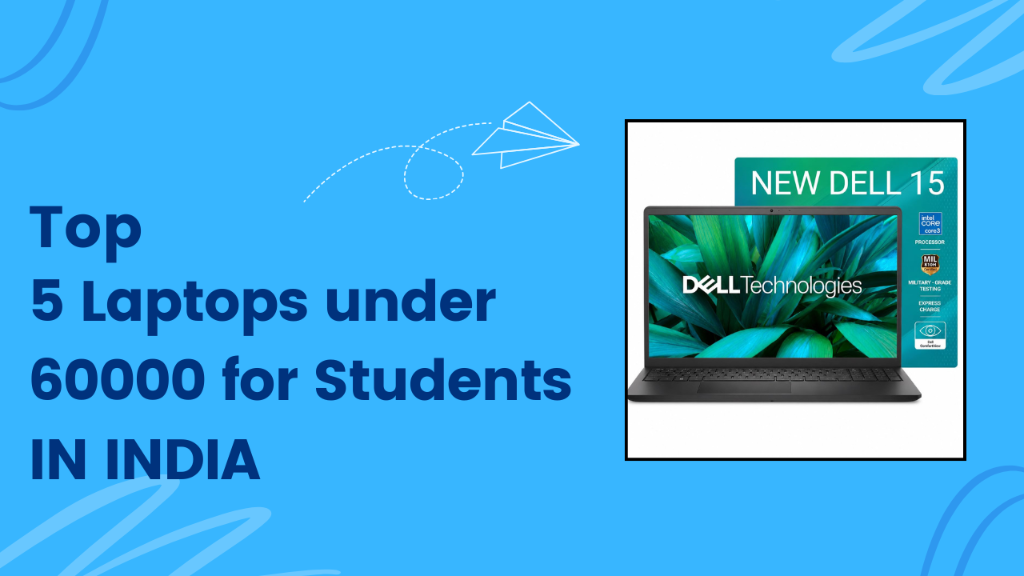
The Dell 15 Laptop is a highly reliable productivity machine optimized for student visual comfort and typing ergonomics. Powered by the 14th Gen Intel Core 3 100U Processor, it handles everyday school projects and coding easily. It is backed by a generous 16GB of DDR4 RAM and a fast 512GB SSD, allowing you to run compilers, web development tools, and document editors side by side without slowing down. The standout feature is its 15.6-inch Full HD display, which boasts a fluid 120Hz refresh rate. This high refresh rate makes reading textbooks, scrolling through research papers, and navigating files feel incredibly smooth, reducing eye strain during long study sessions. It is wrapped in a robust chassis weighing 1.63 kg, making it easily portable in student backpacks.
| Processor | 14th Gen Intel Core 3 100U (6 Cores, Up to 4.7 GHz) |
|---|---|
| Memory (RAM) | 16GB DDR4 RAM |
| Storage | 512GB M.2 PCIe NVMe SSD |
| Display | 15.6-inch FHD (1920×1080) IPS, 120Hz, Anti-glare, 250 nits |
| Graphics | Intel UHD Graphics |
| Operating System | Windows 11 Home + MS Office 2024 |
| Weight | 1.63 kg |
| Warranty | 1 Year Onsite Brand Warranty |
Pros
- Smooth 120Hz display refresh rate
- Future-proof 16GB RAM for multi-tasking
- Onsite warranty support across India
- Comfortable lift-hinge keyboard posture
Cons
- Peak brightness of 250 nits is low for outdoors
- Polycarbonate plastic build lacks premium feel
Our Verdict: Dell 15 Laptop is a highly recommended daily driver for coding and writing. The 120Hz refresh rate is a rare luxury at this price point and makes a noticeable difference in text readability, making it perfect for students spending long hours in front of the screen.
2. HP 15 Laptop (fd0572TU)
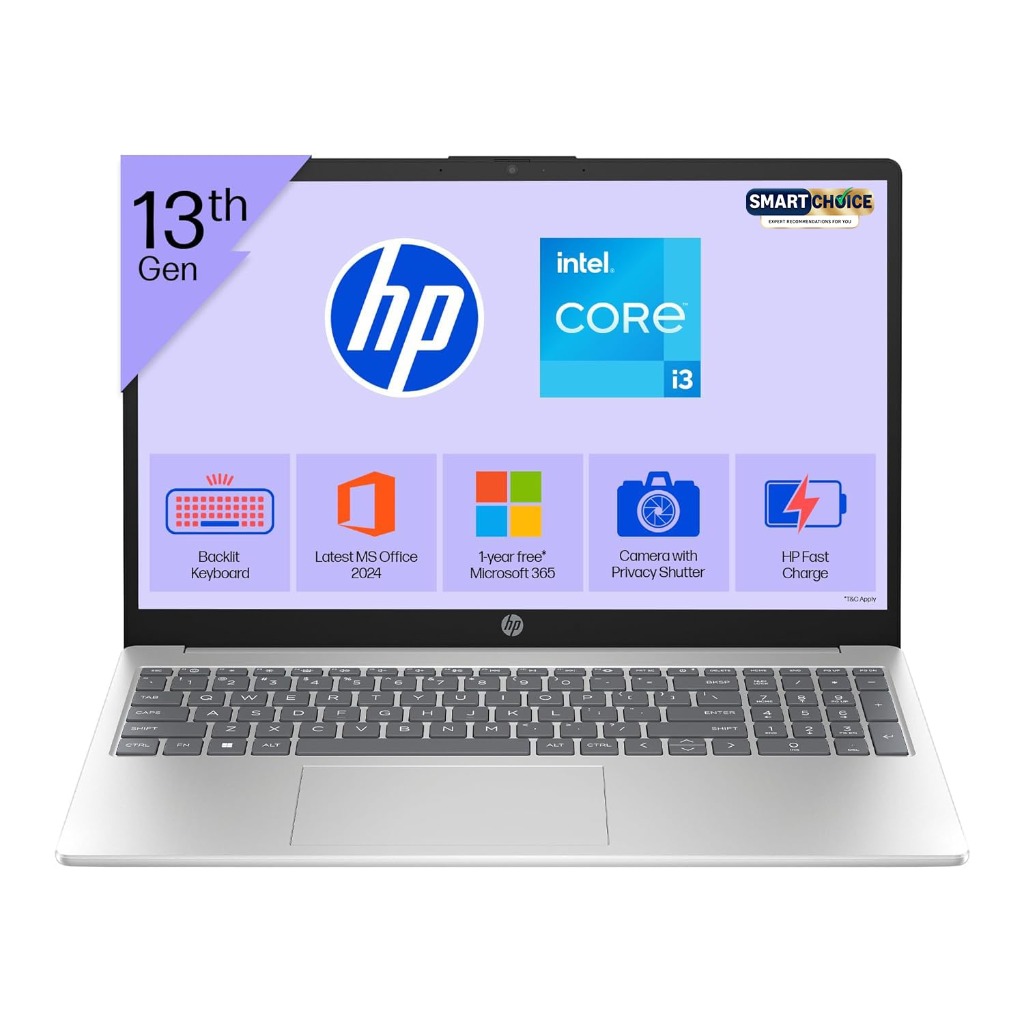
The HP 15 Laptop (fd0572TU) is designed for students who prioritize communication, online learning, and a premium writing experience. Powered by the 13th Gen Intel Core i3-1315U, it features 8GB of DDR4 RAM and 512GB SSD storage. The key highlight of this laptop is its full-size backlit keyboard, which allows you to take notes during late-night study sessions in dimly lit hostel rooms. Connectivity and remote communication are excellent, thanks to the built-in Full HD camera with a physical privacy shutter, which ensures you look clear during online classes and webinars. Its micro-edge bezel display provides a modern aesthetic and lightweight build (just 1.59 kg), making it a sleek, professional-looking accessory for college lectures.
| Processor | 13th Gen Intel Core i3-1315U (6 Cores, Up to 4.5 GHz) |
|---|---|
| Memory (RAM) | 8GB DDR4 RAM |
| Storage | 512GB PCIe NVMe M.2 SSD |
| Display | 15.6-inch FHD (1920×1080), Anti-glare, Micro-Edge |
| Graphics | Intel UHD Graphics |
| Operating System | Windows 11 Home + MS Office 2024 + 1yr M365 |
| Weight | 1.59 kg |
| Warranty | 1 Year Domestic Brand Warranty |
Pros
- Backlit keyboard and numeric pad
- FHD webcam with physical shutter
- Lightweight silver chassis (1.59 kg)
- Fast charging support (50% in 45 mins)
Cons
- 8GB RAM is lower than competitors
- Type-C port does not support charging
Our Verdict: If you take online classes frequently and write essays, the HP 15 is a stellar choice. Its backlit keyboard and FHD camera with a physical shutter make it a reliable partner for remote learning, even if its 8GB RAM is slightly limited compared to 16GB options.
3. Primebook 2 Pro (2026 Edition)
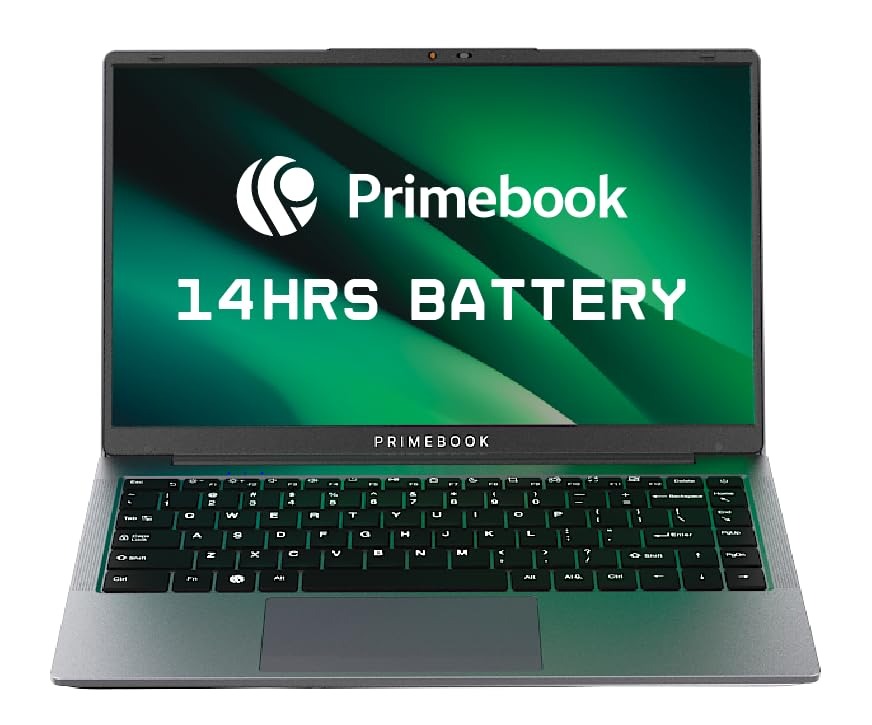
The Primebook 2 Pro (2026 Edition) is a revolutionary Android-based learning laptop designed for younger students, content consumption, and budget education. Running on PrimeOS 3.0 (based on Android 15), it is highly optimized for running millions of educational apps from the Google Play Store and Prime Store. It is powered by the MediaTek Helio G99 octa-core processor and features 8GB of RAM and 128GB of UFS storage. Because it runs a lightweight mobile OS, its battery life is phenomenal—lasting up to 14 hours on a single charge. It also features a backlit keyboard and in-built AI features to assist in study research. Weighing only 1.15 kg, it is the lightest laptop on our list, making it highly portable for school classes.
| Processor | MediaTek Helio G99 (8 Cores, Up to 2.2 GHz) |
|---|---|
| Memory (RAM) | 8GB LPDDR4X RAM |
| Storage | 128GB UFS Storage |
| Display | 14.1-inch FHD (1920×1080) IPS Display |
| Graphics | ARM Mali-G57 MC2 Graphics |
| Operating System | Android 15 (PrimeOS 3.0) |
| Weight | 1.15 kg |
| Warranty | 1 Year Brand Warranty |
Pros
- Exceptional battery life up to 14 hours
- Extremely lightweight and portable (1.15 kg)
- Built-in backlit keyboard and AI tools
- Full access to Android educational apps
Cons
- Cannot run standard Windows software
- 128GB storage is small for heavy media
Our Verdict: Primebook 2 Pro is the ultimate companion for school students and casual learning. Its incredible battery life and Android environment are perfect for online lectures and textbooks, although university students needing Windows-specific coding environments should look elsewhere.
4. Lenovo V15 G4 AMD Laptop
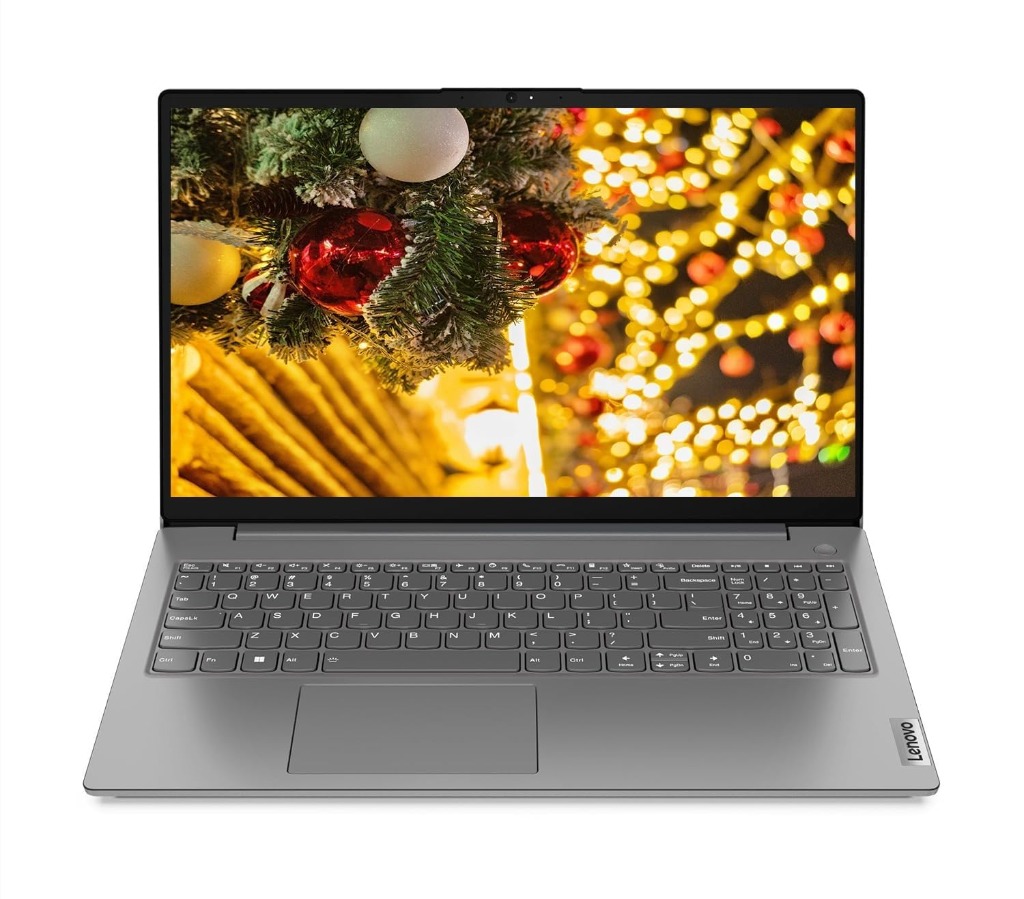
The Lenovo V15 G4 AMD Laptop is a powerhouse built for coding, data analysis, and heavy student multitasking. It is powered by the AMD Ryzen 5 7520U processor, featuring 4 cores and 8 threads of computing power. It stands out in this price bracket by offering a modern 16GB of DDR5 RAM running at a blazing-fast 5500MHz, paired with a 512GB NVMe SSD. This high-speed memory ensures that compiling large software codes, loading data sheets, or running virtual machines is extremely fluid. The display is a 15.6-inch Full HD screen with anti-glare technology. It is certified with military-grade durability, ensuring it can survive accidental drops, knocks, and liquid spills on the keyboard. It is backed by Lenovo’s excellent 1-year onsite warranty support.
| Processor | AMD Ryzen 5 7520U (4 Cores, 8 Threads, Up to 4.3 GHz) |
|---|---|
| Memory (RAM) | 16GB LPDDR5 5500MHz RAM |
| Storage | 512GB PCIe NVMe SSD |
| Display | 15.6-inch FHD (1920×1080) Anti-glare |
| Graphics | AMD Radeon 610M Graphics |
| Operating System | Windows 11 Home |
| Weight | 1.65 kg |
| Warranty | 1 Year Onsite Brand Warranty |
Pros
- Super-fast 16GB LPDDR5 RAM at 5500MHz
- Ryzen 5 processor offers great efficiency
- Military-grade drop and shock durability
- Reliable onsite warranty support
Cons
- RAM is soldered and cannot be upgraded
- Display color accuracy is basic
Our Verdict: Lenovo V15 G4 is the best option for engineering and IT students. Its combination of Ryzen 5 and high-speed LPDDR5 memory handles code development and compilation beautifully, backed by a rugged military-grade design for daily carry.
5. ASUS Vivobook 15 (X1504VA-NJ2324WS)
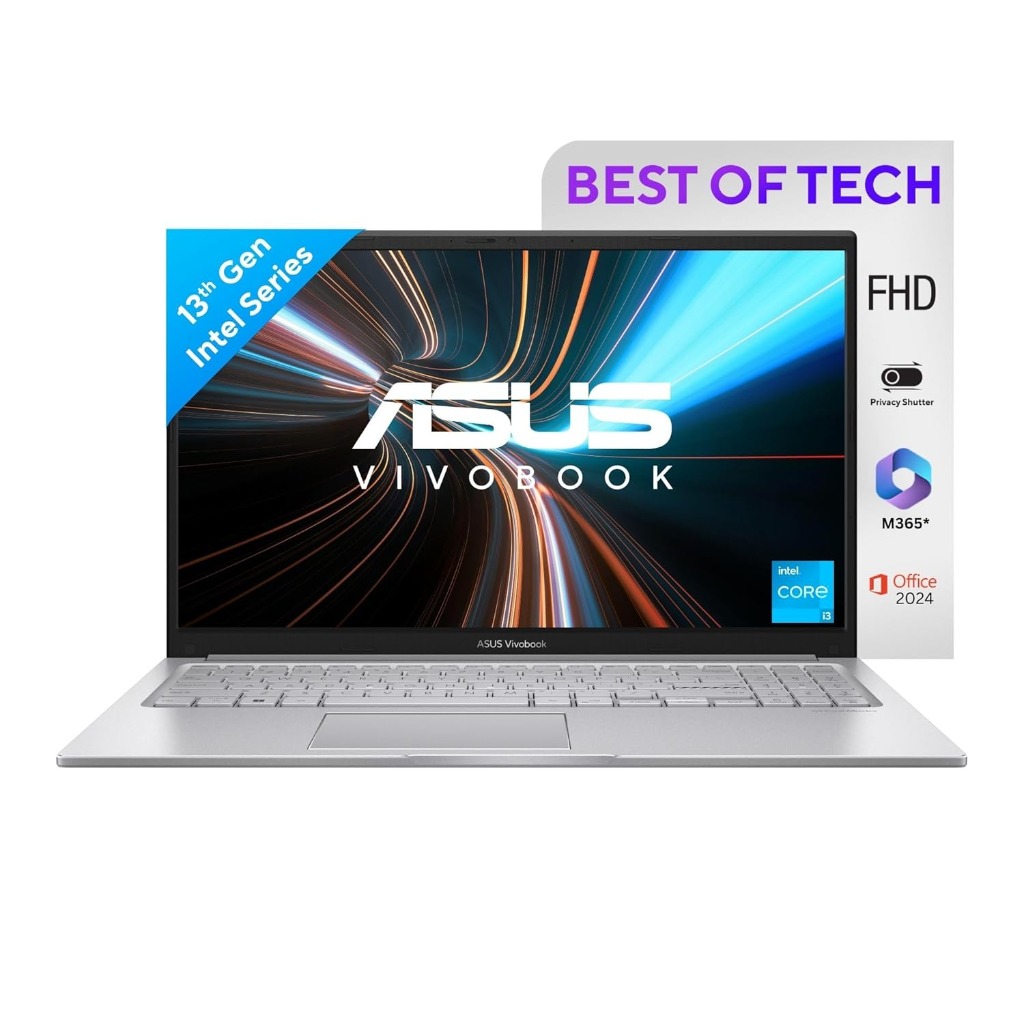
The ASUS Vivobook 15 (X1504VA-NJ2324WS) is a premium thin-and-light laptop designed for office productivity, multimedia entertainment, and modern college design tasks. Driven by the 13th Gen Intel Core i3-1315U processor, it features 16GB of DDR4 RAM and 512GB of SSD storage, delivering robust multitasking headroom. The display is a beautiful 15.6-inch Full HD screen with thin bezels, providing a compact body footprint. It features a full-size backlit keyboard and a lay-flat 180-degree hinge, which makes sharing documents or drawings during group discussions extremely convenient. Finished in a gorgeous Cool Silver paint, it weighs 1.70 kg and includes pre-installed Office 2024 and 1 Year of Microsoft 365 Basic, making it ready for assignments out of the box.
| Processor | 13th Gen Intel Core i3-1315U (6 Cores, Up to 4.5 GHz) |
|---|---|
| Memory (RAM) | 16GB DDR4 RAM |
| Storage | 512GB M.2 NVMe PCIe SSD |
| Display | 15.6-inch FHD (1920×1080) IPS-level, Anti-glare |
| Graphics | Intel UHD Graphics |
| Operating System | Windows 11 Home + MS Office 2024 + 1yr M365 Basic |
| Weight | 1.70 kg |
| Warranty | 1 Year Brand Warranty |
Pros
- Modern thin-bezel NanoEdge screen
- Premium backlit keyboard and lay-flat hinge
- 16GB RAM prevents system lag
- Includes Office 2024 and M365 subscription
Cons
- Battery life is moderate (4-5 hours)
- Slightly heavier at 1.70 kg
Our Verdict: ASUS Vivobook 15 is a gorgeous and highly functional laptop. Its backlit keyboard, lay-flat hinge, and 16GB of pre-installed RAM provide a smooth, premium experience that is ideal for business and humanities students alike.
Comparison Summary: Which One Should You Buy?
To help you choose the best laptops under 60000 for students in India based on your academic majors and daily habits, here is a quick recommendation guide:
🏆 Best Overall: Lenovo V15 G4 AMD
With its AMD Ryzen 5 processor, 16GB of fast LPDDR5 RAM, and military-grade durability, it is the most future-proof and robust laptop for technical engineering studies and coding.
🚀 Best Performance: Dell 15 Laptop
Featuring the 14th Gen Intel Core 3 processor and a fluid 120Hz display refresh rate, it delivers unmatched display smoothness and computing efficiency.
💰 Best Budget & Battery: Primebook 2 Pro
If you are a school student or a budget buyer, this lightweight Android laptop offers up to 14 hours of battery backup and full access to Google Play educational apps at an unbeatable price.
⭐ Best Value for Money: ASUS Vivobook 15
It packs a gorgeous design, 16GB RAM, and a backlit keyboard with pre-installed MS Office 2024, providing a premium experience without a high price tag.
Frequently Asked Questions (FAQs)
1. Which laptop under ₹60,000 is best for engineering and coding?
The Lenovo V15 G4 is highly recommended for engineering and coding. It features a robust AMD Ryzen 5 processor and 16GB of DDR5 RAM running at 5500MHz, which provides the speed and memory bandwidth necessary to run compilers, IDEs, and heavy databases without lagging.
2. Is 8GB RAM enough for student laptops in 2026?
While 8GB of RAM is sufficient for basic text editing, emailing, and online calls, it will start to bottleneck if you open multiple browser tabs alongside active applications. For coding, graphic design, and long-term utility over 4 years, prioritizing 16GB of RAM is highly recommended.
3. Can these laptops handle casual gaming?
Yes, laptops like the Lenovo V15 (with AMD Radeon) and Dell 15 (with Intel UHD Graphics) can run casual, lightweight esports titles like Valorant, League of Legends, and Minecraft on low-to-medium settings. However, they lack dedicated graphics cards and cannot handle modern AAA games.
4. Which laptop has the best battery life?
The Primebook 2 Pro offers the longest battery life, lasting up to 14 hours because it runs a highly optimized, lightweight PrimeOS (Android). Among the Windows-based laptops, the Lenovo V15 G4 with its efficient AMD Ryzen processor offers the best battery efficiency (approx 5-6 hours).
5. Is Windows 11 pre-installed on these laptops?
Yes, all the featured laptops—except the Primebook 2 Pro (which runs Android 15 / PrimeOS)—come with Windows 11 Home pre-installed. The Dell 15, HP 15, and ASUS Vivobook 15 also include lifetime licenses for Microsoft Office Home & Student 2024.
6. Can I upgrade the storage on these laptops later?
Most of these models, including the HP 15, Dell 15, and ASUS Vivobook, feature M.2 slots that allow you to swap the pre-installed 512GB SSD for a larger 1TB or 2TB SSD in the future. The Primebook 2 Pro has soldered UFS storage and cannot be upgraded internally.
7. Why is a backlit keyboard important for college students?
A backlit keyboard illuminates the keys from underneath, which is incredibly useful for college students who type assignments, chat, or study in dark dorm rooms at night without turning on room lights and disturbing roommates.
8. Does Dell or HP offer better customer service in India?
Both HP and Dell have extensive onsite service networks across India. If your laptop encounters a hardware issue covered under warranty, they will send an authorized service technician directly to your home or hostel room, which is highly convenient for students.
9. Which laptop offers the best display quality and viewing comfort?
The Dell 15 Laptop features the best display for viewing comfort and reading. Its 15.6-inch Full HD display boasts a fluid 120Hz refresh rate and wide-viewing-angle IPS panel with anti-glare technology, making text crisp and scrolling silky smooth.
10. Is the AMD Ryzen 5 better than the 13th/14th Gen Intel Core i3 for student tasks?
Yes. The AMD Ryzen 5 7520U offers a higher core-count, better sustained performance, and superior integrated graphics compared to standard dual-core/four-core Intel Core i3 chips. It is better suited for programming, multi-tasking, and software development tasks.
11. Which laptop is the lightweight champion for carrying to classes daily?
The Primebook 2 Pro is the lightest at just 1.15 kg, followed by the HP 15 at 1.59 kg and Dell 15 at 1.63 kg. If portability is your primary concern, either the Primebook 2 Pro or the HP 15 are ideal daily carry items.
Final Verdict
Choosing the best laptops under 60000 for students in India depends on your specific academic needs. For engineering and computer science students who compile code daily, the Lenovo V15 G4 is our top choice due to its AMD Ryzen 5 processor and 16GB of fast LPDDR5 memory. If visual comfort is your primary concern, the Dell 15 Laptop and its fluid 120Hz IPS display deliver the best reading experience. For remote classes, the backlit keyboard and FHD camera of the HP 15 stand out. If you are a school student or need a lightweight backup device with amazing battery life, the Primebook 2 Pro is an incredible value. Evaluate your course requirements, pick the machine that fits your workflow, and enjoy a productive college experience.